
Six Planable alternatives are worth the switch in 2026: PostMonk, Buffer, Publer, Metricool, Loomly, and Later. The right one depends on which Planable limit pushed you out. Post caps point to Buffer or PostMonk. The analytics add-on points to Metricool. Missing AI image generation points to Publer.
The number driving most departures is the fully loaded one. A Planable Pro workspace with both add-ons switched on costs $82 per month, so ten client workspaces run $9,840 a year.
Below: a quick reference list, the friction driving departures, and the criteria that matter for this migration. Then a head-to-head comparison table and migration detail for every alternative.
Best Planable Alternatives at a Glance
Six alternatives for teams leaving Planable, ordered by switching-fit tier, then by methodology score within each tier.
-
PostMonk: best for teams whose Planable subscription compounds with every client added; one-time workspace pricing from $29 replaces the monthly invoice (Tier 1)
-
Buffer: best for teams hitting Planable’s monthly post cap; truly unlimited scheduled posts on paid plans from $5 per channel per month (Tier 1)
-
Publer: best for teams missing AI image generation; DALL-E 3 images with OpenAI bring-your-own-key on the $10 per month Business tier (Tier 2)
-
Metricool: best for teams paying Planable’s separate analytics add-on; analytics ship in every paid tier from $20 per month, and in the free plan (Tier 2)
-
Loomly: best for teams who want approval workflows plus a post ideas engine fed by RSS, a feature Planable does not offer (Tier 3)
-
Later: best for Instagram and TikTok-first teams who want a visual grid planner and link-in-bio at the scheduling layer (Tier 3)
Google’s AI Overview for this query also names Hootsuite and Agorapulse. Hootsuite is excluded here on price, since it starts at $99 per user per month against Planable’s $59 per workspace with unlimited users. Agorapulse is a lateral move on the same subscription model rather than an answer to a Planable cost trigger.
Disclosure: This guide is written by the PostMonk team. PostMonk competes with Planable and with every tool listed here. It appears in the ranking scored by the same rubric as everyone else, not self-ranked first.
How we score: Every product carries the overall score from our published review methodology. That method weights Scheduling and Publishing at 25%, Supported Channels at 20%, and Content Creation at 15%. Analytics and Reporting takes 15%, Ease of Use 10%, Pricing and Value 10%, and Support and Reputation 5%. The list is ordered by switching-fit tier first, then by that score inside each tier. Publer holds the highest raw score here at 3.9/5. It sits third because it answers one Planable trigger, while the Tier 1 tools answer two or more. Read the full method at how we review social media management tools.
Why Teams Switch from Planable
Teams leave Planable over three compounding cost problems. Post caps apply to every paid plan, analytics sit behind a second paywall, and per-workspace billing multiplies with each new client. Planable’s approval workflow is still the strongest in the scheduling category.
Planable’s content approval infrastructure is genuinely best in class. It ships four configurable workflow modes: None, Optional, Required, and Multi-level on Enterprise. Guest-view links let clients review and approve without a Planable login, and internal notes stay hidden from client-facing views.
That track record is documented. Planable holds 4.6/5 on G2 from 1,075 reviews and 4.5/5 on Capterra from 326 reviews. On Capterra, 91% of reviewers are small businesses in marketing and advertising. For teams whose firm rule is that nothing publishes without approval, Planable earns its price.
The switching pressure comes from three specific operational limits.
-
Post caps on every paid plan: Basic allows 60 posts per workspace per month, and Pro allows 150. Basic includes 4 social pages, so 60 posts is 15 per account per month. A team running Instagram, LinkedIn, TikTok, and Facebook exhausts that in under two weeks.
-
Analytics locked behind a second paywall: Analytics is a separate add-on at $14 per workspace per month on monthly billing, or $12 on annual. Nothing in the Basic or Pro base plan reports on performance.
-
Per-workspace billing that compounds at agency scale: Planable charges per workspace, not per user or per channel. Five Pro workspaces cost $295 per month, and ten cost $590. The invoice grows in direct proportion to client count.
Here is the number most comparison pages leave out. It is the fully loaded monthly cost once both add-ons are switched on. Planable Pro is $59 per workspace, Analytics adds $14, and Social Inbox adds $9, all at monthly billing rates.
| Client workspaces | Pro base | With Analytics | With both add-ons |
|---|---|---|---|
| 1 | $59/month | $73/month | $82/month |
| 5 | $295/month | $365/month | $410/month |
| 10 | $590/month | $730/month | $820/month |
At ten clients that is $9,840 a year for a scheduling and approval tool. Cost is also the loudest community signal on this query. The Reddit thread Do you know any cheaper Planable alternative? surfaces in Google’s discussions block for this exact search.
Honest carve-out: Planable is still the right tool when client approval workflow is the primary operational challenge and workspace count stays low. Nothing on this list matches its four approval modes, its guest-view links, or its native-fidelity post previews. The alternatives below win when post caps, analytics cost, or scaling billing become the dominant friction.
How to Choose a Planable Alternative
Before picking a replacement, identify which Planable limit is driving the decision. The four decision dimensions below rarely point to the same tool. This page covers alternatives for teams leaving Planable as a social media management platform.
Pricing model: per workspace, per channel, per brand, or one-time
Planable charges monthly per workspace with no aggregate cap, so the invoice tracks client count exactly. The alternatives split across three other models. Buffer bills per connected channel, Metricool bills by brand count inside a flat tier, and PostMonk sells a one-time code per workspace. Decide whether you want fixed cost per account, tiered cost per brand, or a cost that stops at purchase.
Analytics: included in the base plan or behind a second paywall
Planable’s analytics are a $14 per workspace per month add-on on monthly billing. Metricool includes analytics in every paid tier and in the free plan at 30 days of history. Buffer includes analytics from Essentials, Loomly bundles advanced analytics into Starter, and PostMonk includes analytics on all three paid tiers. If the second invoice line is the frustration, any of those four removes it.
AI tools: metered credits or bring your own key
Planable ships an AI composer for captions, rewrites, and hashtags. It offers no way to connect a personal API key, and no image generation at any tier. Two tools here accept your own key: PostMonk across five providers on every paid plan, and Publer for OpenAI only on its Business tier. Everything else meters AI through vendor credits, which is why credit ceilings matter for high-volume content teams.
Agency scale: what happens at client number ten
Ten Planable Pro workspaces cost $590 per month before add-ons, so scale is where the models separate hardest. Buffer’s per-channel bill stays linear at any account count. Metricool’s Advanced tier reaches $210 per month at 50 brands. PostMonk’s Agency tier holds 100 connected accounts and 25 Brand Assets in one workspace. The trade-off is isolation: separate workspaces seal clients off, while Brand Assets share one workspace.
Planable vs Six Alternatives: Feature Comparison
The table below sets Planable against all six alternatives on the attributes that decide this switch. Planable appears as the reference row so you can compare directly against what you are leaving.
| Feature | Planable | PostMonk | Buffer | Publer | Metricool | Loomly | Later |
|---|---|---|---|---|---|---|---|
| Score | 3.6/5 | 3.7/5 | 3.5/5 | 3.9/5 | 3.5/5 | 3.0/5 | 2.9/5 |
| Starting price | $39/workspace/month | $29 one-time | $5/channel/month | $5/month (1 account) | $20/month | $65/month ($49 annual) | $18.75/month |
| Post limits | 60/month Basic; 150/month Pro | 500/month Starter; 5,000 Pro; 20,000 Agency | Unlimited (paid) | Unlimited (paid); 10/account free | 20/month free; unlimited paid | Not published | 30/profile Starter; 180 Growth; unlimited Scale |
| Platforms | 9 (includes Google Business Profile) | 9 (includes Bluesky, no GBP) | 11 (incl. Mastodon) | 13 (incl. Mastodon, Bluesky, Telegram) | 11 (incl. Twitch, GBP) | 9 | 8 (no X/Twitter) |
| Analytics | Add-on, $14/month | Included, all tiers | Included (Essentials+) | Business tier only | Included (all paid) | Included (Starter+) | 3mo to 2yr history |
| AI tools | Composer, no BYOK | BYOK, 5 providers | Basic assistant | DALL-E 3 + OpenAI BYOK (Business) | 5 to 35 credits/month | AI Assistant | 5 to 100 credits |
| Approval workflow | Yes (all paid plans) | Yes (Pro and Agency) | Team plan only | Not documented | Advanced plan | Starter+ | Growth+ |
| MCP server | Draft-only | Full publish (Pro/Agency) | Yes (all plans) | No | Advanced, schedule-only | No | No |
| Free plan | 50 posts (lifetime total) | 7-day trial | 3 channels, 10 posts | 3 accounts, 10 posts each | Yes (1 brand, 20 posts) | Free trial | 14-day trial |
Prices and features verified as of July 2026. Planable data sourced from planable.io/pricing. Publer’s own pricing page returned a redirect loop during this pass. Its figures come from our Publer review, which triangulated them across multiple sources in July 2026. Visit each product’s site for current rates.
1. PostMonk: Best for Lifetime Pricing and AI Key Flexibility (3.7/5)
PostMonk answers all three primary Planable switching triggers at once. One-time pricing from $29 ends subscription compounding. Multi-provider bring-your-own-key AI replaces metered credits with your own API account. A full MCP server on Pro and Agency creates, schedules, and publishes posts, where Planable’s connector only drafts.
PostMonk scores 3.7/5 overall on our seven-category methodology. It earns Tier 1 by answering three departure reasons rather than one. The honest trade-off is proof. PostMonk is a new entrant with no reviews on G2, Capterra, or Trustpilot, and no confirmed mobile app. Background on the tool you are leaving sits in our Planable review.
Best for: Agencies and solo managers who have priced out per-workspace subscriptions over three years. Also for AI-native operators who need an agent that can publish, not just draft.
Key Features
PostMonk’s differentiating features map directly onto the reasons teams leave Planable.
-
BYOK multi-provider AI: Connect OpenAI, Anthropic Claude, Google Gemini, DeepSeek, or OpenRouter. Captions, hashtags, alt text, and image generation route through your own API account. There is no PostMonk credit ceiling, and BYOK is on all three paid tiers.
-
Lifetime workspace pricing: Starter ($29), Pro ($59), and Agency ($99) are one-time payments. There is no renewal that grows with client count.
-
Full MCP server: Pro and Agency include a native MCP server with read and write access. An MCP client such as Claude or ChatGPT can create, schedule, and publish. Planable’s connector creates drafts only.
-
Brand Assets: Per-client profiles storing account sets, AI voice, hashtag banks, and UTM defaults. Agency supports 25, so one workspace can hold 25 client brands.
-
High monthly post ceilings: 500 scheduled posts per month on Starter, 5,000 on Pro, and 20,000 on Agency. Pro alone is 33 times Planable Pro’s 150.
-
9 platforms including Bluesky: Facebook, Instagram, X/Twitter, LinkedIn, TikTok, YouTube, Pinterest, Threads, and Bluesky.
-
Bulk CSV import: 500 posts per batch on Pro and 2,000 on Agency. This is the practical route for moving an existing queue across.
Pros
The following strengths are confirmed from PostMonk’s product documentation.
-
One-time pricing removes the renewal calculation and the per-workspace cost that compounds as clients are added.
-
Multi-provider BYOK lets a team run Anthropic for writing and another provider for images, with both keys connected independently. Most rivals offer no BYOK, and the two that do are OpenAI-only.
-
The MCP server is a full write surface. Planable’s connector can push a draft; PostMonk’s can take the post live.
-
Brand Assets let one Agency workspace cover 25 client brands, which cuts the billing contexts an agency maintains.
-
White-label PDF reports and a scoped client approval portal are included on Agency at $99 one-time.
Cons
PostMonk’s current limitations are material for specific buyer profiles.
-
No independent reviews exist on G2, Capterra, or Trustpilot. PostMonk is a pre-product-market-fit entrant with Domain Rating 0 and no organic traffic (Ahrefs, 2026-06-01).
-
No mobile app is confirmed. Teams that approve or post from a phone face a real gap. Planable, Buffer, and Later all ship iOS and Android apps.
-
Google Business Profile is not supported. Planable publishes to GBP, so multi-location brands would need a second tool.
-
Posts are capped, not unlimited. Starter allows 500 per month and 25 per social account per day, which is generous against Planable but still a ceiling.
-
The approval workflow requires Pro or Agency. It is also far less battle-tested than Planable’s 1,075-review track record.
-
Competitor benchmarking is on the V2 roadmap, not live. Teams leaving Planable’s add-on for competitive tracking should look at Metricool.
Pricing
PostMonk charges a one-time code per workspace, with no subscription.
| Tier | Price | Brand Assets | Accounts | Seats | Posts/month | AI credits | MCP/API |
|---|---|---|---|---|---|---|---|
| Starter | $29 one-time | 1 | 5 | 1 | 500 | 8,000 | No |
| Pro | $59 one-time | 5 | 25 | 3 | 5,000 | 20,000 | Yes |
| Agency | $99 one-time | 25 | 100 | 10 | 20,000 | 40,000 | Yes |
All tiers include BYOK multi-provider AI. Every workspace starts on a 7-day trial with no credit card, and a 30-day money-back guarantee follows activation. See the PostMonk pricing page for current terms.
What Users Say
PostMonk has no published reviews on G2, Capterra, or Trustpilot, and no Product Hunt listing. That absence was verified, not assumed. Searches across those platforms returned nothing for postmonk.co. Anyone evaluating PostMonk today is working from the documentation, a direct trial, and the feature set described here. For procurement that requires aggregated third-party ratings, that is a hard blocker.
Migrating from Planable to PostMonk
The move from Planable to PostMonk is a content rebuild plus a workspace mapping decision.
What transfers: PostMonk has no direct Planable importer. The practical path is to recreate scheduled-but-unpublished content in a CSV, then bulk import it. Pro takes 500 posts per batch and Agency takes 2,000. Planable publishes no bulk export of scheduled posts, so budget time for manual recreation.
Feature mapping: Planable’s core objects map across as follows.
-
Planable workspace maps to a PostMonk Brand Asset, which preserves per-client separation without per-client billing
-
Planable approval modes (None, Optional, Required) map to PostMonk’s submit, approve, and reject workflow on Pro and Agency
-
Planable’s draft-only MCP connector maps to PostMonk’s full MCP server, which also schedules and publishes
-
Planable’s Analytics add-on maps to PostMonk’s built-in analytics, with AI Q&A on Pro and Agency and no competitor benchmarking yet
Learning curve: PostMonk’s interface is deliberately minimal, and the calendar, queue, and approval concepts carry over from Planable directly. Plan on 1 to 2 hours for a solo manager and one working session for an agency team.
Migration support: Support is handled directly by the founding team, and there is no migration concierge. A feature-and-pricing side-by-side sits at PostMonk vs Planable.
2. Buffer: Best for Simple Per-Channel Scheduling (3.5/5)
Buffer is the cleanest answer for teams leaving Planable purely because of post caps. Essentials ($5 per channel per month) and Team ($10 per channel per month) both carry unlimited scheduled posts. Pricing scales by channel count rather than workspace, so the bill is a single multiplication. Buffer scores 3.5/5 overall and carries Domain Rating 91.
Buffer also ships a native MCP server on every plan, which is broader access than Planable’s paid-only draft connector. For a direct capability comparison, see how Buffer stacks up against PostMonk.
Best for: Small teams and solo managers running 3 to 15 social accounts who want no posting ceiling and a predictable bill.
Key Features
Buffer’s core value is per-channel pricing with no scheduling ceiling.
-
No post caps on Essentials or Team: Unlimited scheduled posts per channel. Ten accounts on Team is $100 per month with no volume limit.
-
Per-channel pricing: Each social account bills at $5 or $10 per month. An agency with a fixed account list knows its annual cost exactly.
-
Analytics included on Essentials and Team: Unlimited analytics history plus advanced analytics, with branded reports on Team. There is no analytics add-on.
-
Native MCP server: Buffer’s MCP integration is available on all plans, including free.
-
Mobile app: iOS and Android on every plan.
-
Free plan: Up to 3 channels, 10 refillable scheduled posts per channel, 1 user, and 30 days of basic analytics.
-
14-day free trial on both paid plans, which supports parallel running during a migration.
Pros
The following strengths are confirmed from buffer.com/pricing (fetched 2026-07-28).
-
Unlimited posts on Essentials at $5 per channel per month removes the constraint most Planable leavers name first.
-
Analytics arrive without a second invoice line, and Essentials already carries unlimited history.
-
Domain Rating 91 and a long market history give review-dependent buyers a deep third-party record to check.
-
Per-channel pricing is transparent: cost equals channel count times tier price, with a 20% annual discount.
-
A 50% nonprofit discount is published, which matches Loomly and beats every other tool here.
Cons
Buffer’s limitations are real for specific buyer profiles.
-
Approval workflows require the Team plan at $10 per channel per month. Buyers who chose Planable for approvals cannot get them on Essentials.
-
Per-channel pricing accumulates at volume. Thirty accounts on Team is $300 per month, where Planable’s per-workspace model may be cheaper.
-
No multi-level approval chains exist on any self-serve plan, so sequential sign-off still means Planable Enterprise.
-
The AI assistant is basic: caption and reply suggestions only, with no image generation and no BYOK. The free plan caps AI replies at 5 per week.
Pricing
Buffer prices per social channel per month.
| Tier | Price | Channels | Users | Posts | Approval |
|---|---|---|---|---|---|
| Free | $0/month | Up to 3 | 1 | 10/channel (refillable) | No |
| Essentials | $5/channel/month | Any count | 1 | Unlimited | No |
| Team | $10/channel/month | Any count | Unlimited | Unlimited | Yes |
Annual billing saves 20%, and volume discounts apply beyond 10 channels.
What Users Say
Buffer rates 4.3/5 on G2 from 1,039 reviews and 4.5/5 on Capterra from 1,492 reviews. Both sit below Planable’s 4.6/5, and the reviewer base skews to small businesses, which is Buffer’s actual audience rather than the agency audience Planable serves.
The gaps that decide most Planable-to-Buffer evaluations are structural rather than sentiment-driven. Approvals are Team-only, and the AI assistant does not generate images. For a full capability assessment, see our Buffer review, and for tools in the same price band, see Buffer alternatives.
Migrating from Planable to Buffer
The migration covers content, approvals, and a shift in how the workspace is organized.
What transfers: Buffer has no direct Planable importer. Scheduled-but-unpublished posts move manually or through Buffer’s CSV import. Content held in Planable’s Universal Content feature has no Buffer equivalent and does not transfer.
Feature mapping: The structural differences are worth knowing before you rebuild.
-
Planable workspace maps to a Buffer channel set, so there is no per-client isolation layer
-
Planable approval (Optional, Required) maps to Buffer’s Team approval workflow, a single-step system rather than four modes
-
Planable’s $14 Analytics add-on maps to Buffer analytics, included from Essentials at $5 per channel
-
Planable’s draft-only MCP connector maps to Buffer’s native MCP, available on every plan including free
Learning curve: Buffer is one of the simplest interfaces in the category, and most Planable users are productive inside an hour. The main adjustment is conceptual: Buffer is channel-centric with one queue per channel, where Planable is workspace-centric.
Migration support: Buffer offers a self-serve help center and email support, with no migration concierge. The 14-day trial on paid plans allows running both tools side by side.
3. Publer: Best for AI Content Generation on a Budget (3.9/5)
Publer carries the highest methodology score on this list at 3.9/5. It is also the strongest pick for teams whose Planable frustration is the missing AI visual layer. Publer builds DALL-E 3 image generation into the composer on its Business tier. That tier runs on your own OpenAI key rather than metered vendor credits.
Publer holds 4.8/5 on Capterra from 955 reviews, alongside 4.7/5 on G2 from 521 reviews and 4.8/5 on Trustpilot from 990 reviews. That is the deepest verified satisfaction record of any tool on this list. For a direct feature comparison, see PostMonk vs Publer.
One caveat shapes the whole evaluation. Publer’s AI and its analytics both sit behind the Business tier, so the $5 per month Professional plan buys scheduling only. Budget for Business if AI image generation is the reason you are leaving Planable.
Best for: Solopreneurs and small content teams who want DALL-E 3 image generation with their own OpenAI key, on the broadest network list here.
Key Features
Publer’s differentiating capabilities are network breadth and AI image generation on a cheap per-account bill.
-
DALL-E 3 image generation: AI Assist pairs GPT-4 captions with DALL-E 3 images on the Business tier. Teams draft, generate, and schedule in one place without a separate design subscription.
-
OpenAI BYOK: AI Assist requires your own OpenAI key, so generation bills to your OpenAI account with no Publer credit ceiling. It is single-provider: Anthropic, Gemini, and DeepSeek keys are not supported.
-
13 networks: Facebook, Instagram, X/Twitter, LinkedIn, Pinterest, TikTok, YouTube, Google Business Profile, WordPress, Mastodon, Bluesky, Threads, and Telegram. That is four more than Planable, and it covers the federated networks Planable skips.
-
Unlimited RSS automations on Professional: Connect content sources and have Publer surface new items for scheduling, a curation layer Planable has no equivalent for.
-
Free plan: 3 social accounts, 10 posts per account per month, and 25 drafts, which makes parallel testing against Planable straightforward. X/Twitter is excluded from the free tier.
-
Per-account pricing: Professional is $5 per month for one account plus roughly $4 per additional account. Business is $10 plus roughly $7 each.
Pros
The following strengths are confirmed from our own Publer evaluation.
-
DALL-E 3 generation covers a gap Planable does not fill, since Planable ships no image generation at any tier.
-
OpenAI BYOK gives real cost control. Teams already paying for OpenAI API access route caption and image generation through that account.
-
Aggregate ratings of 4.8/5 on Capterra, 4.7/5 on G2, and 4.8/5 on Trustpilot are the most consistent satisfaction record in this group.
-
Per-account billing starts at $5 per month, so a solo manager running three accounts pays roughly $13 against Planable Basic at $39.
-
Mastodon, Bluesky, Threads, and Telegram support removes the second tool that Planable users with federated audiences currently need.
Cons
Publer’s limitations relative to the other alternatives are specific.
-
BYOK is single-provider and Business-tier only. Teams using Anthropic Claude, Google Gemini, or DeepSeek cannot connect those keys, where PostMonk supports five on every paid plan.
-
Analytics are Business-tier only and track Publer-posted content only. Free and Professional users see no reporting at all, so this does not fix Planable’s analytics paywall, it relocates it.
-
Per-account billing compounds. Ten accounts on Business is roughly $73 per month, which erodes the price advantage over a single Planable workspace.
-
Publer has no MCP server, so AI-agent workflows still run through manual copy and paste.
-
Publer is absent from the AI Overview and the top organic results for this query, so it carries less category visibility than Buffer or Loomly.
Pricing
Publer prices per social account, with the first account setting the tier price.
| Tier | Price (1 account) | Each extra account | Posts | AI and analytics |
|---|---|---|---|---|
| Free | $0/month | Not available | 10/account/month | None |
| Professional | $5/month | ~$4/month | Unlimited | None |
| Business | $10/month | ~$7/month | Unlimited | AI Assist and analytics included |
Annual billing saves roughly 20%. Professional carries a 7-day trial and Business a 14-day trial. For the full evaluation behind these numbers, see our Publer review.
What Users Say
Publer’s 4.8/5 rating across 955 Capterra reviews is the highest verified aggregate score on this list, and it sits above Loomly’s 4.7/5 from 509 reviews. The praise concentrates on publish reliability rather than features, which is the opposite of Planable’s review profile, where approval UX carries the score. The recurring criticism is the Business-tier gate on analytics and AI. For tools in a similar range, see Publer alternatives.
Migrating from Planable to Publer
The migration path depends on which content and workflows have to survive the move.
What transfers: Publer has no direct Planable importer. The route is manual content reconstruction, or CSV import where Publer supports it. Confirm the current import options on the Publer help center, because analytics history does not transfer.
Feature mapping: The AI mapping is where this migration gains most, and the approval mapping is where it loses most.
-
Planable workspace maps to a Publer workspace, unlimited on Professional and above, so per-client context survives but the pricing model changes
-
Planable’s approval modes have no documented Publer equivalent, so structured client sign-off is the capability you give up here
-
Planable’s AI composer maps to Publer’s GPT-4 captions plus DALL-E 3 images on Business, with your own OpenAI key
-
Planable’s $14 Analytics add-on maps to Publer’s Business-tier analytics, which reports only on Publer-posted content
Learning curve: Publer follows the same calendar-and-compose pattern Planable users already know, so the core workflow reads as familiar. Our own testing put the first scheduled post under five minutes from signup. Budget 1 to 2 hours for full setup.
Migration support: Publer runs a help center and support team, with no Planable-specific migration service. The 7-day Professional trial and 14-day Business trial both allow running Publer alongside Planable.
4. Metricool: Best for Analytics Without an Add-On (3.5/5)
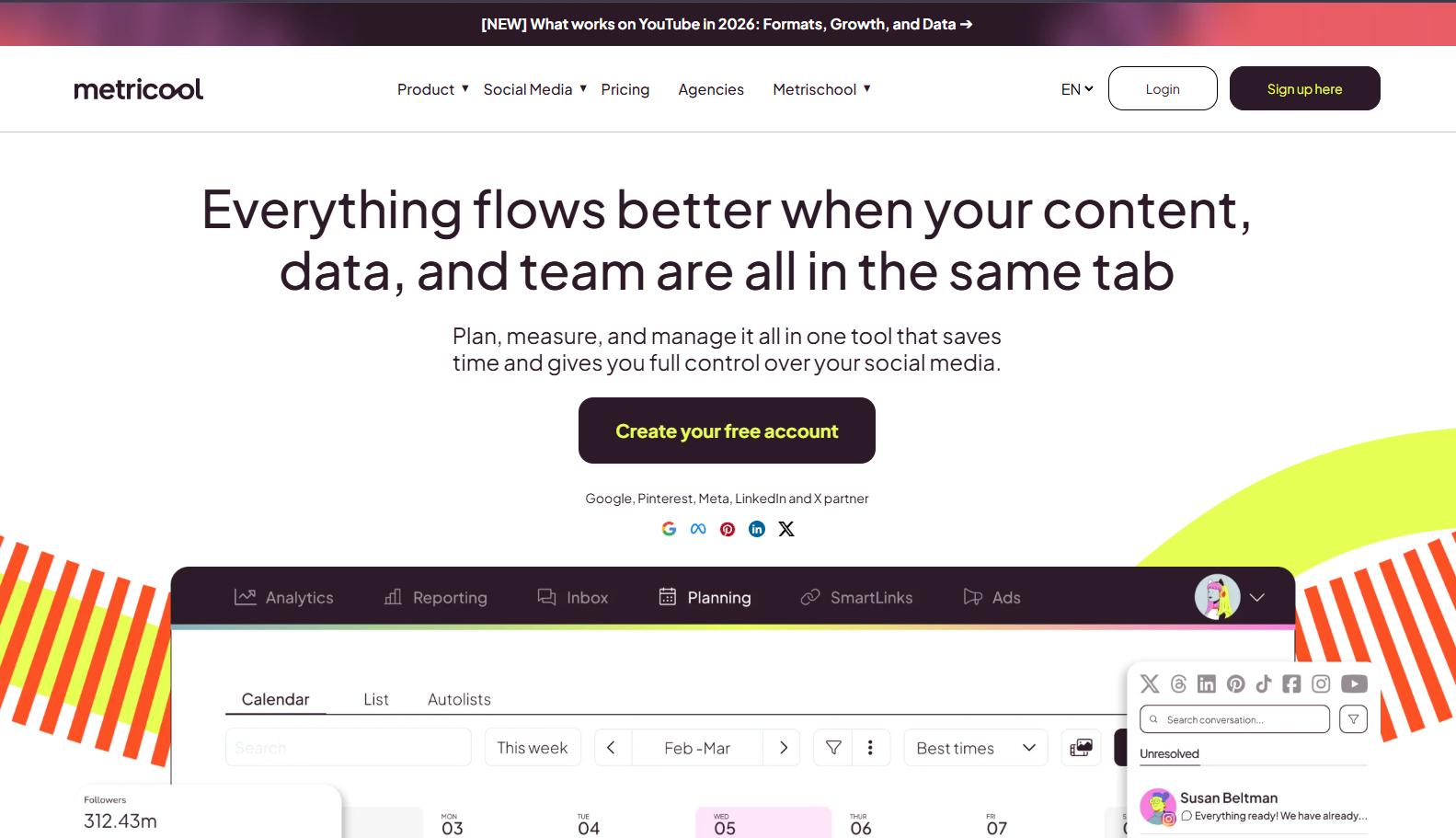
Metricool is the direct answer to Planable’s analytics paywall. Reporting is included in every paid tier with no separate purchase, and even the free plan carries 30 days of history. Advanced adds competitor tracking across up to 100 social profiles, a Looker Studio connector, and API access. Metricool scores 3.5/5 overall.
Metricool also covers 11 networks against Planable’s nine, including Twitch and Google Business Profile. For a direct feature comparison, see PostMonk vs Metricool.
Best for: Teams and agencies whose main Planable frustration is paying $14 per workspace per month for reporting. If every client workspace carries that add-on today, Metricool Starter at $20 per month removes it.
Key Features
Metricool’s defining capability is analytics included at every tier without an extra charge.
-
Analytics on free and paid plans: The free plan carries 30 days of history. Starter and Advanced carry unlimited history, and no add-on purchase exists.
-
Competitor tracking: Free covers 5 competitor profiles and every paid plan covers up to 100, across Instagram, Facebook, X, YouTube, and Twitch. Planable offers no competitor analytics at any tier. LinkedIn is the one gap: Metricool’s benchmarking does not cover it.
-
11 platforms: Facebook, Instagram, X/Twitter, LinkedIn, TikTok, YouTube, Pinterest, Google Business Profile, Threads, and Twitch, plus ad-account integrations for Google Ads and Meta Ads.
-
Unlimited posting on Starter and Advanced: The free plan caps at 20 posts per month per brand. Both paid tiers remove that cap under a fair-use policy.
-
Looker Studio connector on Advanced: Push analytics into Looker Studio for custom client dashboards.
-
API and MCP on Advanced: Zapier, Make, and MCP access sit on Advanced only, and Metricool’s MCP write surface is limited to scheduling.
Pros
The following strengths are confirmed from metricool.com/pricing (fetched 2026-07-28).
-
Analytics without a paywall directly replaces Planable’s $14 per workspace add-on for every reporting client.
-
The free plan’s 30-day analytics history is the only free-tier reporting in this comparison group.
-
Coverage of 11 networks includes every Planable platform plus Twitch, and adds Google Ads and Meta Ads reporting.
-
Competitor tracking across 100 profiles on every paid plan is a capability Planable does not sell at any tier.
-
Unlimited posting on Starter clears the 60 and 150 post ceilings for $20 per month.
Cons
Metricool’s limitations apply at specific plan thresholds.
-
Approval workflows require Advanced, which runs $53 to $210 per month depending on brand count. Starter has no approval system.
-
AI credits are capped per brand per month at 5 on free, 20 on Starter, and 35 on Advanced. There is no BYOK option.
-
There is no built-in image generation. AI is limited to caption and hashtag assistance.
-
At 50 brands, Advanced reaches $210 per month, so the cost advantage over Planable narrows sharply at that scale.
-
The free plan excludes both LinkedIn and X/Twitter. X/Twitter requires a paid add-on on every plan, and full X analytics arrive only on Advanced.
Pricing
Metricool’s pricing scales with brand count.
| Tier | Price (monthly) | Brands | Post limit | Approval | AI credits/brand | API/MCP |
|---|---|---|---|---|---|---|
| Free | $0 | 1 | 20/month | No | 5 | No |
| Starter | $20 to $36/month | 5 to 10 | Unlimited | No | 20 | No |
| Advanced | $53 to $210/month | 15 to 50 | Unlimited | Yes | 35 | Yes |
| Custom | Contact sales | Unlimited | Unlimited | Yes | Custom | Yes |
Annual billing saves up to 24%. For a detailed capability assessment, see our Metricool review.
What Users Say
Metricool’s G2 profile was not retrievable this session, because G2 blocked automated access on 2026-07-28. Community interest is documented instead. The thread Curious about Metricool in r/SocialMediaManagers drew 10 comments in June 2026, with a broadly positive tone. The recurring objection is scope rather than quality. Metricool is analytics-first where Planable is approval-first, so switchers gain reporting depth and lose collaboration polish. For tools in the same class, see Metricool alternatives.
Migrating from Planable to Metricool
This migration involves content reconstruction plus a plan-tier decision that most teams underestimate.
What transfers: Metricool has no direct Planable importer, so content migration is manual. Historical analytics from Planable’s add-on do not carry over, and Metricool’s data begins at the account connection date.
Feature mapping: Two of the four mappings force a plan decision.
-
Planable workspace maps to a Metricool brand, which preserves per-brand separation
-
Planable’s Required approval mode maps to Metricool’s approval system, available on Advanced only
-
Planable’s Analytics add-on maps to Metricool’s built-in analytics, with competitor tracking added at no extra cost
-
Planable’s draft-only MCP connector maps to Metricool’s Advanced-tier API and MCP access, which writes at the scheduling level
Learning curve: Metricool’s analytics dashboards carry more configuration than Planable’s approval-first interface. Budget 2 to 4 hours for onboarding, and more if the team plans to build Looker Studio reports.
Migration support: Metricool provides a help center and live chat on paid plans, with no migration concierge. The free plan is the cleanest way to test before committing.
5. Loomly: Best for Visual Calendar and Team Workflows (3.0/5)
Loomly is the most visible tool on this SERP. Google’s AI Overview for “planable alternatives” names it first, and Capterra lists it at 4.7/5 from 509 reviews. Its visual calendar pairs with a post ideas engine fed by RSS, trending content, and date-based events. That inspiration layer is one Planable’s approval-first design leaves empty. Loomly scores 3.0/5 overall.
Loomly’s Starter plan runs $65 per month, or $49 on annual billing. It includes approval workflows and advanced analytics, which puts it near Planable Pro on price with reporting already bundled. For a direct comparison, see PostMonk vs Loomly.
One caveat belongs in the buying decision. Bending Spoons acquired Loomly in January 2025 and compressed four tiers into two, which triggered the sharpest documented backlash of any tool here. The Reddit thread Loomly Pricing increase 2025 records one team’s move from $23 to $249 per month.
Best for: Teams leaving Planable who want to keep approval workflows while adding a stronger visual calendar and a content ideas engine.
Key Features
Loomly’s distinctive value is visual planning plus structured content inspiration.
-
Post ideas engine: Loomly generates content ideas from connected RSS feeds, trending topics, and calendar events. Planable offers nothing equivalent.
-
Approval workflows on Starter: Included at $65 per month, with custom roles and multi-step workflows on Beyond at $332 per month.
-
Advanced analytics on Starter: Confirmed as bundled alongside approvals from the loomly.com/pricing fetch on 2026-07-28.
-
12 social accounts and 3 users on Starter: Beyond raises those to 60 accounts and unlimited users.
-
Nonprofit discount: 50% lifetime with valid documentation, matching Buffer’s nonprofit program.
-
4.7/5 Capterra rating from 509 reviews: Independent validation for buyers who need a third-party record.
Pros
The following strengths are confirmed from loomly.com/pricing (fetched 2026-07-28).
-
The post ideas engine adds a content discovery layer Planable lacks, which helps teams who struggle with ideation rather than approval.
-
Approval workflows sit on the entry tier, where Metricool requires Advanced and Buffer requires Team.
-
Advanced analytics are bundled into Starter, so the reporting paywall that pushes teams off Planable does not reappear.
-
Google’s AI Overview names Loomly first for this query, so it carries the strongest category recognition here.
-
A 4.7/5 Capterra score across 509 reviews gives review-dependent buyers a substantial record to read.
Cons
Loomly’s real limitations for teams evaluating it today are pricing-shaped.
-
Post-acquisition pricing risk is documented and specific. Loomly’s help center published a plans-and-pricing update in August 2025, and migrated customers recorded increases of 600% to 996%.
-
The pricing cliff is structural. Starter stops at 12 social accounts and 3 users, so the 13th account or 4th user forces Beyond at $332 per month.
-
At $65 per month, Loomly has the highest entry price here. Buffer starts at $5 per channel, Metricool at $20, and Publer at $5 per account.
-
There is no BYOK and no image generation. The AI Assistant covers content ideas and basic caption help only.
-
Loomly publishes no post limit on its current pricing page, so volume ceilings cannot be confirmed before purchase.
Pricing
Pricing confirmed from loomly.com/pricing (fetched 2026-07-28).
| Tier | Monthly | Annual | Accounts | Users | Approval |
|---|---|---|---|---|---|
| Starter | $65/month | $49/month | 12 | 3 | Yes |
| Beyond | $332/month | $249/month | 60 | Unlimited | Custom roles |
| Enterprise | Custom | Custom | 61+ | Unlimited | Priority support |
Annual billing saves 25%, and a 50% lifetime nonprofit discount applies with valid documentation. Yearly plans lock for 12 months with no early termination. For an independent assessment, see our Loomly review.
What Users Say
Loomly’s 4.7/5 Capterra rating from 509 reviews reflects long-running satisfaction with the visual calendar and the post ideas engine (Capterra, fetched 2026-07-28). The 2025 pricing thread on r/SocialMediaMarketing is the counterweight, and it is worth reading before signing an annual term. It documents percentage increases rather than vague complaints, which is the evidence a three-year planning horizon needs. For context on the options in Loomly’s class, see Loomly alternatives.
Migrating from Planable to Loomly
The migration covers calendar setup, an approval rebuild, and content transfer.
What transfers: Loomly does not import from Planable directly. The calendar can be pre-populated through bulk scheduling, and the exact import method should be confirmed on the Loomly help center. Approval structures are rebuilt from scratch, and analytics history does not transfer.
Feature mapping: Three mappings are close, and one has no equivalent.
-
Planable workspace maps to a Loomly calendar, though Loomly’s tiers do not replicate per-workspace billing separation
-
Planable approval modes map to Loomly approval workflows, with Starter covering required approval and Beyond adding custom roles
-
Planable’s AI composer maps to Loomly’s AI Assistant and post ideas engine, which generates ideas from feeds rather than rewriting copy
-
Planable’s Universal Content has no Loomly equivalent, because Loomly covers social posts only
Learning curve: Both tools are calendar-first and team-oriented, so the orientation carries over cleanly. Budget 1 to 2 hours per person and one team session for full calendar and approval setup.
Migration support: Loomly provides a help center and email support, with no Planable migration service. A trial signup is listed on the pricing page, though the trial’s feature limits are not published.
6. Later: Best for Visual Instagram and TikTok Scheduling (2.9/5)

Later earns a clear recommendation for one buyer profile. Teams whose primary channels are Instagram and TikTok get the strongest visual grid planner and link-in-bio tool in this comparison. Outside that audience it is a lateral trade rather than an upgrade. Later scores 2.9/5 overall, the lowest here.
Four facts drive that score down. Later supports no X/Twitter on any plan, and its Starter tier caps posts at 30 per profile per month. Approvals require Growth at $37.50 per month on annual billing. Later also carries a 1.6 out of 5 Trustpilot rating across 347 reviews, concentrated on annual auto-renewal billing. For a direct comparison, see PostMonk vs Later, and for the head-to-head against the tool you are leaving, see Later vs Planable.
Best for: Creators, influencers, and brands whose primary channels are Instagram and TikTok, and who want a grid planner inside the scheduler.
Key Features
Later’s defining capability is visual planning for image-first and video-first platforms.
-
Visual grid planner: A drag-and-drop Instagram grid preview shows how the feed will look before anything publishes, which suits curated aesthetics.
-
Link in Bio: Included on all plans, so it replaces a separate Linktree-style subscription.
-
8 platforms: Instagram, Facebook, TikTok, Threads, YouTube, Pinterest, LinkedIn, and Snapchat. X/Twitter is absent from every plan, confirmed from later.com/pricing on 2026-07-28.
-
Competitive benchmarking on Scale: Scale at $82.50 per month annual adds brand health monitoring, competitive benchmarking, and 2 years of analytics history.
-
Social sets rather than seats: Starter covers 1 set of 8 profiles. Growth covers 2 sets of 16, and Scale covers 6 sets of 48.
-
Mobile app on every plan, which supports capture-and-approve workflows from a phone.
Pros
Later’s verified advantages apply to the right buyer profile.
-
The Instagram grid planner is the strongest feed-layout tool in this comparison, and nothing on Planable’s roadmap matches it.
-
Link-in-bio is bundled at no extra cost on every tier, removing one subscription from the stack.
-
Scale removes the post cap entirely and adds competitive benchmarking, which Planable does not sell at any tier.
-
The mobile app ships on all plans, where PostMonk documents no mobile app at any tier.
-
Later carries Domain Rating 86 and one of the largest organic footprints in the category (Ahrefs, 2026-06-01).
Cons
Later’s limitations are broad for teams leaving Planable for general scheduling improvement.
-
X/Twitter is absent from every Later plan, not just Starter. Teams that post to X need a second tool for that channel.
-
Post caps persist on two of three tiers. Starter allows 30 posts per profile per month and Growth allows 180, so only Scale removes the ceiling.
-
Approval workflows require Growth or Scale, so Starter buyers lose the exact capability that drew them to Planable.
-
Later covers 8 platforms against Planable’s 9, and it does not publish to Google Business Profile on any plan.
-
AI credits are metered at 5 on Starter, 50 on Growth, and 100 on Scale, with no BYOK option.
-
Analytics are absent for LinkedIn, YouTube, and Snapchat even though Later publishes to all three, so reporting coverage is narrower than the platform list suggests.
Pricing
Pricing confirmed from later.com/pricing (fetched 2026-07-28). All prices are annual billing rates.
| Tier | Price (annual) | Social sets | Users | Posts/profile | Approval | Analytics history |
|---|---|---|---|---|---|---|
| Starter | $18.75/month | 1 (8 profiles) | 1 | 30/month | No | 3 months |
| Growth | $37.50/month | 2 (16 profiles) | 2 | 180/month | Yes | 1 year |
| Scale | $82.50/month | 6 (48 profiles) | 4 | Unlimited | Yes | 2 years |
A 14-day free trial is available on all plans. For an independent assessment, see our Later review.
What Users Say
Later’s Trustpilot listing sits at 1.6 out of 5 across 347 reviews, the lowest score of any tool in this comparison by a wide margin. The complaint pattern is specific rather than diffuse: annual subscriptions auto-renew without adequate advance notice, and refund requests are contested.
Read Later’s subscription terms before paying annually, because every price in the table above is an annual-billing rate. The second decisive gap is verifiable from Later’s own pricing page. X/Twitter appears on no plan, so any team with an X channel needs a companion tool from day one. For context on tools in Later’s class, see Later alternatives.
Migrating from Planable to Later
This migration reorients the workflow toward visual-first planning.
What transfers: Later does not import from Planable, so content migration is manual. Later’s mobile app helps with capture and reformatting during the rebuild. Analytics do not transfer, and Later’s data starts at the account connection date.
Feature mapping: One mapping is a genuine downgrade and should be planned for.
-
Planable workspace maps to a Later social set, so pricing follows profile groups rather than client workspaces
-
Planable’s Required approval mode maps to Later’s Content Approval Workflow on Growth and Scale only
-
Planable’s calendar maps to Later’s visual grid planner, which prioritizes image layout over collaboration flow
-
Planable’s Social Inbox add-on maps to Later’s social inbox features on Growth and Scale
Learning curve: Later’s interface is visually oriented, so teams arriving from Planable’s text-and-collaboration layout face a real shift. Budget 1 to 2 hours for anyone already comfortable with visual-first tools.
Migration support: Later provides a help center and support channels, plus a 14-day trial that allows running both tools in parallel.
Which Planable Alternative Fits Your Situation?
The right alternative depends entirely on which Planable limit drove the decision to leave.
-
If you are leaving because the monthly post cap is too low: Buffer removes the ceiling on Essentials at $5 per channel. PostMonk raises it to 5,000 posts per month on Pro for $59 once.
-
If you are leaving because analytics cost $14 extra per workspace: Metricool. Reporting is included in every paid tier from $20 per month, with 30 days of history even on the free plan.
-
If you are leaving because AI tools are missing or credit-capped: PostMonk connects five providers with no internal credit ceiling on any paid plan. Publer generates DALL-E 3 images on your own OpenAI key, on its $10 per month Business tier.
-
If you are leaving because per-workspace billing compounds: PostMonk. One Agency code at $99 once holds 100 connected accounts and 25 Brand Assets in a single workspace. Ten Planable Pro workspaces with analytics run $8,760 a year.
-
If you want approval workflows plus a stronger visual calendar: Loomly. Starter at $65 per month bundles approvals, advanced analytics, and the RSS-fed post ideas engine. Weigh the 2025 price increase first.
-
If your primary channels are Instagram and TikTok: Later. The grid planner, link-in-bio, and Scale-tier competitive benchmarking lead this comparison for that focus.
Planable is still the right tool when structured client approval is the primary requirement and workspace count stays low. Nothing here matches its four approval modes or its guest-view review experience. The alternatives above win when one operational limit has become the dominant friction. Try PostMonk free at app.postmonk.co/register to test the lifetime and BYOK model against your own numbers.
FAQs
What is the best free alternative to Planable?
The best free alternative to Planable is Metricool. Its free plan covers 1 brand, 20 posts per month, 5 competitor profiles, and 30 days of analytics history. That is the only free tier here with real reporting. Buffer’s free plan covers 3 channels and 10 refillable posts each, and Publer’s covers 3 accounts.
Does Planable have a free plan?
Planable has a free plan, but it is capped by total posts rather than by time. It allows 50 created posts in total. That limit is record-based, so it never resets, and deleting posts does not recover it. There is no time limit and no credit card requirement, and X/Twitter publishing is unavailable during the free tier.
Is Metricool better than Planable?
Metricool is better than Planable for analytics and cost, and worse for approvals. Metricool includes reporting and competitor tracking in every paid tier from $20 per month, where Planable charges $14 per workspace extra. Planable wins on collaboration: four approval modes, guest-view client links, and native-fidelity previews. Metricool’s approval system requires the Advanced plan at $53 or more per month.
Can I export my data from Planable before switching?
Planable publishes no bulk export for scheduled posts, so plan to recreate or requeue content at the destination tool. Every alternative on this list rebuilds content manually rather than importing it. Planable’s help center at help.planable.io is the authoritative source for current export options. That status was not confirmed from a fresh help-center fetch during this research pass.
How does Planable compare to Buffer?
Planable is approval-first and bills per workspace with a monthly post cap. Buffer is simplicity-first and bills per channel with no post cap on paid plans. Planable handles structured client collaboration and multi-level approval better. Buffer handles high-volume publishing at a linear, predictable cost. Buffer Essentials at $5 per channel removes the post cap, and Buffer Team at $10 adds approvals.
Is there a lifetime deal alternative to Planable?
Yes. PostMonk sells one-time workspace codes at $29 for Starter, $59 for Pro, and $99 for Agency. Each activates a workspace permanently with no recurring fee. An agency running five Planable Pro workspaces pays $295 per month, or $3,540 over twelve months. One PostMonk Agency code covers 25 client brands for $99.
Which Planable alternative is best for agencies managing many clients?
The answer follows the primary pain. Post-volume constraints point to Buffer (unlimited posts, per-channel pricing) or PostMonk (20,000 posts per month on Agency). Analytics cost points to Metricool, which includes reporting and competitor tracking on every paid tier. Per-workspace billing that stacks with client count points to PostMonk, whose Agency tier holds 100 accounts and 25 Brand Assets in one workspace.
Does Planable have a TikTok alternative that also supports the other major platforms?
Planable supports TikTok on its paid plans, and all six alternatives here support TikTok as well: PostMonk, Buffer, Publer, Metricool, Loomly, and Later. The one platform gap across this group is X/Twitter, which is absent from every Later plan. For a schedule that includes both TikTok and X/Twitter, Buffer, PostMonk, Publer, Metricool, and Loomly all cover both.
How long does it take to migrate from Planable?
Migrating from Planable takes 1 to 4 hours for a solo manager and roughly half a day for an agency team. The slow part is content reconstruction rather than tool setup, because Planable publishes no bulk export of scheduled posts. Approval workflows and client access structures are also rebuilt from scratch. Running both tools in parallel for one to two weeks is the most reliable transition.

