
Manage Every Facebook
Page and Group
Without the Daily Grind
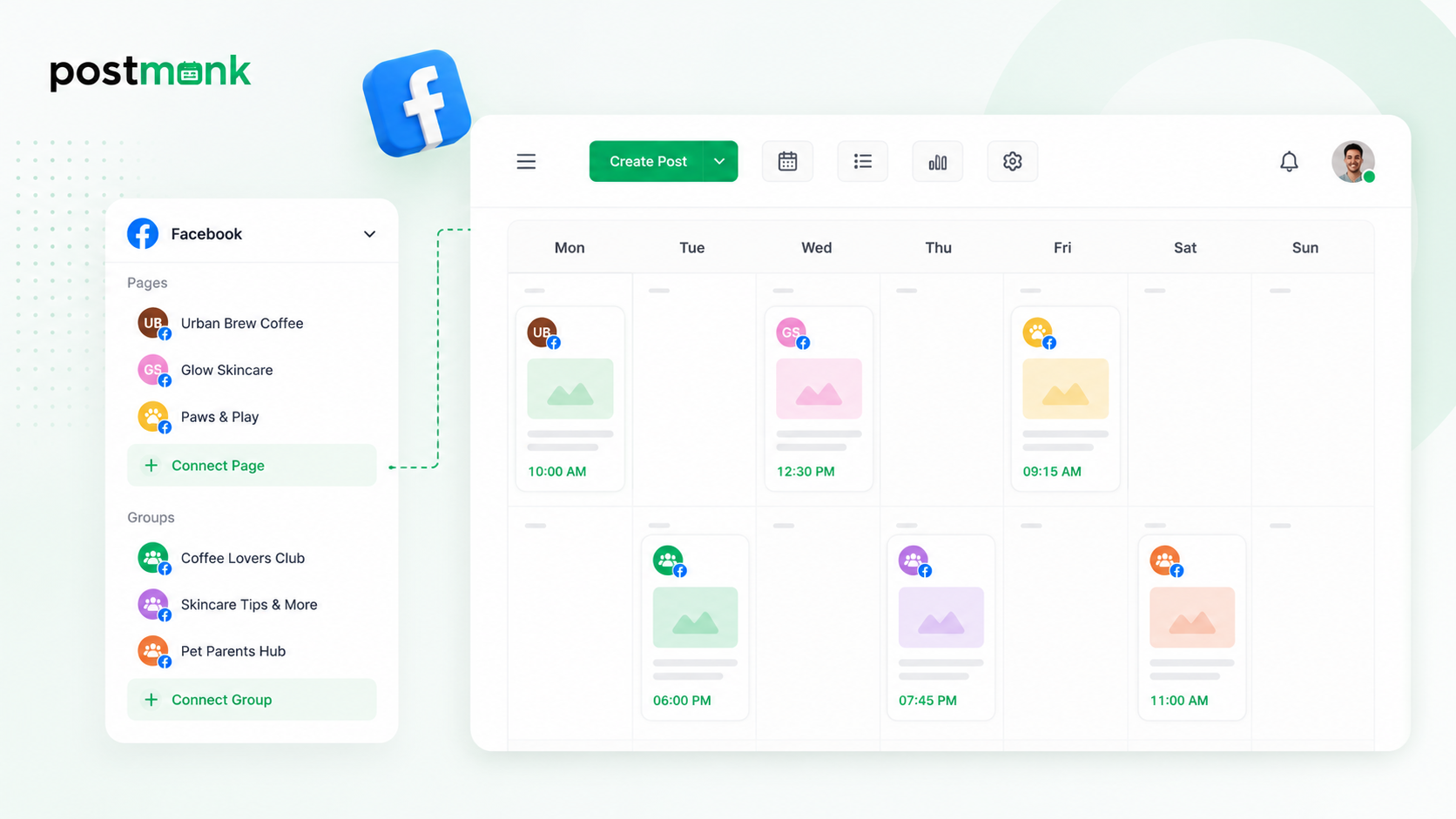
PostMonk connects your Pages and Groups in one workspace, gives your AI the context to write in each brand's voice, keeps every content calendar running automatically, and surfaces the performance data that tells you what is worth repeating.
7-day free trial · No credit card · Lifetime from $29
The Complete Stack for Facebook
Every Page. Every Group. One Workspace.
AI captions in each brand's voice, a unified calendar across Pages and Groups, automated publishing, comment management, and analytics.
Create with AI
Platform-trained AI drafts posts and threads in your voice, formatted for X's style
Manage everything
Pages, Groups, feed posts, Reels, and photo albums from one composer
Publish automatically
Queue, evergreen recycling, and Performance Rules run on autopilot
Grow with data
Analytics and AI-powered insights show what's actually driving results
The PostMonk Workflow
From the First Caption to the Last Reply.
Across Every Page You Manage.
Drafting, scheduling, replying, and reporting for every connected Page and Group.
One workspace, every stage.
Create
The Right Caption for Facebook in Your Brand's Voice.
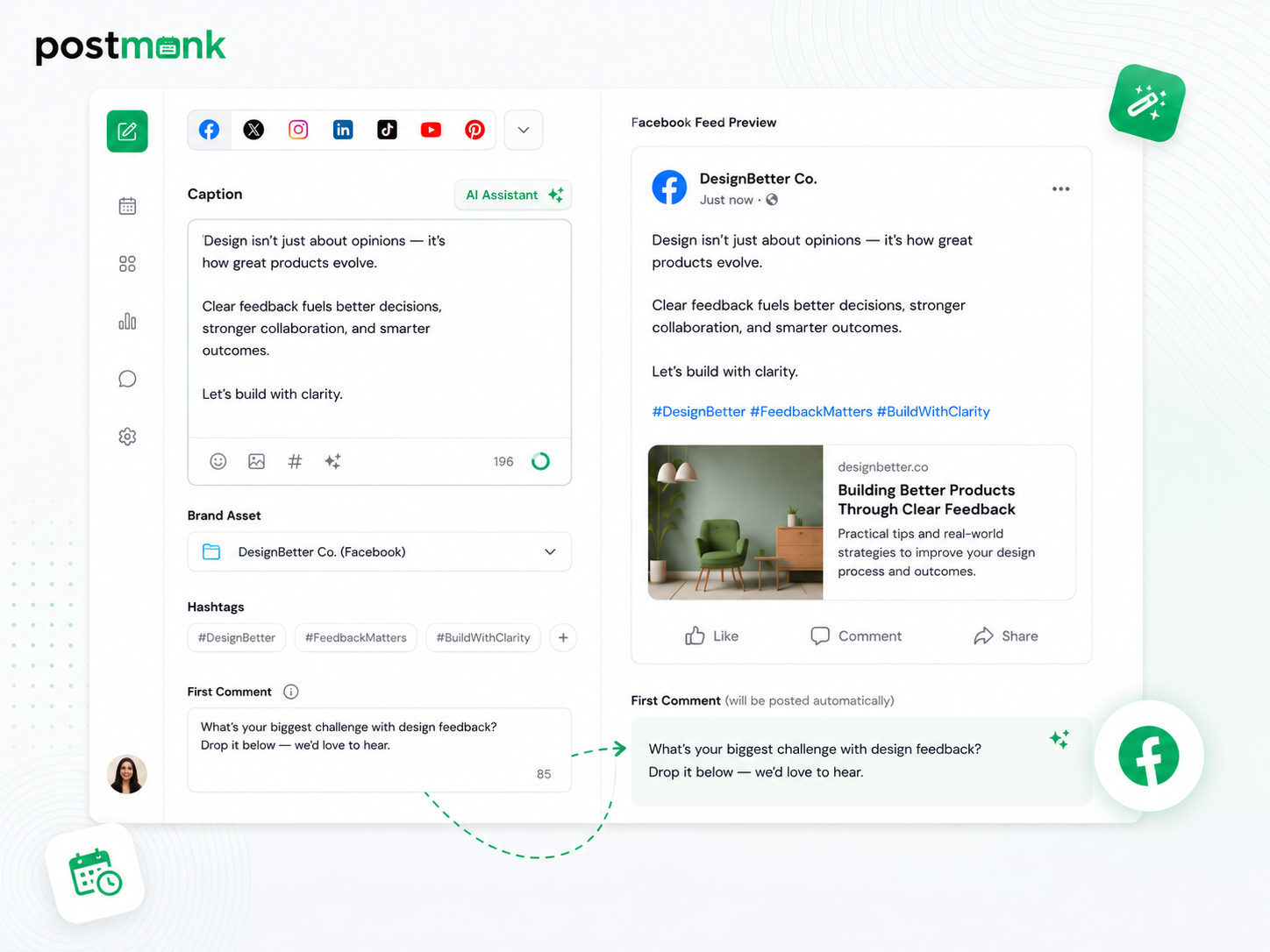
PostMonk's AI drafts Facebook captions in your brand's voice: a strong hook, supporting context, and a clear closing line. Select a Brand Asset, and it loads your hashtags and pre-fills your first comment before you type a word.
AI drafts captions in Facebook's format: opening hook, supporting context, and a closing call to action
Brand Assets store each Page's voice, hashtags, first comment, and cadence pre-configured
Link posts auto-populate the URL preview card with no manual entry needed
First comment posts at publish, pre-filled from your Brand Asset template
Plan
One Calendar. Every Page.
Every Group. No Surprises.
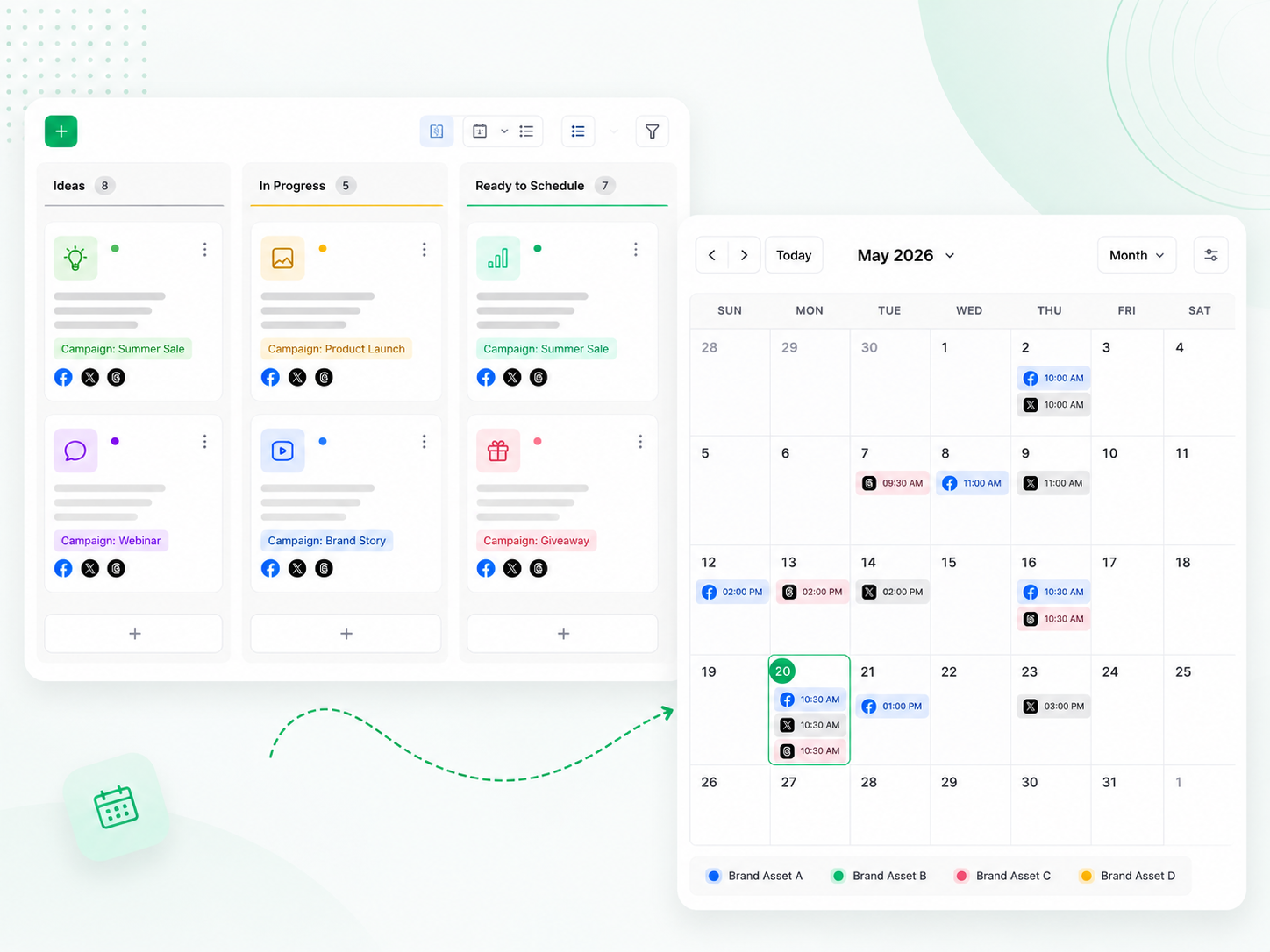
Running multiple Pages and Groups without a single calendar view is how gaps and missed posting days happen. PostMonk's Ideas Board and unified calendar keep every brand's schedule visible and conflict-free before anything goes live.
Ideas Board captures concepts across Kanban columns, so nothing is lost before publishing
The calendar shows every Page and Group color-coded by Brand Asset in one view
Per-platform caption overrides let you write Facebook-specific copy within any multi-platform post
Post labels and templates keep content organized by campaign and client
Publish
Every Page Stays Consistent. You Stay Out of It.
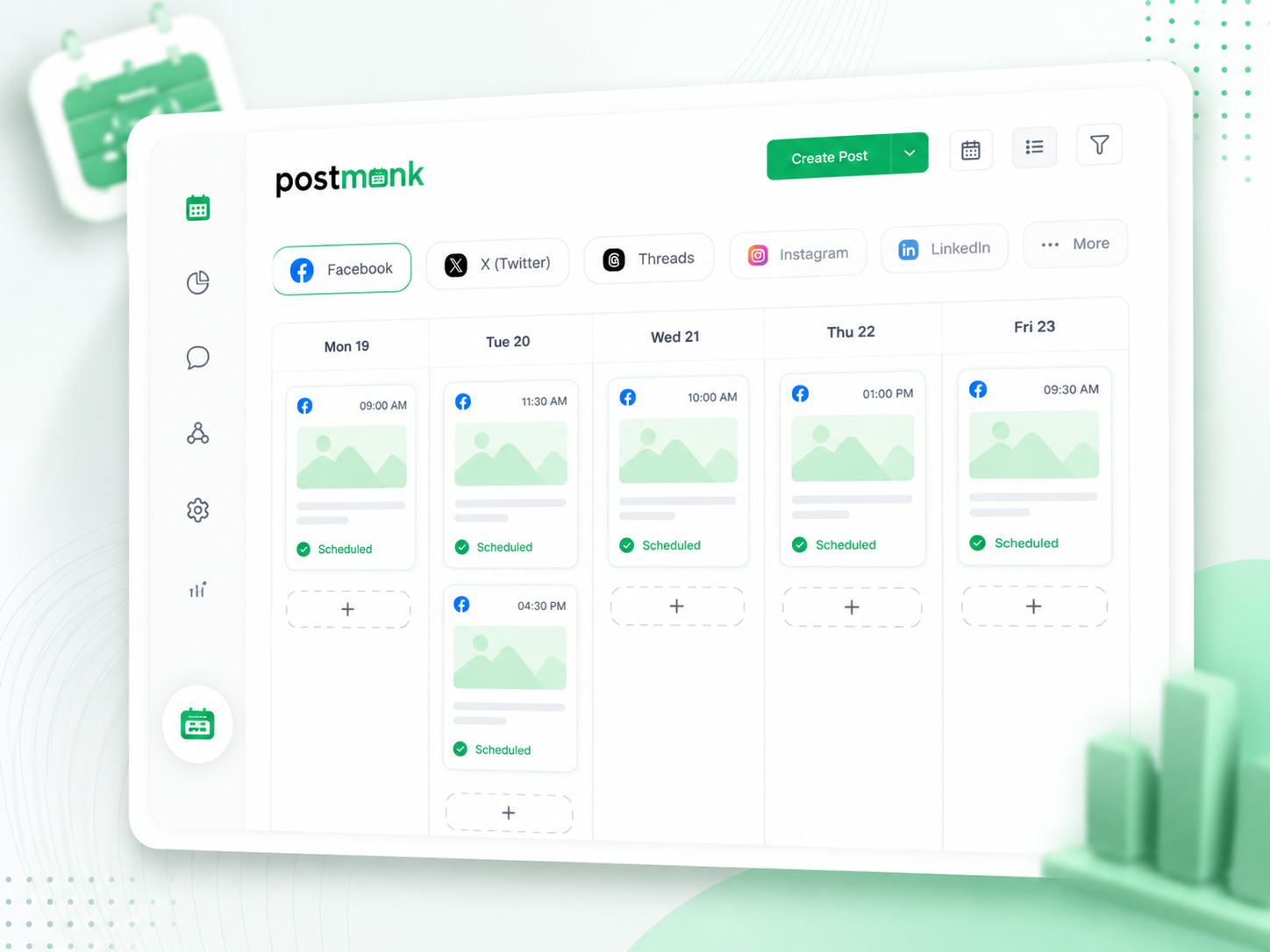
PostMonk fills your Facebook queues automatically as you create content, so every Page and Group posts on schedule without daily management. Evergreen recycling, Performance Rules, and automatic retries handle the rest.
Queue fills automatically as you add content, keeping every Page and Group on cadence
Recurring posts publish on a fixed schedule without re-composing each time
Evergreen recycling requeues top posts with spintax variation, so wording shifts across cycles
Performance Rules cross-post to Instagram, X, or LinkedIn when a post hits your engagement threshold
Engage
Every Comment. One Inbox. Always On Brand.
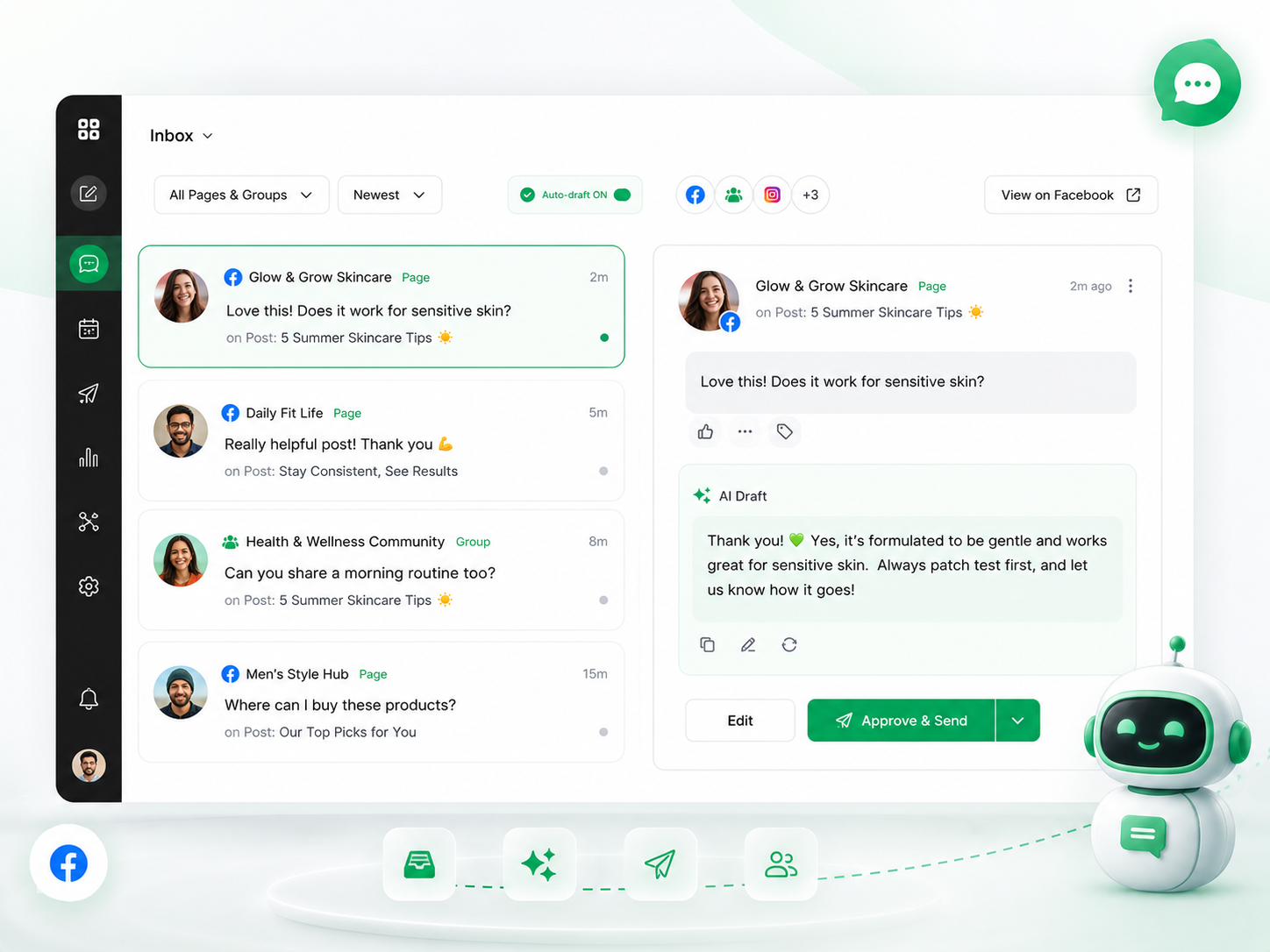
Facebook comments shape brand perception across every Page and Group you manage. PostMonk pulls them all into one inbox and drafts a reply in your Brand Asset's voice, so you respond quickly and consistently.
Comments from every connected Page and Group surface in one unified inbox
AI drafts a reply for each comment in the Brand Asset's saved voice
Edit, approve, and send replies directly from PostMonk without opening Facebook
Page and Group labels on every comment keep the right voice clear
Analyze
Stop Guessing What Works on Facebook. Ask Your Data.
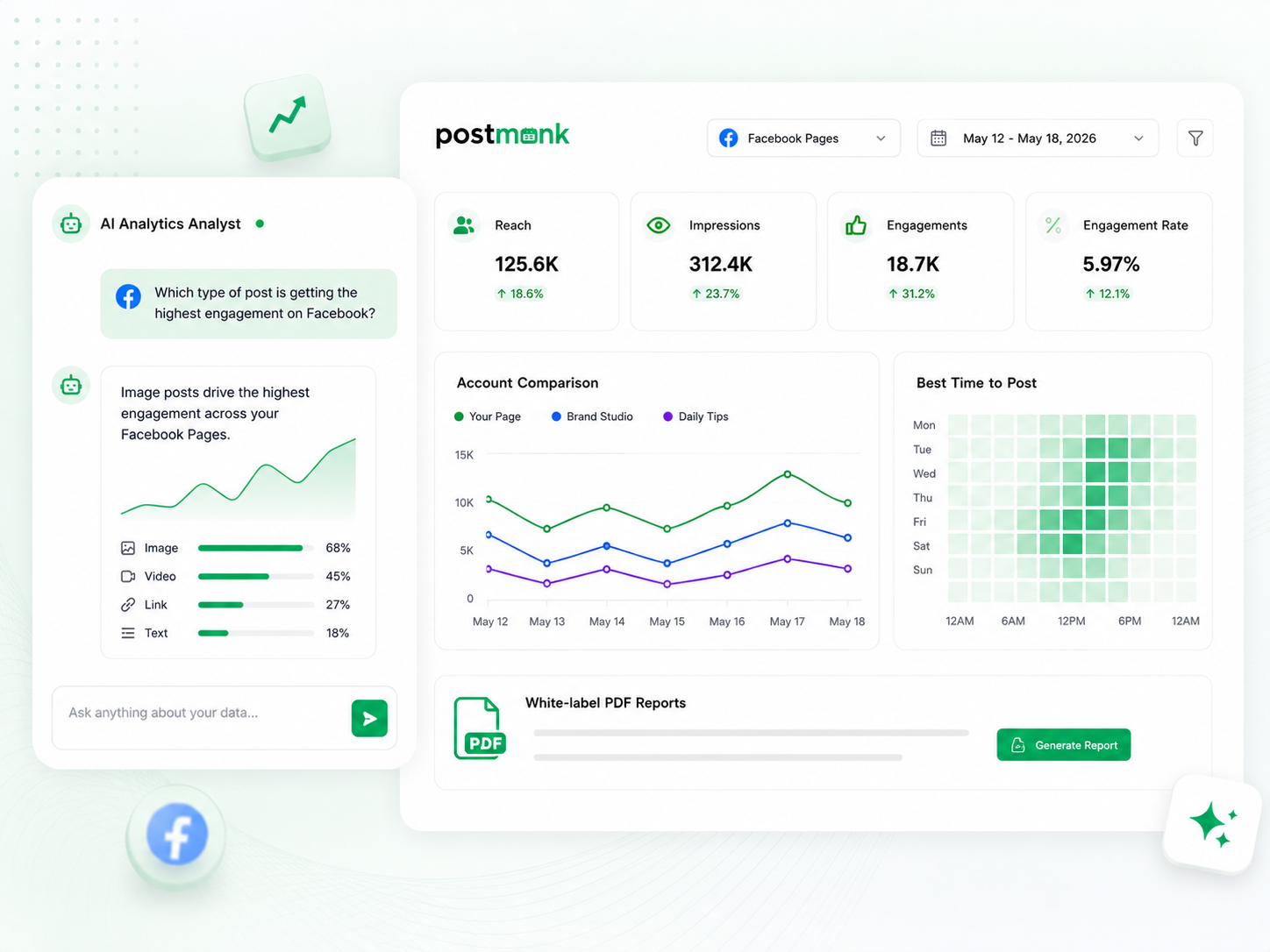
PostMonk tracks every post's performance across all connected Pages in one dashboard. Ask the AI Analytics Analyst anything in plain language, and it answers from your actual account data, no exports needed.
Reach, impressions, likes, comments, shares, and engagement rate consolidated across every connected Page
Account comparison shows multiple Pages side by side so you can see which strategies are working
Best time to post recommendations is based on each Page's own engagement history, not platform averages
White-label PDF reports compile each Page's performance into a branded weekly report for clients
FAQ
All Your Questions, Answered
Does PostMonk support Facebook Groups as well as Pages?
Yes. PostMonk connects both Facebook Pages and Groups and lets you manage them from the same workspace. You can schedule posts to Pages and Groups in the same composer session, and both appear together in your content calendar.
What Facebook content types does PostMonk support?
PostMonk supports Facebook feed posts, Reels, Stories, link posts with preview cards, and photo albums. Every format is available from the same composer, and all content types appear in your content calendar, so your full Facebook schedule is visible in one view.
Can PostMonk publish Facebook Reels and Stories directly?
Yes. PostMonk publishes Reels and Stories directly to your connected Facebook Pages at the scheduled time. No push notification or manual step is required.
Does PostMonk support first comment scheduling on Facebook?
Yes. Write a first comment in the composer, and PostMonk posts it automatically the moment your content goes live. This is useful for adding a CTA link, hashtags, or supplementary context without putting it in the main caption.
Can I manage multiple Facebook Pages for different clients without their content mixing?
Yes. Create a Brand Asset for each client with their Page's voice, hashtags, posting cadence, and UTM parameters saved. When you select that Brand Asset in the composer, everything loads automatically and each client's content, calendar, and analytics stay organized separately.
How does PostMonk determine the best time to post for a Facebook Page?
PostMonk analyzes the engagement history of each connected Facebook Page and surfaces the posting windows when that specific audience has been most active. Recommendations are based on your Page's own data, not platform-wide Facebook averages, so the timing is relevant to your actual followers.
Can an AI assistant manage my Facebook posting for me?
Yes. PostMonk's built-in MCP server lets AI assistants (Claude, ChatGPT, or any MCP-compatible agent) take real action inside your workspace through plain conversation. Tell your AI to schedule a Facebook post, pull last month's top-performing content across your Pages, or approve a draft, and it executes directly inside PostMonk.
Can I design Facebook visuals without leaving PostMonk?
PostMonk includes a built-in image editor for cropping, resizing, filtering, and annotating images. You can also connect Canva or VistaCreate to design graphics and pull them directly into the composer without downloading and re-uploading. Stock images from Unsplash, Pexels, and Pixabay are accessible inside the composer as well.

Built with ❤️ by the team @ Dorik.com
AI-first social media management
with lifetime workspace pricing.
© 2026 PostMonk, a product of Dorik, Inc.