
The eight strongest Buffer alternatives in 2026 are Publer, PostMonk, SocialPilot, SocialBee, Hootsuite, Metricool, Sendible, and Later. We scored each on the same seven-category rubric we apply to every scheduler. We then ranked them by how directly they solve the reason people leave Buffer: per-channel pricing that doubles the moment a second person joins.
Here is the number that drives this whole page. Ten channels on Buffer Team cost $1,440 over twelve months on monthly billing. The cheapest escape in this list costs $59 once.
Publer leads on score at 3.9/5. PostMonk, our own product, sits second at 3.7/5.
Below: the ranked list, why teams switch, and where Buffer still wins. Then the criteria that matter for this migration, a comparison table with Buffer as the reference row, and migration steps for every tool.
Best Buffer Alternatives at a Glance
Eight tools clear our bar as Buffer replacements, ordered by switching-fit tier first and then by overall score within each tier.
-
Publer
-
PostMonk
-
SocialPilot
-
SocialBee
-
Hootsuite
-
Metricool
-
Sendible
-
Later
Disclosure: This guide is written by the PostMonk team. PostMonk competes with Buffer and with every tool listed here, and it appears in the ranking scored by the same rubric as everyone else. It placed second, not first.
How we score: Every product carries the overall score from our published review methodology. That method weights scheduling, channels, content creation, analytics, ease of use, pricing, and support. This list is ordered by switching-fit tier, then by that score. Read the full method at how we review social media management tools.
Why People Switch from Buffer
Teams leave Buffer because its per-channel rate doubles when a second person joins the account, and because its analytics score 2.5/5 in our review. Buffer still earns 3.5/5 overall, and its 4.5/5 ease of use is the best score in this category.
Buffer is the category default for good reasons. It rates 4.3/5 on G2 across 1,039 reviews and 4.5/5 on Capterra across 1,492 reviews. It has run independently since 2010 and publishes open metrics showing 77,604 customers and $25.4M in annual recurring revenue.
Its free plan covers 3 channels with 10 scheduled posts per channel, which is genuinely usable for a solo creator. It publishes to 11 social networks, and its queue is reliable for most accounts most of the time.
The switching pressure comes from five specific friction points.
-
The Team plan doubles your per-channel rate. Essentials costs $6 per channel per month, so 10 channels is $60. Adding one collaborator moves you to Team at $12 per channel, so the same 10 channels becomes $120 a month.
-
Analytics stop at the reporting line. Buffer scores 2.5/5 for analytics in our review. There is no social listening, no competitor benchmarking, and no paid social integration. Advanced analytics also covers only four networks: Facebook Pages, Instagram, X, and LinkedIn Pages.
-
The Agency plan is gone. Buffer’s current pricing page lists only Free, Essentials, and Team. The Agency tier was removed in late 2025, and its features were folded into Team, leaving agencies with no dedicated multi-client workspace separation.
-
The AI is locked to OpenAI. Buffer’s AI Assistant runs on OpenAI with no bring-your-own-key option. If you already pay for Anthropic, Gemini, or an OpenRouter account, Buffer bills you for a second AI system in parallel.
-
Failed posts can fail quietly. G2 reviewer Raj P. described one directly: “a post failed silently no notification, no error message” (Raj P., G2). This is a consistent thematic minority in a 1,039-review base, not a universal experience.
The community ranks pricing first too. Reddit holds a page-one slot on both the “buffer alternatives” and “buffer pricing” queries. The pricing thread is titled “Buffer is Great, but Its Pricing Sucks. I Built PostSyncer” (r/microsaas). Cost, not capability, is the trigger.
Honest carve-out: Buffer remains the right tool if you run one to ten channels solo and want the cleanest interface in the category. Stay if you do not need listening, recycling, or client-grade reporting. Its free tier is still the best on-ramp in this market. If none of the five triggers above describe your situation, the full Buffer review explains exactly when staying put is correct.
How to Choose a Buffer Alternative
Seven criteria separate the tools in this pool. Six map to the five switching triggers above. The seventh is the one every competitor page on this SERP leaves out.
Pricing model: per channel, flat rate, or one time
Buffer charges per connected channel, so your bill is a function of headcount and channel count. Flat-rate tools charge a fixed fee per tier no matter how many channels sit inside it. Per-account tools charge like Buffer but at a lower unit rate. One-time tools charge once per workspace.
SocialPilot, SocialBee, Sendible, and Hootsuite are flat rate by tier. Publer is per account. Metricool is per brand. Later is per social set. PostMonk is one-time per workspace. Only the flat, per-brand, and one-time models break the link between channel count and monthly cost.
Billing conduct: the renewal trap nobody on this SERP prices in
Check each tool’s renewal and refund terms before you migrate. Five of the eight alternatives here carry a documented auto-renewal or refund-refusal complaint pattern on independent review platforms.
| Tool | Independent billing signal |
|---|---|
| Publer | Trustpilot 4.8/5 across 990 reviews, no billing complaint pattern |
| PostMonk | One-time payment, 30-day money-back guarantee, no review record either way |
| SocialPilot | Trustpilot 2.6/5 across 38 reviews, billing disputes and refund friction |
| SocialBee | Annual plans auto-renew and renewals are documented as non-refundable |
| Hootsuite | Trustpilot 1.3/5 across 554 reviews, plus a 60-day Enterprise cancellation notice |
| Metricool | 15-day refund window excludes annual renewals |
| Sendible | No billing complaint pattern documented on G2 or Capterra |
| Later | Trustpilot 1.6/5 across 347 reviews, dominated by renewal-without-notice complaints |
Buffer carries no equivalent complaint cluster, so leaving on price can trade a known bill for an unknown one. Diarize every renewal date on day one.
Analytics depth: what closes Buffer’s 2.5/5 gap
Judge analytics on four things: competitor benchmarking, paid social data, history length, and export or white-label reporting. Buffer offers none of the first two and caps free history at 30 days.
Metricool and Hootsuite are the two tools here that move analytics into a different tier. SocialPilot adds competitor reports from Premium, but reports on only 5 of its 10 networks. Switching for analytics alone narrows your shortlist to three, and to two if you want paid social or listening data.
Client workspaces and approvals: replacing the Agency plan
Buffer’s Team plan gives you approvals and branded reports, but not isolated client environments. If you bill clients, check whether workspaces are separate, whether clients can review without a full seat, and which tier holds white label.
Sendible and SocialPilot both ship structured client management. Sendible isolates workspaces natively; SocialPilot uses client seats from its Premium tier. PostMonk uses per-workspace isolation with a client portal on its Agency tier.
Platform coverage: what you give up leaving 11 networks
Buffer publishes to 11 networks. Confirm your specific networks survive the move before you cancel anything.
Publer is the broadest here at 13 networks, including Mastodon, Bluesky, and Telegram. Metricool covers 11, SocialPilot and SocialBee cover 10, and PostMonk covers 9. Later is the narrowest at 8, with no Mastodon, Bluesky, or Google Business Profile. Note that account limits are separate from network counts: SocialPilot supports 10 networks but only 5 connected accounts on its entry tier.
BYOK AI: using the API key you already pay for
Bring-your-own-key AI routes generation through your own provider account instead of the vendor’s metered credits. It matters if you already hold an Anthropic, Gemini, or OpenRouter key, because it removes a second AI bill.
PostMonk is the only tool in this pool with multi-provider BYOK, supporting OpenAI, Anthropic, Gemini, OpenRouter, and DeepSeek. Publer offers BYOK for OpenAI only, and only on its Business tier. SocialBee, SocialPilot, Metricool, Hootsuite, Later, Sendible, and Buffer all run vendor-controlled AI with no key option.
MCP scope: what an AI agent can actually do
An MCP server lets an AI agent operate the tool directly. Scope is what matters, not presence. Buffer’s MCP covers posts, ideas, queue, and channels, and Buffer states that analytics and community actions are coming next.
PostMonk exposes full write access on Pro and Agency, including publishing, approvals, media, and analytics reads. SocialPilot lists an MCP server on all plans, starting at $17 a month. Metricool ships an official MCP server and includes it on the free plan. No other tool here has one.
The social media management platform guide covers these criteria in more depth if you want a broader evaluation framework.
Buffer Alternatives Compared
This table covers all eight alternatives with Buffer as the reference row, so you can see exactly what you are trading.
| Tool | Overall score | Best for | Entry price | Accounts at entry tier | BYOK AI | MCP server | Analytics depth |
|---|---|---|---|---|---|---|---|
| Publer | 3.9/5 | Lower per-account cost | $5/mo (1 account) | 1, then $4 each | OpenAI only (Business) | No | Basic (Business tier only) |
| PostMonk | 3.7/5 | One-time lifetime pricing | $29 one-time | 5 | Yes (5 providers, all plans) | Full write (Pro, Agency) | Intermediate plus AI Q&A |
| SocialPilot | 3.6/5 | Flat-rate agency tiers | $17/mo (annual) | 5 | No | Yes (all plans) | Intermediate (competitor reports on Premium) |
| SocialBee | 3.3/5 | Evergreen category recycling | $29/mo | 5 profiles | No | No | Basic to intermediate |
| Hootsuite | 3.6/5 | Social listening and governance | $99/user/mo | 5 | No | No | Deep plus listening |
| Metricool | 3.5/5 | Competitor and paid social data | $0 free, then $20/mo | 1 brand free | No | Yes (free plan) | Deep |
| Sendible | 3.3/5 | Client workspaces and white label | $35/mo | 6 profiles | No | No | Intermediate (Premium) |
| Later | 2.9/5 | Instagram grid planning | $18.75/mo (annual) | 8 profiles (1 social set) | No | No | Visual focused |
| Buffer (your current tool) | 3.5/5 | Simple queue scheduling | $6/mo per channel | 3 free, then per channel | No (OpenAI only) | Limited (posts, queue) | Shallow (2.5/5) |
No competitor page on this SERP prices the switch out over a year, so here is that math at 10 connected accounts on monthly billing.
| Tool and plan | Cost for 10 accounts | 12-month total |
|---|---|---|
| Buffer Essentials | $60/mo | $720 |
| Buffer Team (one collaborator) | $120/mo | $1,440 |
| PostMonk Pro (25 accounts) | $59 once | $59, then $0 |
| SocialPilot Standard | $40/mo | $480 |
| Publer Professional | $41/mo | $492 |
| SocialBee Accelerate | $49/mo | $588 |
| Later Growth (16 profiles) | $50/mo | $600 |
| Sendible Plus (18 profiles) | $99/mo | $1,188 |
Metricool and Hootsuite are excluded from that table because they meter by brand and by user seat, not by account. That makes the comparison not like for like. Prices and features verified July 28, 2026. Buffer figures come from Buffer’s pricing page.
1. Publer: Best Per-Account Switch from Buffer (3.9/5)
Publer is the highest-scoring tool in this pool, and it wins on the least glamorous axis. It does the Buffer job more cheaply and more reliably. It charges per account like Buffer, but at $5 for the first account and $4 for each additional one, against Buffer’s $6 per channel. It adds content recycling, which Buffer does not offer at any tier, and it covers 13 networks including Mastodon, Bluesky, and Telegram.
One correction worth making: several competitor pages describe Publer as flat rate. That is wrong. Publer’s bill still grows with account count, just more slowly than Buffer’s.
Best for: Solo schedulers and small teams who want Buffer’s model at a lower unit price, plus recycling and broader network coverage.
Key Features
Publer’s feature set is built around reliable publishing at a low per-account rate.
-
Per-account pricing at $5 base plus $4 per additional account on Professional
-
Content recycling: automatic reposting of selected posts on a configured interval
-
13 supported networks, including Mastodon, Bluesky, Telegram, and Threads
-
Bulk scheduling of up to 500 posts and a drag-and-drop content calendar
-
Free plan covering 3 accounts (excluding X), 10 pending posts per account, and 25 drafts
-
AI Assist on the Business tier only, using GPT-4 captions and DALL-E 3 images
-
Analytics, hashtag tools, and best-times data on the Business tier
-
Unlimited media library storage on every paid plan
-
Additional team members at $2 per month on Professional and $3 on Business
Pros
Publer’s strengths concentrate in reliability and cost per unit.
-
Publer holds 4.7/5 on G2 (521 reviews), 4.8/5 on Capterra (955), and 4.8/5 on Trustpilot (990)
-
That is 2,400-plus reviews agreeing across three independent platforms, the strongest record in this pool
-
Lower cost per account than Buffer at every count above one
-
Content recycling is included, and Buffer has no recycling equivalent
-
Extra team members cost $2 a month, against Buffer doubling every channel rate
-
The free plan is close in usefulness to Buffer’s, with 25 saved drafts
-
True auto-publish across all 13 supported networks, with no reminder-only formats
Cons
The limits are real and they cluster around depth rather than reliability.
-
Analytics are Business-tier only. Free and Professional users get no in-platform analytics at all
-
Analytics also cover only content published through Publer, so your pre-migration history never appears
-
No white-label or scheduled report export, which rules Publer out for client-facing reporting
-
The per-account model still compounds at agency scale. One G2 reviewer managing 16 restaurant locations described the bill climbing fast
-
BYOK works for OpenAI only and only on Business, so an Anthropic or Gemini key cannot be routed through Publer
-
Publer has no MCP server, so AI agents cannot operate it natively
-
X/Twitter is excluded from the free plan
-
No social listening and no social inbox
Pricing
Publer charges a base rate per plan, then a per-account and per-member increment.
| Plan | Base price | Per additional account | Per team member | Key features |
|---|---|---|---|---|
| Free | $0 | n/a | n/a | 3 accounts (no X), 10 pending posts each, 25 drafts |
| Professional | $5/mo | $4/mo | $2/mo | Unlimited scheduling, X support, media library, recycling |
| Business | $10/mo | $7/mo | $3/mo | AI Assist (OpenAI BYOK), analytics, hashtag tools, VistaCreate |
| Enterprise | Custom | n/a | n/a | Volume discounts, dedicated onboarding |
At 5 accounts, Professional costs $5 plus four increments of $4, which is $21 a month. Buffer Essentials at 5 channels costs $30 a month on monthly billing. Current figures are on the Publer plans help article.
What Users Say
Publer’s review record is the strongest in this pool. It holds 4.7/5 on G2 from 521 reviews, 4.8/5 on Capterra from 955, and 4.8/5 on Trustpilot from 990.
The recurring critical note is depth, not dependability. One G2 reviewer summarized it as “The analytics are fairly basic… not ideal for deep insights” (Melicia A H., G2). Another flagged scale economics: “The price does get quite high when managing a large volume of accounts” (Carlee L., G2).
Migrating from Buffer to Publer
Moving from Buffer to Publer is a reconnection task with one configuration step.
-
What transfers: Social account connections are re-authorized inside Publer. Buffer’s queue does not export into Publer’s format, so the posting schedule is rebuilt.
-
Recycling setup: Publer’s recycling is set per post after scheduling. It is not applied automatically on import, so mark your evergreen posts deliberately.
-
Cost calculation: Run your own number first. At 10 accounts, Professional is $5 plus nine increments of $4, which is $41 a month against Buffer’s $60.
-
Trial in parallel: Publer’s free plan lets you test the interface and confirm your networks before you cancel Buffer.
For deeper context, see our full Publer review, the alternatives in Publer’s own class, how Publer stacks up against Buffer directly, or PostMonk vs Publer.
2. PostMonk: Best for One-Time Pricing, BYOK AI, and MCP (3.7/5)
PostMonk addresses three of Buffer’s five switching triggers: the recurring per-channel bill, the OpenAI-only AI, and the limited MCP scope. It charges once per workspace, from $29, and it supports bring-your-own-key AI across five providers on every paid plan.
The honest caveat comes first. PostMonk is a new product with no third-party reviews anywhere, and postmonk.co returned HTTP 403 during our live research pass. Every PostMonk claim below is sourced from PostMonk’s own product documentation, not independently verified. Weigh it accordingly.
Best for: Creators, freelancers, and AI-forward operators who want to pay once. It suits anyone already holding an Anthropic, Gemini, or OpenRouter key.
Key Features
PostMonk’s scheduling layer covers the standard workflow, and its AI and automation layers are where it separates from Buffer.
-
BYOK AI across OpenAI, Anthropic, Gemini, OpenRouter, and DeepSeek on Starter, Pro, and Agency
-
Managed AI credit pools included on every plan: 8,000 on Starter, 20,000 on Pro, 40,000 on Agency
-
Caption generation, hashtags, alt text, tone presets, and 80-plus language support on all plans
-
Native MCP server on Pro and Agency with full write access: publish, manage the queue, approve or reject drafts, manage media, and apply templates
-
REST API (limited on Pro, full on Agency) and webhooks (5 on Pro, 25 on Agency)
-
Bulk CSV import at 500 posts per batch on Pro and 2,000 on Agency
-
Evergreen recycling, recurring posts, and Performance Rules on Pro and Agency
-
Brand Assets for organizing accounts by client: 1 on Starter, 5 on Pro, 25 on Agency
-
White-label PDF reports and a scoped client approval portal on Agency
-
Instagram grid preview on all plans, with drag-swap reordering on Pro and Agency
Pros
The advantages trace to the pricing model and the AI architecture.
-
A one-time payment removes the recurring social scheduling line item entirely
-
BYOK on every paid plan, including the $29 Starter tier, so the cheapest plan still avoids metered AI
-
MCP scope on Pro and Agency reaches approvals and analytics, which Buffer’s MCP does not yet cover
-
7-day free trial with Pro-tier access and no credit card required
-
A white-label client portal and branded PDF reports at $99 once, not a monthly agency tier
-
30-day money-back guarantee after a lifetime code is activated
Cons
The limitations are structural and worth stating plainly.
-
Zero reviews on G2, Capterra, or TrustRadius as of July 2026. Every claim here is brand-sourced with no third-party validation
-
Domain Rating 0 and no organic search visibility. There is no reliability track record against Buffer’s 16 years
-
9 confirmed networks against Buffer’s 11. The About page claims 12, which we could not verify because the site returned 403
-
No social listening and no social inbox
-
Competitor benchmarking is documented as a future release, not a current feature
-
MCP, the REST API, webhooks, and evergreen recycling all require Pro at $59 or Agency at $99
-
Starter includes 1 team seat and 1 Brand Asset, which is thin for anyone managing more than one brand
Pricing
PostMonk charges once per workspace, and there is no monthly subscription option.
| Plan | One-time price | Social accounts | Team seats | Key inclusions |
|---|---|---|---|---|
| Starter | $29 | 5 | 1 | Queue, calendar, 1 Brand Asset, BYOK AI, 8,000 managed credits, 5 templates |
| Pro | $59 | 25 | 3 | Adds MCP server, REST API, 5 webhooks, evergreen recycling, 5 Brand Assets, 50 templates |
| Agency | $99 | 100 | 10 | Adds white-label PDF reports, client portal, 25 Brand Assets, 25 webhooks, 200 templates |
Upgrades are priced as the difference between tiers, and one-time add-ons cover extra AI credits, accounts, seats, and Brand Assets. The PostMonk vs Buffer comparison breaks down the cost gap at 5, 10, and 25 channels over 12 and 24 months.
What Users Say
There is nothing to report, and that is the finding. PostMonk has no reviews on G2, Capterra, or TrustRadius as of July 2026, and no independent reviewer has published an assessment.
That absence is the single largest risk in this section. Treat the 7-day trial as the evaluation, run your real posting week through it, and confirm your own networks publish correctly before paying.
Migrating from Buffer to PostMonk
Migration is four practical steps, and the queue is the part that costs time.
-
What transfers: Social account connections are re-authorized in PostMonk. Buffer does not export the queue to a standard CSV, so scheduled posts are re-entered or imported through PostMonk’s own CSV format on Pro and above.
-
What needs rebuilding: Queues, templates, and Performance Rules are recreated. Brand Assets group accounts by client rather than by channel, so budget 30 to 60 minutes for the initial setup.
-
BYOK setup: Connect your provider key in settings before generating content. This stops managed credits from being consumed and moves AI cost onto your own provider bill.
-
Run in parallel: Start the 7-day trial before you cancel Buffer, confirm a full posting cycle fires, then cancel at the end of your current Buffer billing period.
3. SocialPilot: Best Flat-Rate Option for Agencies (3.6/5)
SocialPilot is the cheapest genuine escape from per-channel billing here. Essentials runs $17 a month on annual billing for 5 accounts. The flat tier structure means adding channels inside a tier does not move the price. It is also the only tool in this pool besides PostMonk and Metricool with an MCP server, and SocialPilot includes one on every plan.
Best for: Agencies and freelancers running 5 to 40 client accounts who want flat pricing, client seats, and MCP access below Hootsuite or Sendible pricing.
Key Features
SocialPilot organizes around agency workflows, with tiers scaling by account and seat count.
-
Flat-rate tiers: cost does not grow as you add channels inside a plan
-
Smart Queues, calendar view, post previews, and scheduling on all plans
-
Bulk CSV scheduling and a social media inbox from Standard
-
Team collaboration from Standard with 3 user seats
-
Unlimited client seats from Premium, so clients access the tool without full user seats
-
Advanced analytics and competitor reports from Premium
-
Advanced white label on Ultimate only
-
MCP server, Slack, and Zapier integrations on every plan
-
14-day free trial with no credit card required
Pros
The value concentrates at the Standard and Premium tiers.
-
A flat bill: 10 accounts on Standard costs $34 a month annually, against Buffer Team’s $120 at the same count
-
MCP on Essentials at $17 a month is the cheapest agent access in this pool
-
Client seats on Premium let clients in without paying full user rates
-
Competitor reports on Premium are a genuine step past Buffer’s 2.5/5 analytics, on the 5 networks it reports
-
Bulk CSV upload handles 500 posts per batch, among the highest caps in the mid-market
-
Reviewers consistently rate the interface easier to learn than Hootsuite or Sprout Social
Cons
The gaps show up in reliability signals and in tier gating.
-
Failed scheduled posts generate no notification at all. A post that does not publish stays invisible until you check the queue
-
Analytics cover only 5 of the 10 supported networks. TikTok, Pinterest, YouTube, Bluesky, and Threads report nothing
-
Trustpilot rates SocialPilot 2.6/5 across 38 reviews, concentrating support complaints, billing disputes, and refund friction
-
No native X/Twitter thread scheduling, and Instagram Stories and Reels performance data is thinner than native Insights
-
The social inbox excludes Google Business Profile, which sits in a separate SocialPilot product
-
Essentials includes 5 accounts, 1 user, and 0 client seats, so it is a solo tool rather than an agency tool
-
White label requires Ultimate at $170 a month annually, a large jump from Premium at $85
-
No BYOK AI and no social listening
Pricing
SocialPilot’s tiers are flat rate, and the annual rate saves 15 percent.
| Plan | Annual monthly | Monthly | Accounts | User seats | Client seats | Key inclusions |
|---|---|---|---|---|---|---|
| Essentials | $17 | $20 | 5 | 1 | 0 | Smart Queues, calendar, MCP, 500 AI credits |
| Standard | $34 | $40 | 10 | 3 | 0 | Bulk CSV, social inbox, team collaboration |
| Premium | $85 | $100 | 20 | 6 | Unlimited | Advanced analytics, competitor reports, custom fields |
| Ultimate | $170 | $200 | 40 | Unlimited | Unlimited | Advanced white label, dedicated account manager |
Current plans are listed on the SocialPilot pricing page.
What Users Say
The review picture splits sharply by platform, and both halves are worth reading.
G2 rates SocialPilot 4.5/5 across 846 reviews and Capterra 4.4/5 across 374, both praising the clean interface. Reviewers on both platforms describe it as faster to learn than Hootsuite or Sprout Social. Trustpilot tells a different story at 2.6/5 across 38 reviews, dominated by support complaints, billing disputes, and refund friction. The Trustpilot sample is small, but the billing pattern is corroborated by community reports.
Migrating from Buffer to SocialPilot
Moving from Buffer to SocialPilot is a direct swap without a workflow rethink.
-
What transfers: Social accounts are re-authorized in SocialPilot. Buffer’s queue does not export into SocialPilot’s format, so the schedule is rebuilt in Smart Queues.
-
Feature mapping: Buffer’s Team approvals map to SocialPilot’s team collaboration from Standard. Client access requires Premium at $85 a month annually.
-
Set your own failure checks: SocialPilot sends no alert when a scheduled post fails. Add a queue review to your weekly routine before you rely on it for client work.
-
White label check: Confirm you need Ultimate at $170 a month before purchasing. Standard and Premium do not include white label.
See our full SocialPilot review, other tools in SocialPilot’s class, or PostMonk vs SocialPilot.
4. SocialBee: Best for Evergreen Content Recycling (3.3/5)
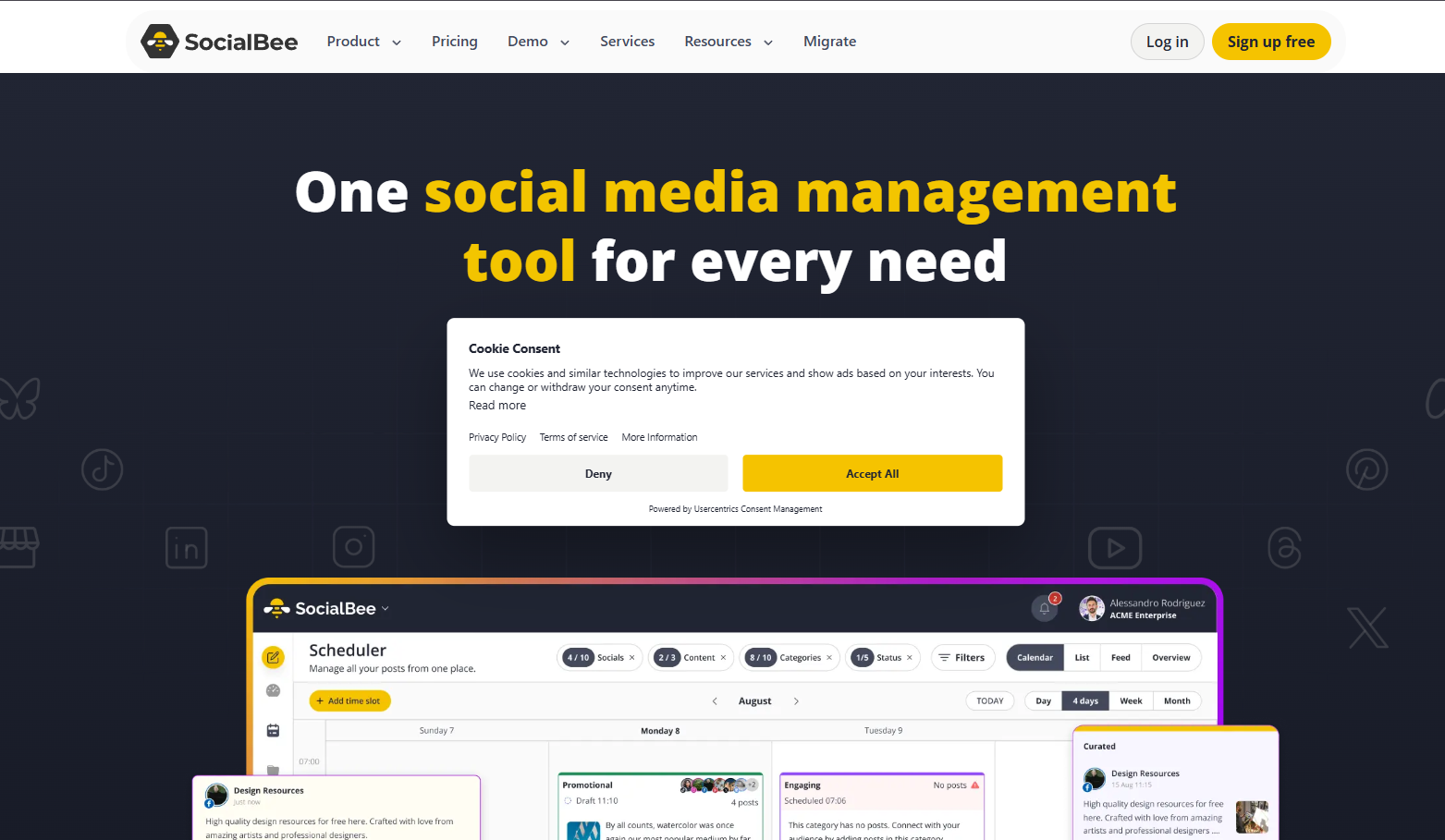
SocialBee is the strongest evergreen recycling system in this pool, and its score reflects a real tradeoff between that strength and a documented fragility. You load posts into categories such as educational, promotional, and seasonal, and SocialBee rotates them indefinitely on your schedule. Buffer has no recycling capability at any tier.
Bootstrap costs $29 a month for 5 profiles, against Buffer Essentials at $25 a month annually for 5 channels. SocialBee’s price holds steady inside that tier; Buffer’s does not once a collaborator arrives.
Best for: Content marketers and small teams who want a category-driven evergreen library and flat pricing across 5 to 25 profiles.
Key Features
SocialBee’s architecture is built around content categories rather than a chronological queue.
-
Category-based recycling: load posts into categories and rotate them on a defined schedule
-
Unlimited AI content generation on every plan, including Bootstrap
-
Content categories: 10 on Bootstrap, 50 on Accelerate, unlimited on Pro
-
CSV bulk import and content approval workflow from Accelerate
-
Analytics history: 3 months on Bootstrap, 2 years on Accelerate and Pro
-
Agency tiers Pro50, Pro100, and Pro150 covering 50 to 150 profiles
-
14-day free trial with no credit card, plus a 30-day money-back guarantee
Pros
The recycling model is the reason to switch, and it works as advertised for the right setup.
-
Evergreen recycling is the strongest here, and Buffer has no equivalent
-
Flat pricing: adding profiles inside a tier does not change the bill
-
Unlimited AI generation on every paid plan, not gated to higher tiers
-
Approval workflows arrive at Accelerate ($49/mo), which makes client review affordable
-
G2 rates SocialBee 4.7/5 across 478 reviews, one of the highest G2 scores in this pool
-
Universal Posting reaches Facebook Groups, Reddit, WhatsApp, Telegram, Mastodon, and Quora by push reminder
Cons
One failure mode dominates, and it sits inside the signature feature.
-
A single misconfigured post halts the entire category, silently and with no alert. Reviewers describe it consistently across G2 and Capterra, and it is the top-ranked complaint on both
-
Trustpilot rates SocialBee 3.7/5 across 56 reviews, a full point below its 4.7 G2 average, concentrating reliability and billing complaints
-
Annual plans auto-renew, and SocialBee’s documented policy offers no refund on a renewal
-
There is no unified cross-account calendar, so multi-client views require switching
-
The social inbox covers 6 networks only, with no TikTok, Pinterest, Google Business Profile, or Bluesky
-
Competitor analysis covers Facebook only
-
Analytics history on Bootstrap is 3 months, which is no real gain over Buffer
-
No BYOK AI, no MCP server, and no public REST API
-
Bootstrap includes 1 user per workspace, and extra users cost $10 a month each
Pricing
SocialBee prices flat by tier, with a 16 percent discount on annual billing.
| Plan | Monthly | Annual per month | Profiles | Users | Key inclusions |
|---|---|---|---|---|---|
| Bootstrap | $29 | $24.42 | 5 | 1 | 10 categories, unlimited AI, 3-month analytics |
| Accelerate | $49 | $40.83 | 10 | 1 | 50 categories, approvals, CSV import, 2-year analytics |
| Pro | $99 | $82.50 | 25 | 3 | Unlimited categories, 5 workspaces, analytics export |
| Pro50 | $179 | n/a | 50 | 5 | 10 workspaces |
| Pro100 | $329 | n/a | 100 | 5 | 20 workspaces |
Add-ons run $10 a month per extra user, $10 per extra workspace, and $15 per 5 extra profiles. Current rates are on the SocialBee pricing page.
What Users Say
SocialBee rates 4.7/5 on G2 across 478 reviews, while Trustpilot sits at 3.7/5 across 56.
Both sets describe the same product. The praise is for time saved by the category system. The criticism names its failure mode: “if there is one misconfigured post in a category then the category stops posting” (G2). A second recurring gap is visibility: “there isn’t just one calendar where you can see all of your posts for all your accounts” (G2).
Migrating from Buffer to SocialBee
Moving from a queue to a category system is the largest workflow change in this list.
-
What transfers: Social accounts are re-authorized in SocialBee. Buffer’s queue does not import directly, so the schedule is rebuilt inside categories.
-
Design categories first: Define your content mix before loading anything. Most teams start with three to five categories: educational, promotional, curated, and evergreen brand content.
-
Budget the setup: Allow 1 to 2 hours to configure categories and load a first batch. The payoff is rotation without manual re-queuing.
-
Build a category check: Because a bad post halts a whole category silently, add a weekly check that each category is still publishing.
For more, see our full SocialBee review, other tools in SocialBee’s class, or PostMonk vs SocialBee.
5. Hootsuite: Best for Social Listening and Enterprise Governance (3.6/5)
Hootsuite is not a cheaper Buffer. Standard costs $99 per user per month, so if per-channel cost is your trigger, this move makes the problem worse. It is on this list because it is the only tool here with real social listening across networks, blogs, and news. It also adds multi-stage approvals and message routing that Buffer’s Team plan does not attempt.
Best for: Enterprise teams and large agencies that need listening, multi-stage approvals, and role-based governance, and that can absorb per-seat pricing from $99.
Key Features
Hootsuite covers the enterprise suite, with capability rising steeply by tier.
-
Social listening across social networks, blogs, and news on higher tiers
-
Brand monitoring included on Standard
-
Multi-stage content approval workflows and message routing on Advanced
-
Team performance measurement and custom performance reports
-
AI-powered post and image generation on Standard
-
Paid ad campaign reporting and tracking
-
Up to 5 social accounts on Standard, unlimited on higher tiers
-
Official API partnerships with Meta, LinkedIn, X, YouTube, and TikTok
-
14-day free trial, with daily posting limits during the trial
Pros
The strengths are genuine and mostly unavailable elsewhere in this pool.
-
Social listening fills a gap no other tool here covers as fully
-
Role-based permissions, message routing, and multi-stage approvals are the deepest governance in this list
-
Capterra rates Hootsuite 4.4/5 across 3,799 reviews, a very large and current sample
-
AI post and image generation is included from the Standard tier
-
Bulk scheduling handles up to 350 posts, and Hootsuite Academy has certified more than 30,000 users
-
Hootsuite holds G2’s number one Best Software Product placing for 2026 across multiple categories
Cons
The cost and the billing record are the two reasons most Buffer users should not move here.
-
Standard costs $99 per user per month for only 5 social accounts, which is worse than Buffer at almost any channel count
-
Trustpilot rates Hootsuite 1.3/5 across 554 reviews, dominated by charges after cancellation, surprise renewals, and refund refusals
-
Enterprise contracts auto-renew annually and require 60 days of cancellation notice
-
Silent post failures are the most-cited functional complaint on Capterra. One reviewer described it as “post would not go out and I would not get any notice” (Aaron G, Capterra)
-
Capterra’s “frequent glitches” theme runs 80 percent negative across 304 mentions, the worst reliability signal in this pool
-
Reported analytics figures do not always match native platform numbers
-
Approval workflows require Advanced at $399 per user, and white-label reports and client portals are Enterprise only
-
No free plan, so Buffer’s free 3-channel tier has no counterpart
-
No BYOK AI and no MCP server
Pricing
Hootsuite prices per user per month across four tiers.
| Plan | Price | Social accounts | Key features |
|---|---|---|---|
| Standard | $99/user/mo | Up to 5 | AI generation, brand monitoring, single inbox, unlimited posts |
| Professional | $199/user/mo | Unlimited | Automated inbox replies, 90-day trend forecasting, custom reports |
| Advanced | $399/user/mo | Unlimited | Approval workflows, message routing, team performance measurement |
| Enterprise | Custom | Custom | Advanced listening, SSO, white-label reports, compliance tools |
Third-party listings disagree with these figures. Capterra shows a three-tier structure at $99 and $249, omitting Professional. The four-tier figures above come from Hootsuite’s own published pricing, so verify on the Hootsuite plans page before purchase.
What Users Say
Hootsuite’s reviews divide by company size more sharply than any other tool here.
Enterprise users rate the listening and governance features highly, which is what carries the 4.4/5 Capterra average across 3,799 reviews. Small teams that moved from Buffer name price and complexity as the barrier. The 1.3/5 Trustpilot average across 554 reviews is almost entirely a billing and cancellation record, and it spans several years.
Migrating from Buffer to Hootsuite
This migration is a platform change rather than a tool swap.
-
What transfers: Social accounts are re-authorized inside Hootsuite’s Streams or Composer. Nothing else moves automatically.
-
Feature mapping: Buffer’s queue maps to Hootsuite’s Publisher. Buffer’s Team approvals map to Hootsuite’s multi-stage approvals on Advanced.
-
Cost check: Price the seats, not the channels. Three users on Advanced costs $1,197 a month, which almost always exceeds Buffer at the same channel count.
-
Read the contract: Enterprise terms auto-renew and require 60 days of cancellation notice. Diarize the notice date before you sign.
See our full Hootsuite review, other tools in Hootsuite’s class, how Hootsuite compares with Buffer directly, or PostMonk vs Hootsuite.
6. Metricool: Best for Analytics Depth (3.5/5)
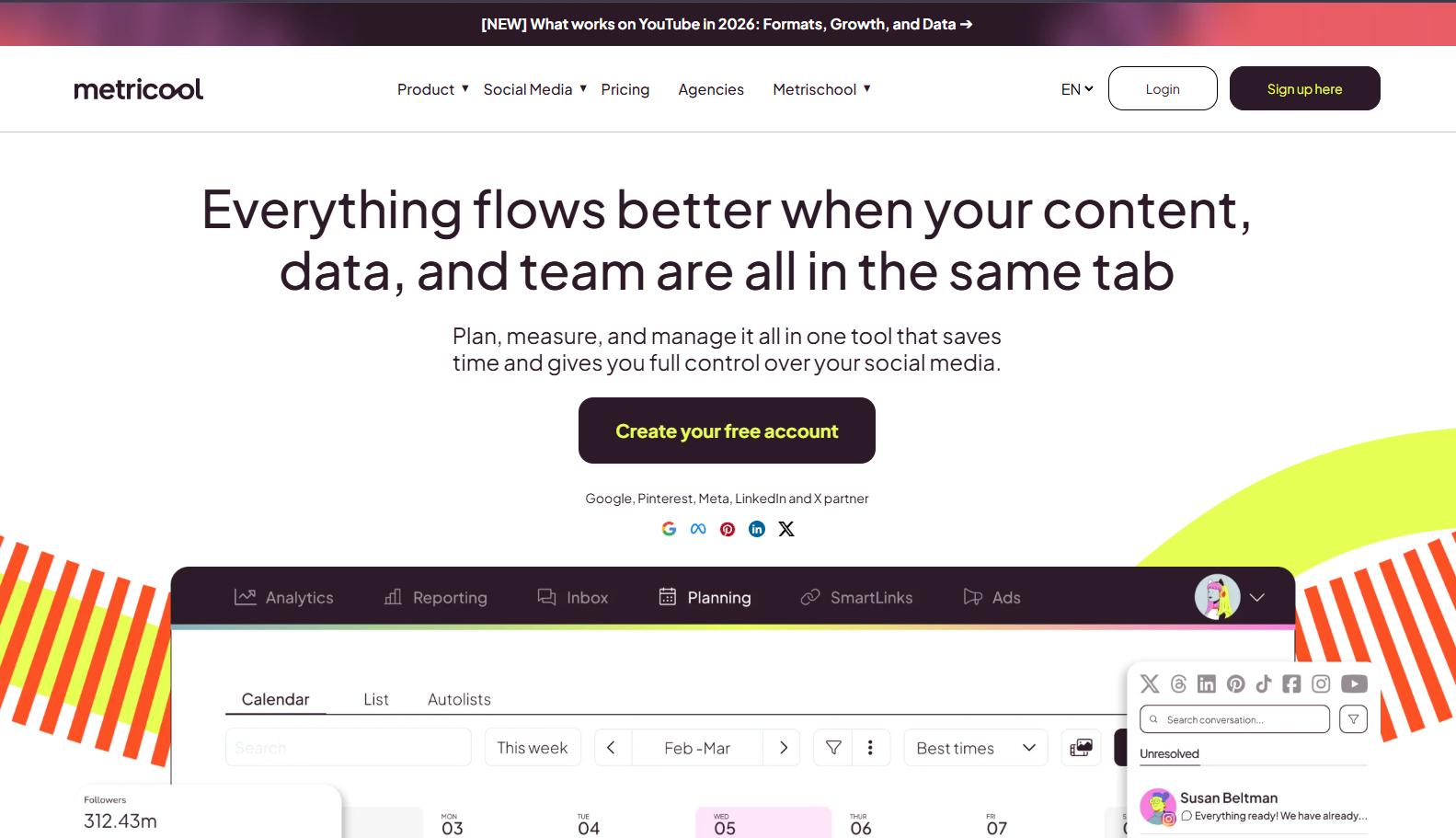
Metricool is the correct move when analytics is your reason to leave. It ships competitor tracking on the free plan and up to 100 competitor profiles on Starter. It adds best-time-to-post recommendations trained on your own account history. Paid social analytics covers Facebook Ads, Instagram Ads, and Google Ads, with a Looker Studio connector on Advanced. Buffer offers none of that.
The free plan also includes Metricool’s MCP server, which makes it the cheapest way to query social analytics from an AI agent.
Best for: Marketers who need competitor benchmarking and paid social reporting, and multi-brand managers who bill by brand rather than by channel.
Key Features
Metricool centers on analytics, with scheduling layered on top.
-
Competitor tracking: 5 profiles on Free, 100 on Starter, more on Advanced
-
Best-time-to-post recommendations from your own account history, not generic benchmarks
-
Paid social analytics for Facebook Ads, Instagram Ads, and Google Ads in one view
-
Looker Studio connector and full API access on Advanced
-
Official Metricool MCP server included on the Free plan
-
Customizable PDF and PPT report templates from Starter
-
Post approval workflow and team and client management on Advanced
-
Per-brand pricing: Starter covers up to 10 brands, Advanced up to 50
Pros
The value sits in what the free and Starter tiers include.
-
Free-plan analytics, including competitor tracking, beat Buffer’s paid analytics on depth
-
MCP on the free plan is unmatched at that price point
-
Paid and organic performance appear in a single report
-
One G2 reviewer described the reporting directly: “It simplified client reporting with clear, insightful data and one-click PDF downloads” (G2)
-
Starter from $20 a month for multiple brands is efficient for multi-brand managers
Cons
The weaknesses are in publishing and in billing conduct.
-
TikTok and YouTube Shorts auto-publish is unreliable. Community reports across G2 and Trustpilot document silent failures and native-audio defaults on TikTok
-
Annual subscriptions auto-renew, and the 15-day refund window excludes renewals. One G2 reviewer wrote: “I was blindsided by a $324 auto-renewal charge for an account that had been completely inactive for years” (G2)
-
A second G2 reviewer recorded the same pattern: “Auto-renew charged my card on October 14, 2025 even though I was not actively using the product” (G2)
-
Support scores 2.0/5 in our Metricool review, the lowest dimension there, and Trustpilot rates Metricool 3.9/5 across 622 reviews
-
Switching between brands requires a brand selector screen, which becomes friction past ten brands
-
The free plan caps posting at 20 per month
-
Twitter/X analytics is an add-on on Starter and included only on Advanced
-
Scheduling is functional but not the product’s strength
-
No BYOK AI, and white label requires the Custom plan
Pricing
Metricool prices by brand count, and each tier spans a range as brands increase.
| Plan | Starting USD price | Brands | Posts per month | Key analytics |
|---|---|---|---|---|
| Free | $0 | 1 | 20 | 30-day history, 5 competitor profiles, MCP |
| Starter | From $20/mo (to $36 at 10 brands) | Up to 10 | Unlimited | 100 competitor profiles, PDF and PPT reports |
| Advanced | From $53/mo (to $210 at 50 brands) | Up to 50 | Unlimited | Full API and MCP, Looker Studio, X analytics, approvals |
| Custom | Contact | Custom | Unlimited | White label, dedicated account manager |
Current rates are on the Metricool pricing page.
What Users Say
Metricool rates 4.5/5 on G2 and 4.4/5 on Capterra, each across 98 reviews, and 3.9/5 on Trustpilot across 622.
Reporting and competitor tracking draw the most consistent praise, especially the one-click PDF export. The two recurring criticisms are billing and multi-brand friction. One G2 reviewer described the latter as “managing multiple brands can be inconvenient since you have to switch between accounts individually” (G2).
Migrating from Buffer to Metricool
Switching to Metricool is a shift from queue-first to analytics-first.
-
What transfers: Social accounts are re-authorized in Metricool. Buffer’s scheduled queue does not import, so the calendar is recreated.
-
Add competitors on day one: Competitor tracking pays off after 30 to 90 days of comparison history, so set it up before you need the data.
-
Feature mapping: Buffer’s 30-day free analytics history maps to Metricool Free. Deeper history and 100 competitor profiles require Starter at $20 a month.
-
Test video publishing: If TikTok or YouTube Shorts matter, run a week of real video posts through Metricool before you cancel Buffer.
See our full Metricool review, other tools in Metricool’s class, or PostMonk vs Metricool.
7. Sendible: Best for Replacing Buffer’s Discontinued Agency Plan (3.3/5)
Buffer removed its Agency plan in late 2025, and Sendible fills that gap more directly than anything else here. It launched in London in 2009, was acquired by ASG in 2021, and now serves more than 30,000 customers. It is built around separate client workspaces with scoped access, permission groups, and a social inbox for comments and direct messages. Client Connect links client profiles without sharing login credentials.
Core costs $35 a month for 1 workspace and 6 profiles. Real multi-client capacity starts at Plus ($99) and Premium ($199).
Best for: Agencies running several client accounts who need isolated workspaces, structured approvals, and a unified inbox for comments and messages.
Key Features
Sendible’s architecture is built for multi-client management rather than solo scheduling.
-
Separate client workspaces with scoped access per client
-
Permission groups controlling team access per client account
-
Client Connect: clients link their own profiles without handing over credentials
-
Social inbox covering comments and direct messages across accounts
-
Content libraries for reusable templates and evergreen content
-
Custom branded reports from Premium, and white label as a paid add-on on Elite
-
Canva, Google Drive, and direct WordPress posting
-
Bulk posting with dynamic fields from Elite
-
14-day free trial with no credit card required
Pros
The client model is the reason agencies move here.
-
Workspace isolation per client is the strongest multi-client structure in this pool
-
The social inbox covers DMs and comments, where Buffer’s Community tool handles comments only
-
Client Connect avoids credential sharing, which removes a real security and offboarding problem
-
Unlimited users on every tier, so team growth does not change the bill
-
G2 rates Sendible 4.5/5 across 905 reviews and Capterra 4.6/5 across 137, with approval workflow ease the most-praised feature
Cons
Reliability and tier pricing are the two things to check before committing.
-
LinkedIn reauthorization failures are the most cited complaint across G2 and Capterra, and posts fail silently when connections drop
-
Scheduled video posts fail on Instagram and other networks according to multiple Capterra reviewers
-
Core at $35 a month covers 1 workspace and 6 profiles, which is thin for 3 or more clients
-
White label requires Elite at $349 a month plus an add-on fee, a steep jump from Premium at $199
-
Meaningful analytics depth starts at Premium, so Core and Plus reporting is thin
-
No social listening at all. The social-listening feature URL redirects to the homepage
-
The mobile app is widely reported as crash-prone, so approvals on a phone are unreliable
-
No BYOK AI and no MCP server
Pricing
Sendible renamed its plans in late 2025, so older articles cite tiers that no longer exist.
| Plan | Monthly | Annual saving | Workspaces | Profiles | Users | Key features |
|---|---|---|---|---|---|---|
| Core | $35 | 15% | 1 | 6 | Unlimited | Scheduling, analytics, Client Connect |
| Plus | $99 | 15% | 3 | 18 | Unlimited | Assignment and approvals |
| Premium | $199 | 15% | 7 | 42 | Unlimited | Content libraries, branded reports, dedicated onboarding |
| Elite | $349 | 15% | 15 | 90 | Unlimited | Bulk dynamic fields, advanced permissions, white label add-on |
| Enterprise | $750 | 15% | Custom | 300 | Unlimited | SSO, all features, dedicated account manager |
The previous names (Creator, Traction, Scale, and Advanced) are retired. One third-party source still lists Elite at $299, while Sendible’s own site shows $349, so confirm on the Sendible pricing page before buying.
What Users Say
Sendible’s reviewers praise the client architecture and flag publishing reliability.
The workspace model and social inbox draw the most consistent positive comment, which is what carries the 4.5/5 G2 average across 905 reviews. The reliability complaints are specific rather than general: “Posts don’t always publish as scheduled…reauthorized unexpectedly” (Ashley H., G2). On video, one Capterra reviewer reported that “videos that were scheduled ahead of time often failed to post” (Juanita I., Capterra).
Migrating from Buffer to Sendible
Moving from Buffer’s per-channel model into workspaces takes real setup time.
-
What transfers: Social accounts are connected through Client Connect, which is more structured than Buffer’s OAuth linking and involves the client directly.
-
Feature mapping: Buffer’s Team approvals map to Sendible’s approvals from Plus. Buffer’s branded reports map to Sendible’s custom branded reports on Premium.
-
Budget the build: Allow 2 to 3 hours to configure workspaces, permission groups, and Client Connect links across your client roster.
-
Watch LinkedIn: Given the documented reauthorization failures, verify LinkedIn publishing weekly for the first month before you trust it with client campaigns.
See our full Sendible review, other tools in Sendible’s class, or PostMonk vs Sendible.
8. Later: Best for Instagram and Visual-First Brands (2.9/5)

Later scores lowest here, and the reason is a specific publishing gap rather than a weak product. Its drag-and-drop grid planner shows exactly how an Instagram feed will look before anything publishes, and Buffer has no equivalent. But Capterra reviewers repeatedly report that key Instagram formats still require manual posting, which is the core job a scheduler is bought to do.
Later prices per social set. One set covers one profile on each of 8 supported platforms. A single brand pays $18.75 a month on annual billing for the whole set.
Best for: Instagram-first creators, DTC brands, and photographers who plan visually and accept manual posting for some formats.
Key Features
Later is built around visual planning, with Instagram as the primary use case.
-
Drag-and-drop Instagram grid planner for previewing feed layout
-
Link-in-Bio tool with click tracking, included on every plan
-
Per-social-set pricing: 1 set covers 8 profiles across 8 platforms
-
8 platforms: Instagram, Facebook, TikTok, Threads, YouTube, Pinterest, LinkedIn, and Snapchat
-
AI caption credits: 5 per month on Starter, 50 on Growth, 100 on Scale
-
Analytics history: 3 months on Starter, 1 year on Growth, 2 years on Scale
-
Competitive benchmarking on Scale only
-
User-generated content collection and reposting workflows
Pros
The visual planning tooling is genuinely best in class here.
-
The grid planner has no Buffer equivalent, and it is the feature reviewers name first
-
Capterra rates Later 4.4/5 across 398 reviews and G2 4.5/5 across 384
-
Capterra’s drag-and-drop calendar theme is 100 percent positive across 25 mentions
-
One social set covers all 8 platforms for one brand under a single fee
-
Link-in-Bio includes click tracking, which Buffer’s Start Page does not report on
-
Annual billing cuts 25 percent, putting Starter at $18.75 a month
Cons
The publishing gaps are what pull the score down to 2.9.
-
Instagram Reels, Stories, and some carousel configurations publish by push notification, not automatically. You finish the post by hand in the mobile app
-
One Capterra reviewer put it bluntly: “the post types you can schedule are ULTRA limited (no reels)” (Capterra)
-
That gap creates real labor. Another reviewer noted: “Someone from our team is always on weekend publishing duty to manually post” (Capterra)
-
Trustpilot rates Later 1.6/5 across 347 reviews, dominated by annual renewals charged without adequate notice
-
Support is the next worst signal, at 59 percent negative across 37 Capterra mentions
-
Analytics do not cover LinkedIn or YouTube at all, and non-Instagram publishing is reported as weaker across the board
-
Platform connections need refreshing periodically, according to multiple Capterra reviewers
-
8 platforms against Buffer’s 11, with no Mastodon, Bluesky, or Google Business Profile
-
The media library becomes hard to search at volume
-
Client approval is minimal, so Later is not an agency tool
-
Starter caps analytics history at 3 months and AI at 5 credits a month, which is not usable for daily work
-
No BYOK AI and no MCP server
Pricing
Later charges per social set, with 25 percent off on annual billing.
| Plan | Annual per month | Monthly | Social sets | Profiles | Users | Posts per profile per month |
|---|---|---|---|---|---|---|
| Starter | $18.75 | $25 | 1 | 8 | 1 | 30 |
| Growth | $37.50 | $50 | 2 | 16 | 2 | 180 |
| Scale | $82.50 | $110 | 6 | 48 | 4 | Unlimited |
Current rates are on the Later pricing page.
What Users Say
Later holds 4.4/5 on Capterra across 398 reviews and 1.6/5 on Trustpilot across 347, a split that maps exactly to product versus billing.
The calendar and grid draw consistent praise: “I like Later’s calendar layout, it makes it easy to see where your posts are scheduled” (Capterra). The counterweight is expectation mismatch on auto-publishing. One reviewer arrived expecting to publish everything from stories to reels, and did not find it.
Migrating from Buffer to Later
Switching to Later only makes sense if Instagram carries most of your posting.
-
Check platforms first: Confirm every network you schedule to is supported. Mastodon, Bluesky, Google Business Profile, and Facebook Groups are not.
-
Check post types second: Confirm the specific Instagram formats you publish are auto-published rather than reminder-based, because this is Later’s most reported gap.
-
What transfers: Social accounts are re-authorized in Later. Buffer’s scheduled posts do not import, so the calendar is rebuilt in the visual planner.
-
Plan the grid: Spend the first session arranging your grid so the feed reads correctly before anything is scheduled.
See our full Later review, other tools in Later’s class, how Later compares with Buffer directly, or PostMonk vs Later.
Which Buffer Alternative Should You Choose?
The right switch depends on the trigger that pushed you out, not on which tool scores highest overall.
-
If per-channel pricing is the problem: PostMonk removes the monthly bill entirely at $29 to $99 once. SocialPilot ($17 a month annually) and SocialBee ($29 a month) hold price flat inside a tier. Publer keeps Buffer’s model at a lower rate, cutting 10 accounts from $60 to $41 a month.
-
If a collaborator doubled your bill: SocialPilot includes 3 seats on Standard and Sendible includes unlimited users on every tier. Both break the link between headcount and per-channel cost that Buffer’s Team plan creates.
-
If analytics is the problem: Metricool has the best analytics-to-price ratio here, and its free tier includes competitor tracking that Buffer does not sell at any price. Hootsuite adds brand monitoring from $99 per user per month, with full cross-network listening on Enterprise.
-
If you run an agency: Sendible replaces the discontinued Agency plan most directly, with isolated client workspaces and a social inbox. SocialPilot is the cheaper route if client seats matter more than workspace isolation.
-
If you run AI agents over social: PostMonk’s MCP server reaches publishing, approvals, and analytics on Pro and Agency. SocialPilot includes MCP on every plan. Metricool includes it free for analytics queries.
-
If Instagram is your whole strategy: Later’s grid planner is the strongest visual tool here. Confirm your post formats auto-publish before committing, because that is its documented weak point.
-
If billing predictability matters most: Read the renewal terms before you migrate. Five of these eight tools carry a documented auto-renewal or refund-refusal pattern that Buffer does not.
-
If you are staying on Buffer: That is a defensible call. Buffer’s 4.5/5 ease of use is the best in this category, its free tier is the best on-ramp in the market, and 77,604 customers back a reliability record no new entrant can match. If your channel count is stable and you post solo, there is no urgent reason to move.
PostMonk gives you 7 days of Pro-level access with no credit card, so you can test the switch before you pay anything. Start a PostMonk workspace.
FAQs
What is better than Buffer?
Publer scores highest in our testing at 3.9/5, ahead of Buffer’s 3.5/5, mainly on publish reliability and lower per-account cost. PostMonk (3.7/5) is better if you want to stop paying monthly. SocialPilot (3.6/5) is better for flat agency pricing, and Metricool (3.5/5) is better for analytics. Buffer still wins on ease of use.
Is there a free alternative to Buffer?
Yes. Metricool has the most useful free plan in this pool: 1 brand, 20 posts a month, 5 competitor profiles, and 30-day analytics, plus MCP access. Publer’s free plan covers 3 accounts, 10 pending posts each, and 25 drafts, but excludes X. Choose Metricool Free if analytics matter more than post volume.
How much does Buffer cost per channel?
Buffer Essentials costs $6 per channel per month, or $60 per channel per year on annual billing. The Team plan costs $12 per channel monthly, or $120 per year. Volume discounts apply above 10 channels: channels 11 to 25 cost $4 each, 26 to 50 cost $3 each. The free plan covers 3 channels.
Is there a lifetime deal alternative to Buffer?
PostMonk is the only tool on this list with one-time pricing: $29 for Starter, $59 for Pro, and $99 for Agency, with no recurring fee. Every other tool here, Buffer included, bills monthly or annually. Upgrades cost the difference between tiers. For the wider market, see our roundup of lifetime social media deals.
What is the best Buffer alternative for agencies?
Sendible and SocialPilot are the two strongest agency replacements after Buffer discontinued its Agency plan in late 2025. Sendible gives you isolated client workspaces, a social inbox, and white label on Elite ($349 a month). SocialPilot gives you unlimited client seats from Premium at $85 a month annually, roughly a quarter of Sendible’s white-label tier.
What is better than Buffer for analytics?
Metricool and Hootsuite both go far deeper than Buffer’s 2.5/5 analytics. Metricool adds competitor tracking (100 profiles on Starter), paid social reporting across Facebook, Instagram, and Google Ads, and best-time recommendations from your own history. Hootsuite adds listening across networks, blogs, and news on its higher tiers. Metricool is the better value, and Hootsuite is the enterprise option.
Is there an open-source alternative to Buffer?
Postiz is the most actively maintained open-source Buffer alternative, with 33,700-plus GitHub stars under an AGPL-3.0 license. It self-hosts free through Docker and ships a native MCP server. It is not in the main list because self-hosting means server administration, updates, and infrastructure cost. Our Postiz review covers what that actually involves.
How many channels can you connect to Buffer?
Buffer publishes no channel ceiling on paid plans, and the per-channel rate falls as you add more. Channels 1 to 10 cost $6 each on Essentials, 11 to 25 cost $4, 26 to 50 cost $3, and 51 or more cost $1. Team rates run $12, then $4, $3, and $2 across the same bands. The free plan is capped at 3 channels.
How long does it take to migrate from Buffer?
Plan 30 to 60 minutes for a straight swap to Publer, PostMonk, or SocialPilot, since only accounts and the queue need rebuilding. Allow 1 to 2 hours for SocialBee, which needs its content categories designed first. Allow 2 to 3 hours for Sendible, which needs client workspaces, permission groups, and Client Connect links configured per client.
Can I import my Buffer posts to another tool when I switch?
No. Buffer offers no queue export to a standard CSV, so no tool here imports your Buffer schedule directly. Rebuild the queue in the new tool, using its own CSV template where one exists: SocialBee from Accelerate, SocialPilot from Standard, and PostMonk from Pro. Social accounts are re-authorized separately in every tool, and published posts and their analytics stay in Buffer permanently.

