
● One Payment · Lifetime Access
PostMonk: The Best Loomly
Alternative
PostMonk gives agencies lifetime workspace pricing, X/Twitter support, BYOK AI, Brand Assets,
and MCP/API workflows without Loomly’s monthly subscription or missing X support.
7-day free trial · No credit card · Lifetime from $29
Comparison at a glance
PostMonk vs. Loomly
Why PostMonk
Why Choose PostMonk over Loomly
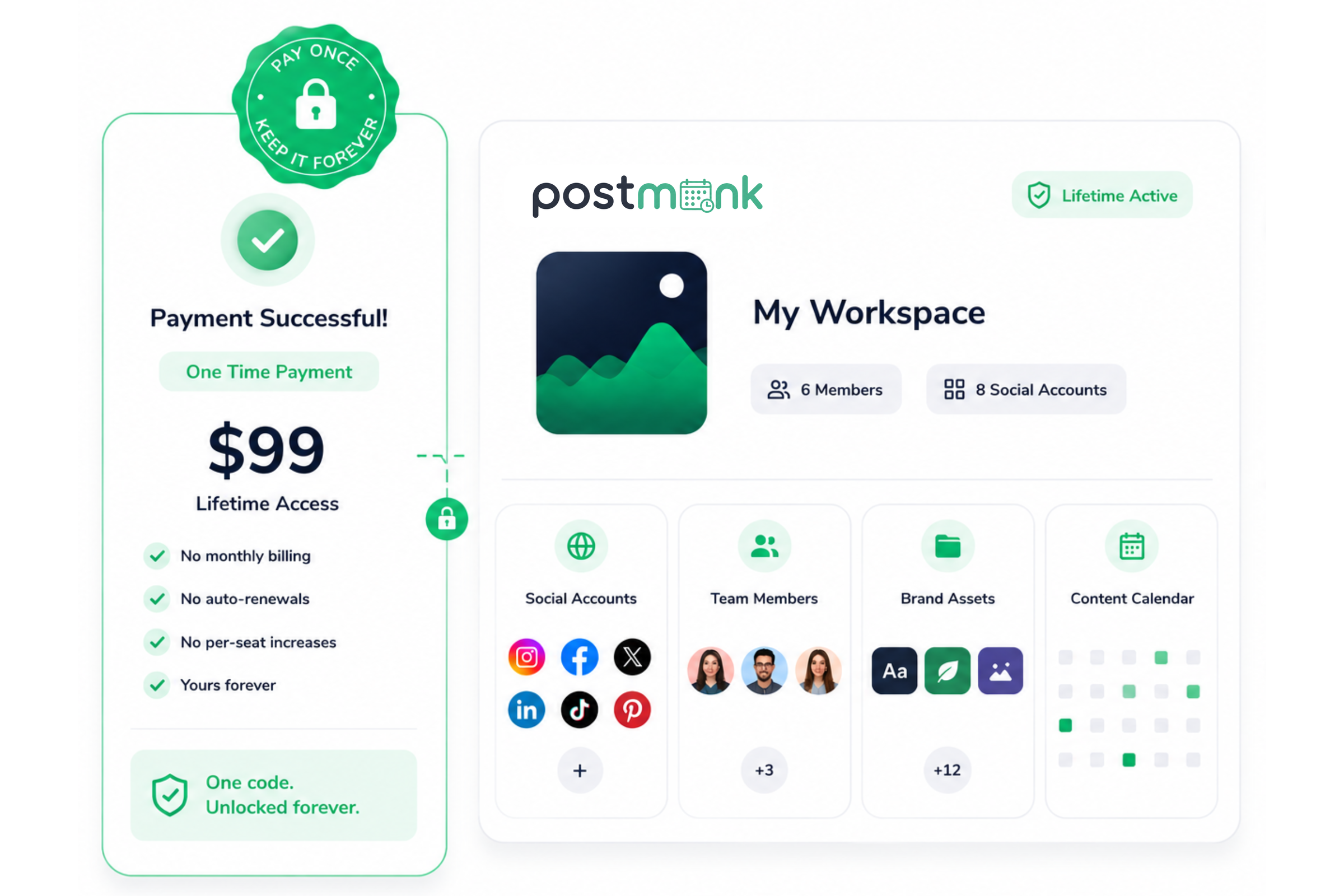
Pay Once, Skip the Renewals
One-time workspace pricing replaces monthly subscription costs.
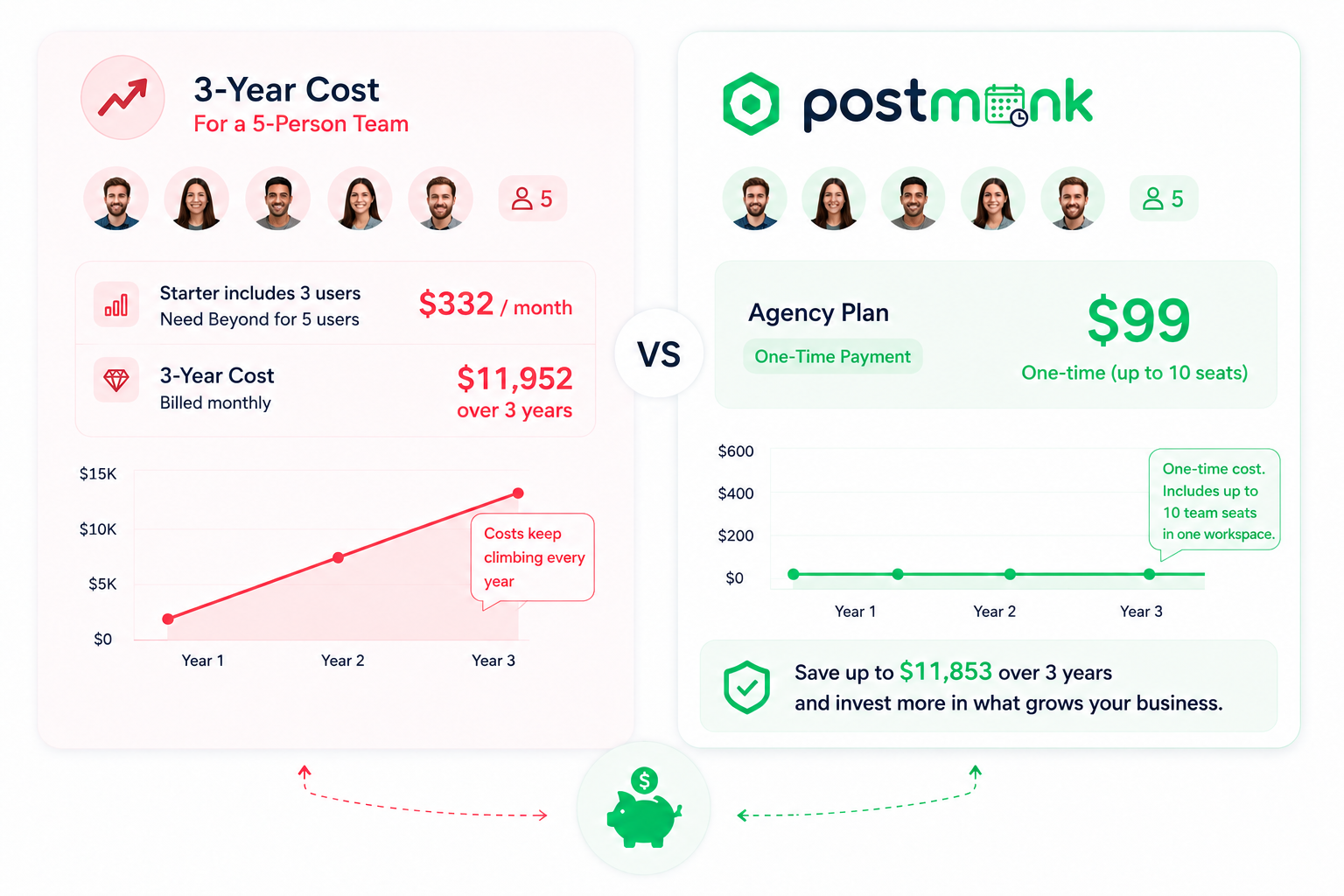
Loomly starts at $65 per month, while Beyond costs $332 per month for larger teams. PostMonk uses one-time workspace codes at $29, $59, and $99, so teams know the cost upfront. Each code unlocks one workspace permanently.
Better Long-Term Team Economics
A 5-person team can save thousands over three years.
Loomly Starter includes 3 users, so a 5-person team needs Beyond at $332 per month. Over 3 years, that becomes $11,952. PostMonk Agency is $99 one-time and includes up to 10 team seats inside one workspace.
Wider Platform Reach Including X
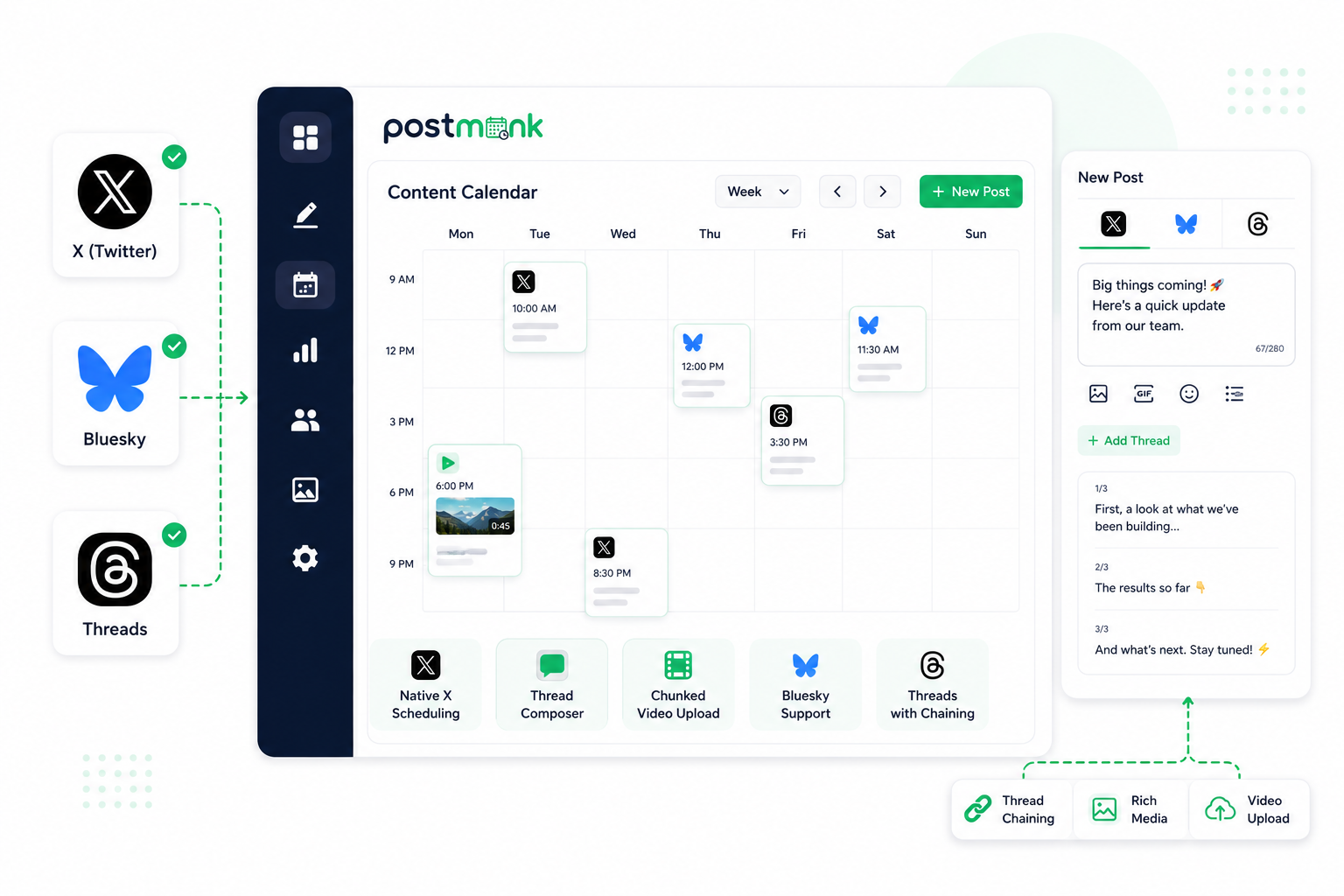
Native X scheduling plus Bluesky and Threads in one workflow.
Loomly supports many major social platforms, but it does not currently support X/Twitter. PostMonk supports X publishing, thread composer, and chunked video upload, plus Bluesky and Threads with thread chaining. Teams still publishing to X do not need a second scheduler.
AI Without Credit Anxiety
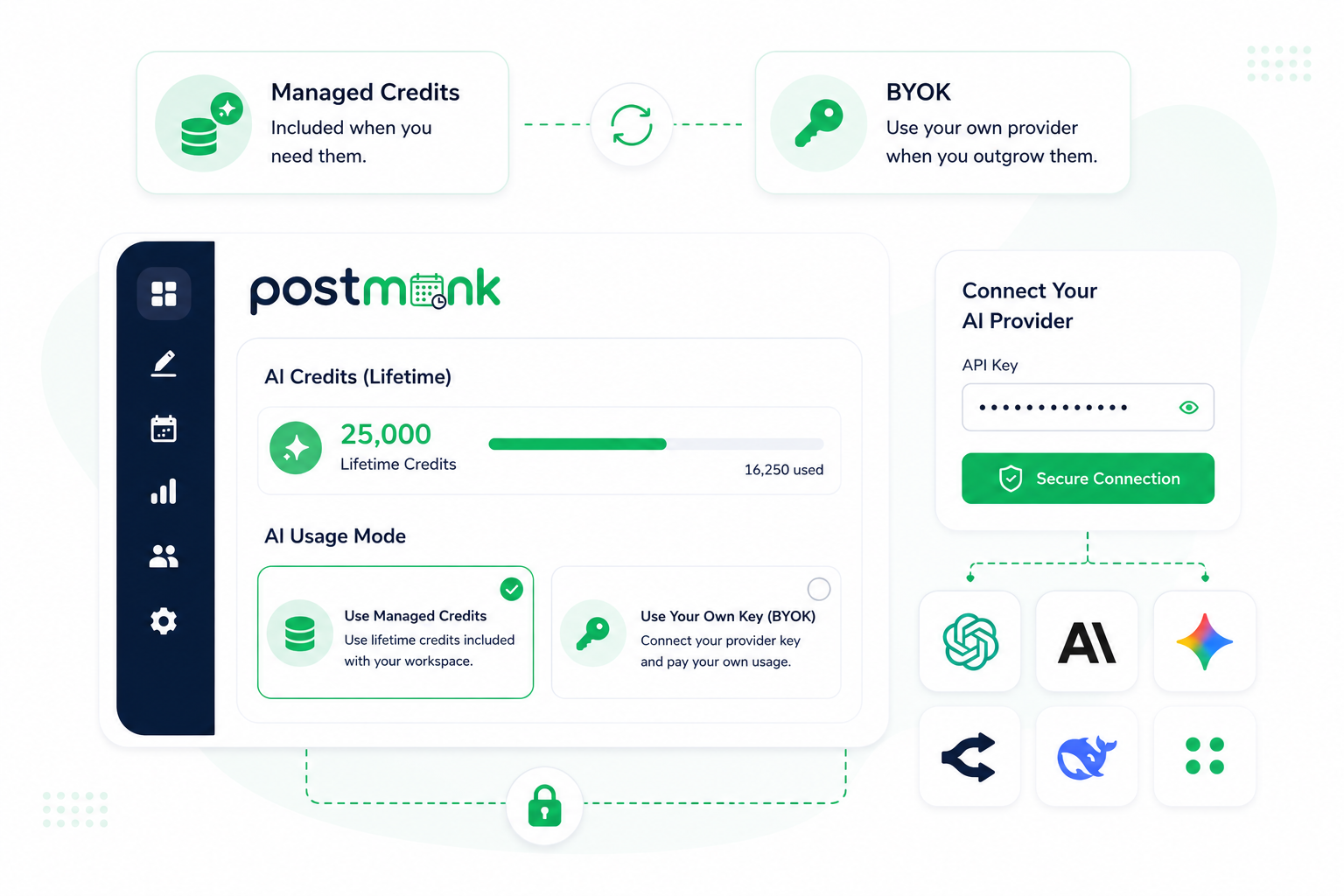
BYOK lets you use your own AI provider on your terms.
Loomly gives teams AI Assistant chat. PostMonk adds managed AI credits plus Bring Your Own Key across OpenAI, Claude, Gemini, OpenRouter, DeepSeek, and other supported providers. Your AI usage can run through the provider you already trust.
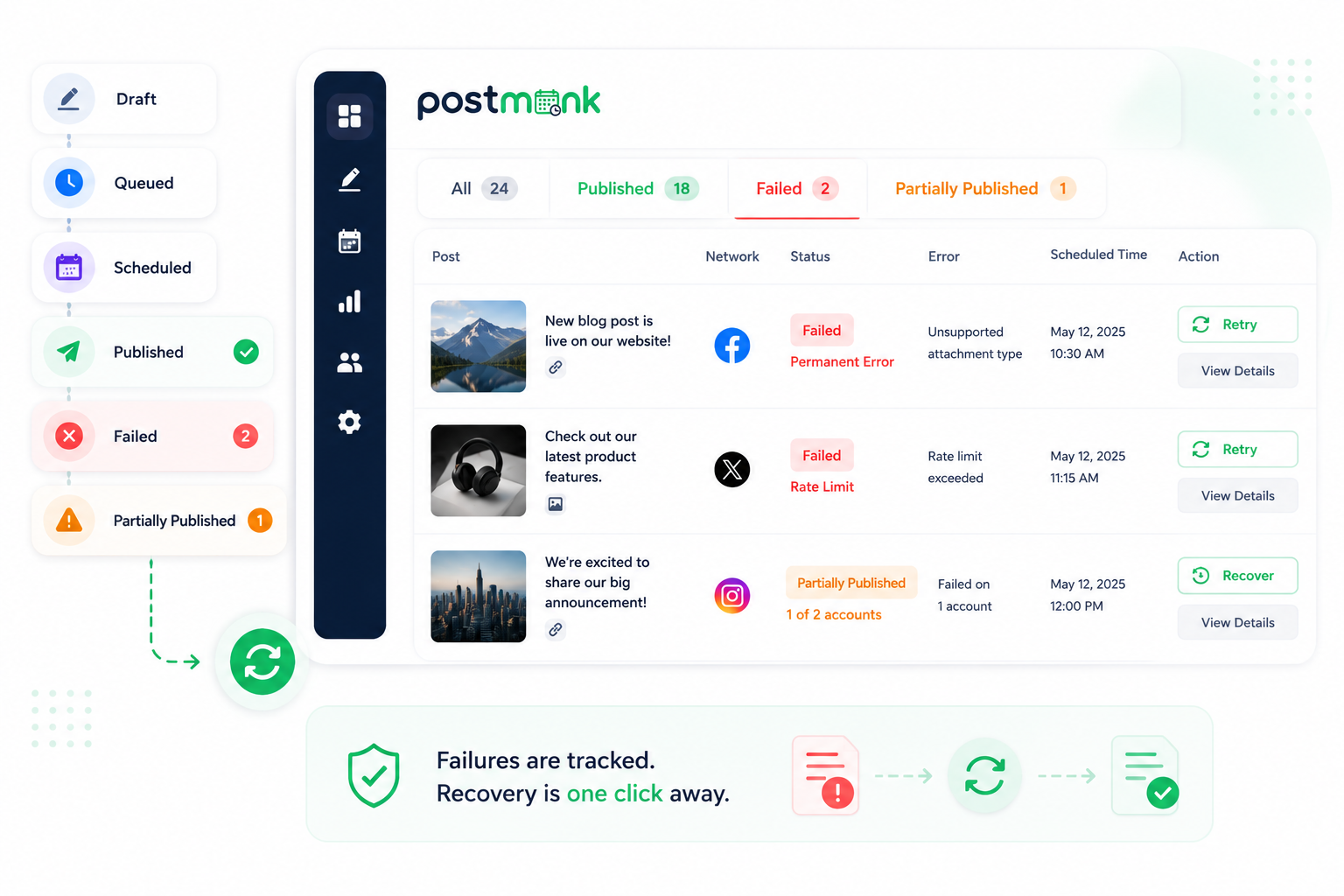
Failed Post Recovery Built In
Track failed and partial publishes without rebuilding campaigns.
PostMonk tracks post status across draft, queued, scheduled, published, failed, and partially published states. Failed or partially published posts stay visible, so teams can retry and recover content without manually rebuilding the campaign from scratch.
Workspaces for Each Client
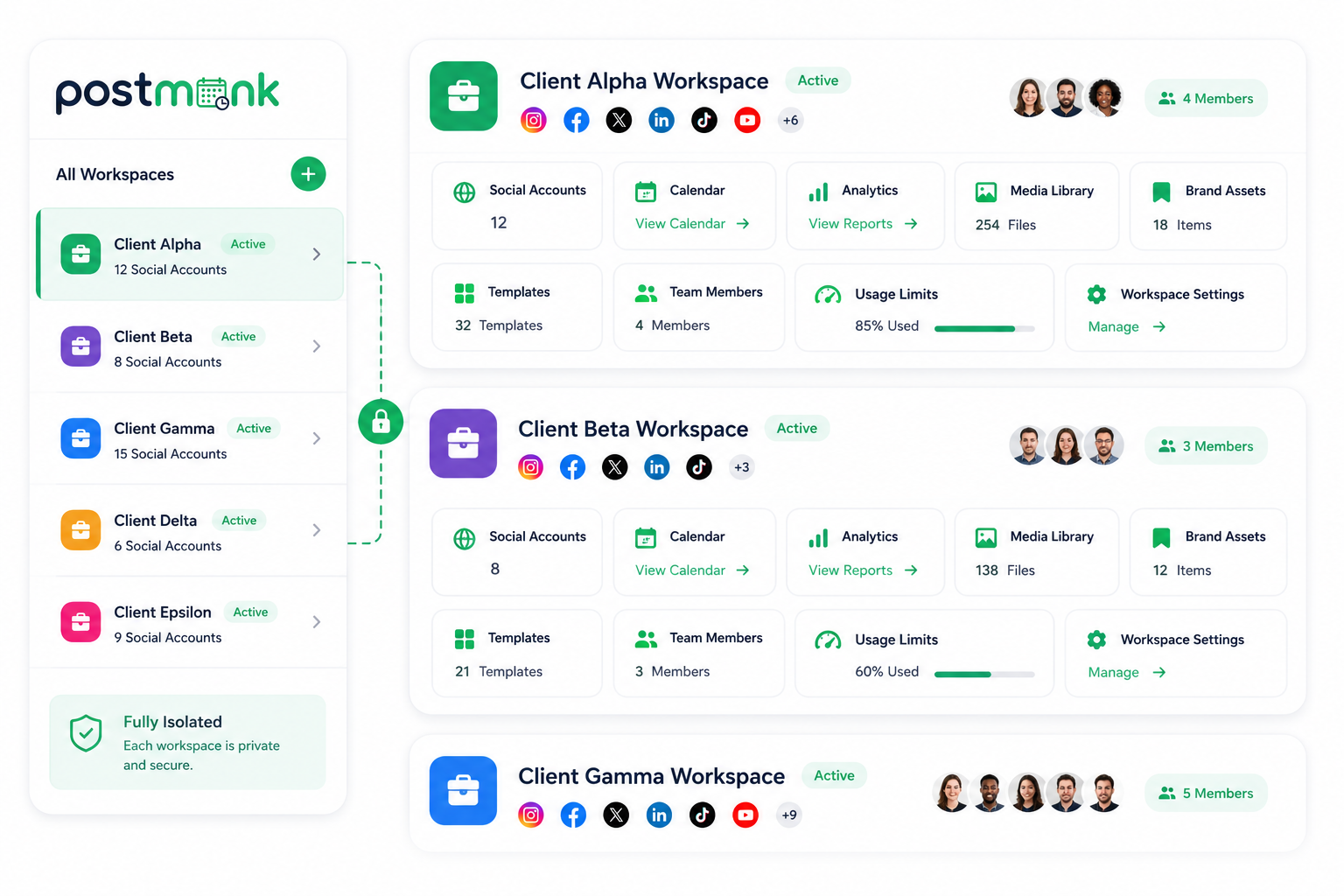
One workspace per client with its own accounts and analytics.
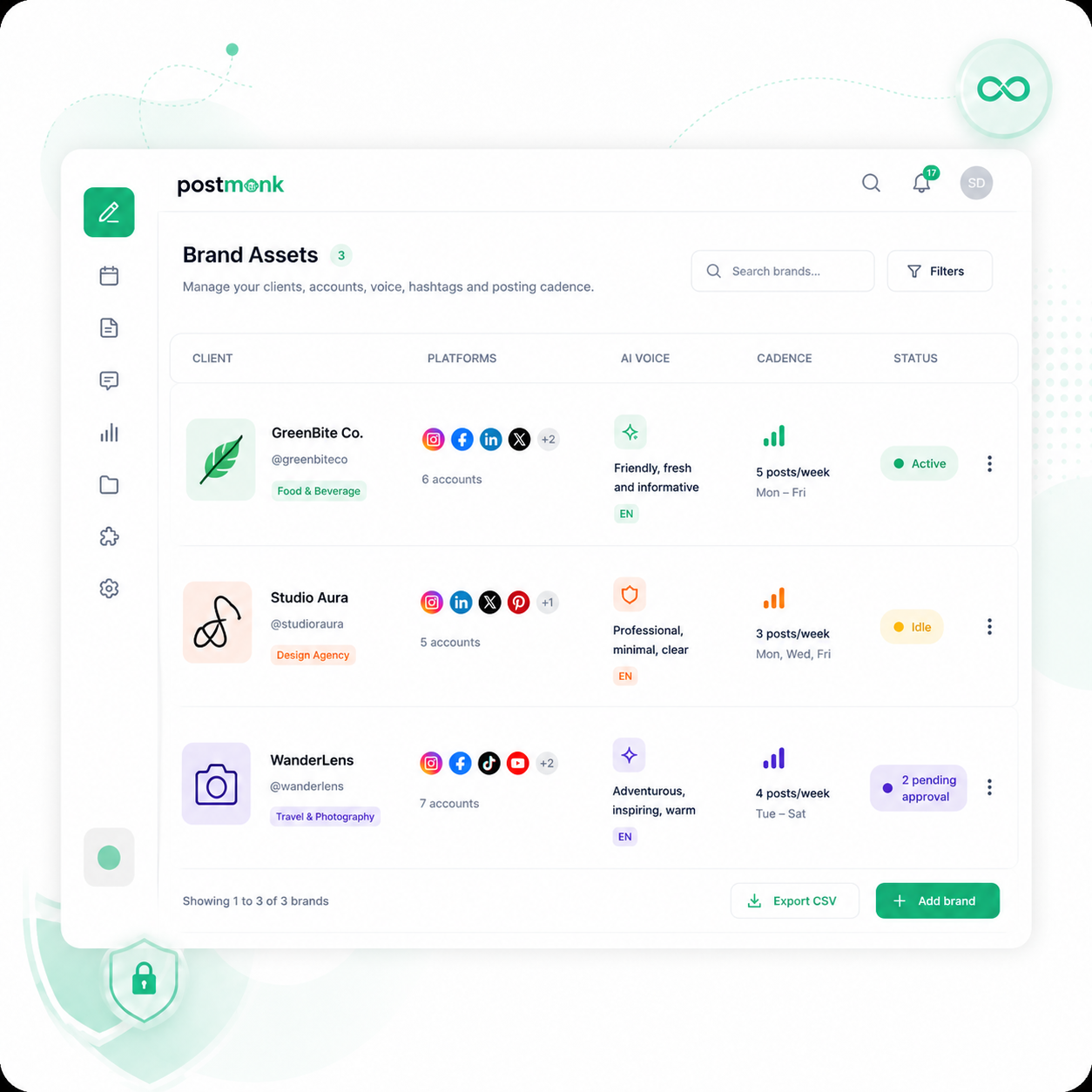
Loomly lets teams create calendars and organize work by brand, client, project, or location. PostMonk gives agencies one activated workspace per client, with its own social accounts, calendar, team, analytics, media, Brand Assets, and usage limits.
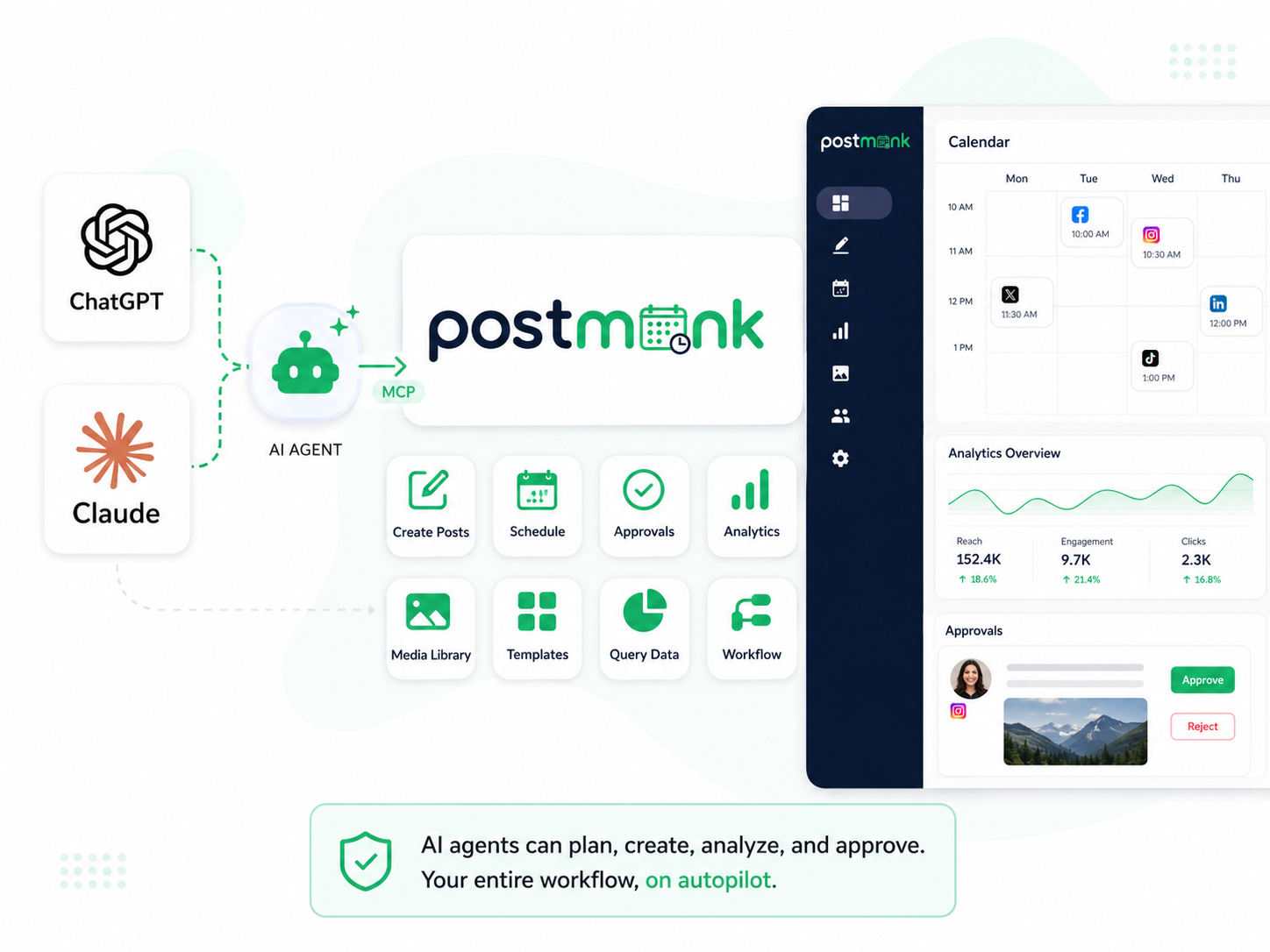
AI Agent Access Through MCP
Let compatible AI agents operate your publishing workflow.
PostMonk includes MCP and API access for AI-agent workflows. Compatible agents can read analytics, draft posts, apply templates, manage media, and support publishing operations through natural language. Loomly offers standard integrations, but official MCP-native workflow control is not shown.
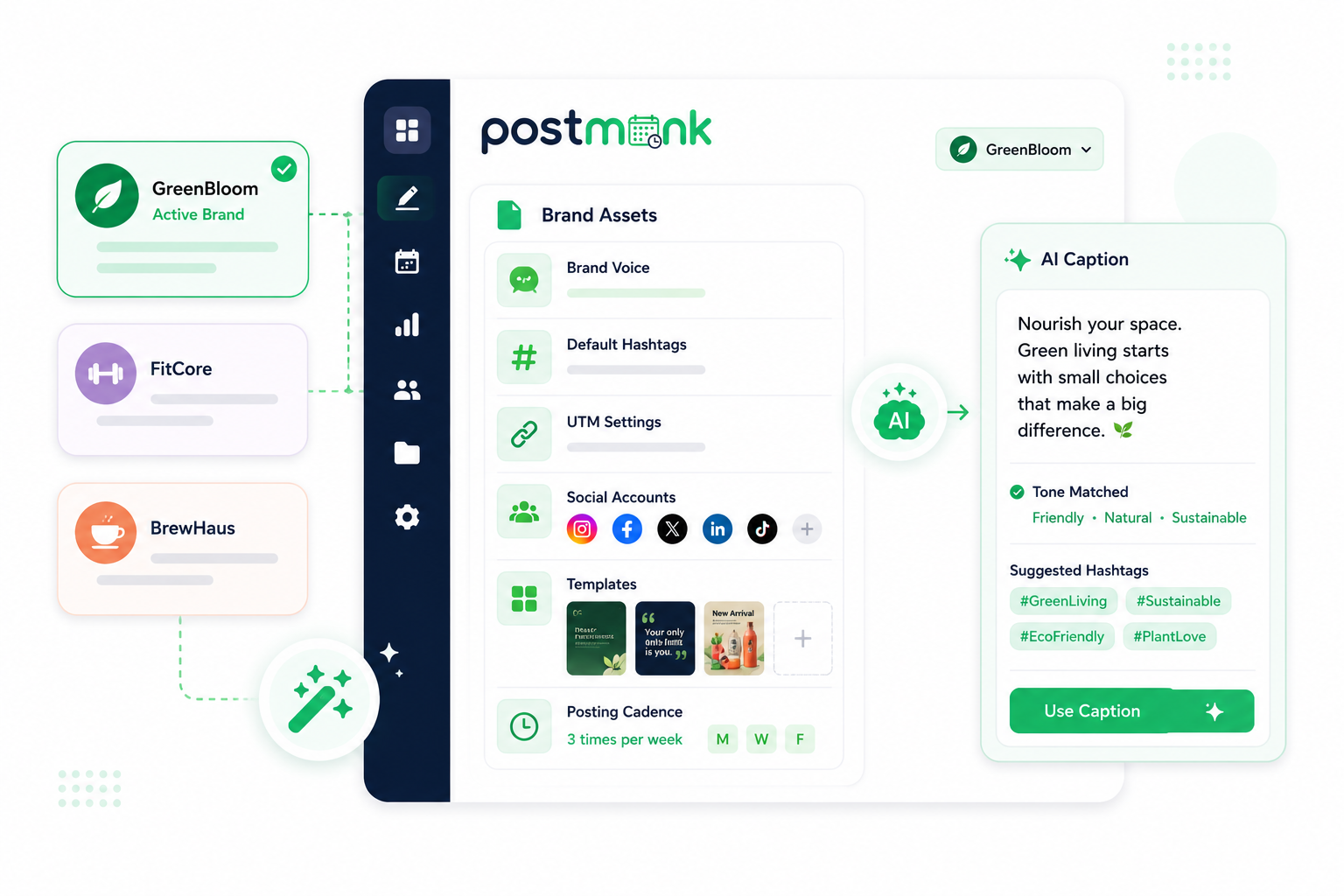
Brand Assets That Auto-Fill Your Setup
Saved brand profiles apply hashtags, accounts, voice, and UTMs.
Loomly organizes work through calendars, collaboration tools, and custom branding. PostMonk Brand Assets store brand name, logo, colors, social accounts, hashtags, first-comment templates, UTM parameters, variables, AI voice, and posting cadence.
Ready to run your social workflow from one place?
Use AI, Brand Assets, multi-platform publishing, analytics, and automation
inside one dedicated workspace.
7-day free trial · No credit card · Lifetime from $29
And Everything Else You Need
The full toolkit that keeps your workflow inside one workspace.
Auto-Recycle Your Best Posts
Mark any post as evergreen and PostMonk republishes it on your schedule. No manual re-posting.
React to Engagement Automatically
Performance Rules trigger cross-posting, archiving, or recycling when a post hits your set thresholds.
Approval Workflow Built In
Editors draft, reviewers approve, content goes live, all inside PostMonk, no Slack screenshots.
Plan Your Instagram Grid Visually
Drag and rearrange upcoming posts to preview your Instagram grid before anything publishes.
Thread Composer for Three Platforms
Write and schedule threads for X, Threads, and Bluesky; correctly formatted for each, from one session.
Bulk Import from CSV
Upload a spreadsheet and queue hundreds of posts at once. Useful for campaigns and launch weeks.
Edit Images Without Leaving
Built-in image editor handles crops, overlays, and text. No switching tabs for basic edits.
Ask Your Analytics Anything
Type a question in plain English and get an AI-generated answer from your account data.
WHO IS IT FOR
Built for Every Kind of Social Workflow
Solo creators, freelancers, agencies, and AI-forward operators all use PostMonk differently.
Pick the one that sounds like you.
For Solo Creators
More Content. Less Time Spent Creating It.
You're posting across multiple platforms alone, with more content to ship than hours in the day. PostMonk uses AI to close the gap.
Generate a week of captions in minutes
AI drafts captions by topic, tone, or prompt in 80+ languages.Stay consistent without being online
Set your rhythm once. Queue fills automatically. Evergreens recycle on schedule.Learn what to post more of
Analytics show which days, times, and hashtags actually drive engagement.

For Freelancers and Social Media Managers
Every Client Organized. Every Approval Handled.
Juggling three, five, or ten brands? Each gets its own profile, calendar, and approval flow, so context-switching stops being chaos.
Switch between clients in seconds
Brand Assets store accounts, voice, hashtags, and cadence per client.Get approvals without the email chain
Editors draft, reviewers approve in-app, with a full audit trail.Deliver results without building reports
Weekly summaries land in client inboxes automatically. CSV export included.
For Agencies
Run Client Content at Volume. Deliver It Looking Like Yours.
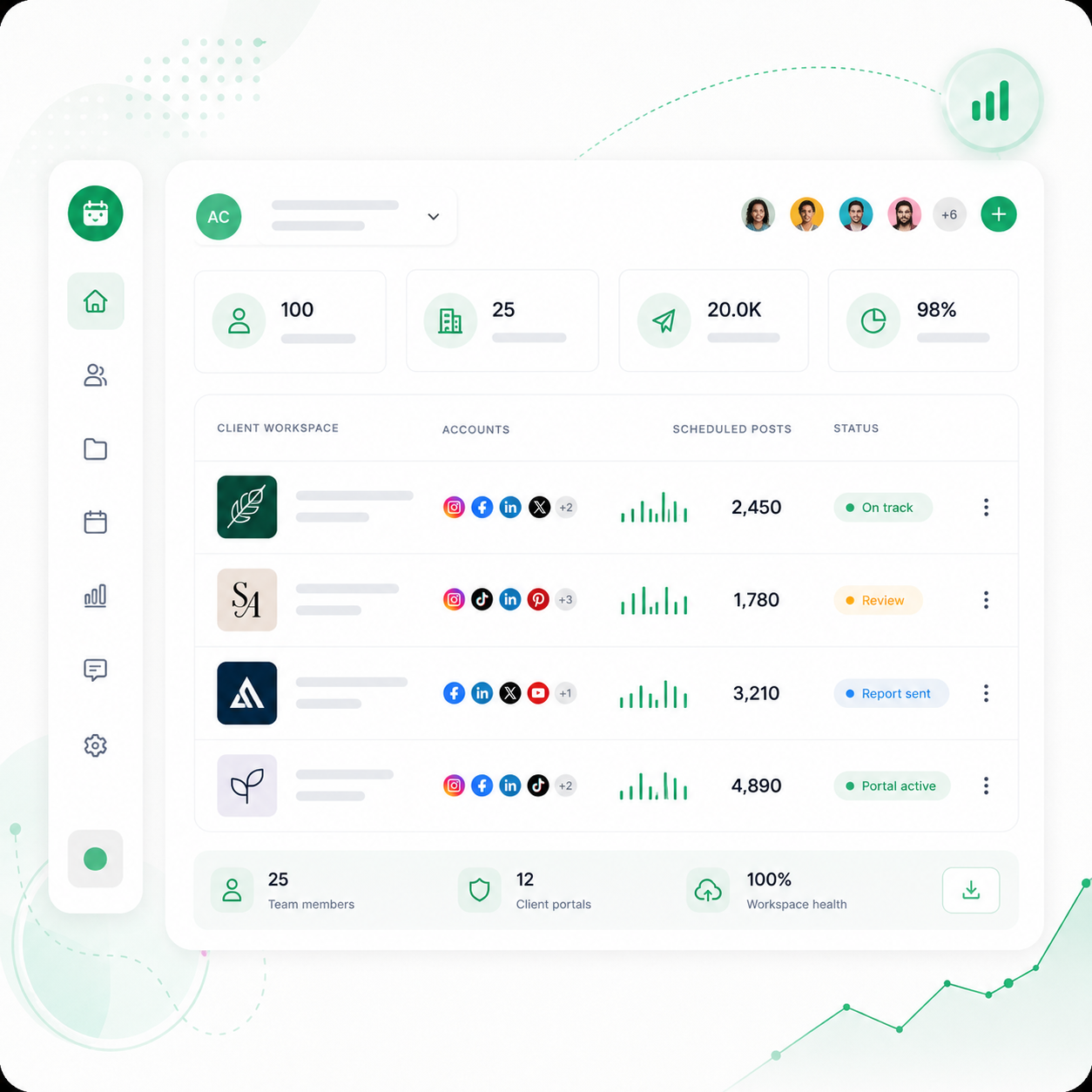
Dozens of accounts, multiple clients, structured team roles, scoped client access, and reports branded as yours, all from one place.
Operate at scale without losing control
100 accounts, 25 Brand Assets, 20,000 scheduled posts per month per workspace.Give clients visibility without full access
Each client gets a scoped login limited to their content and analytics.Deliver reports that look like your agency built them
White-label PDFs with your logo. Weekly email reports per client.
For AI-Forward Users and Developers
Stop Copying and Pasting. Let Your AI Agent Do It.
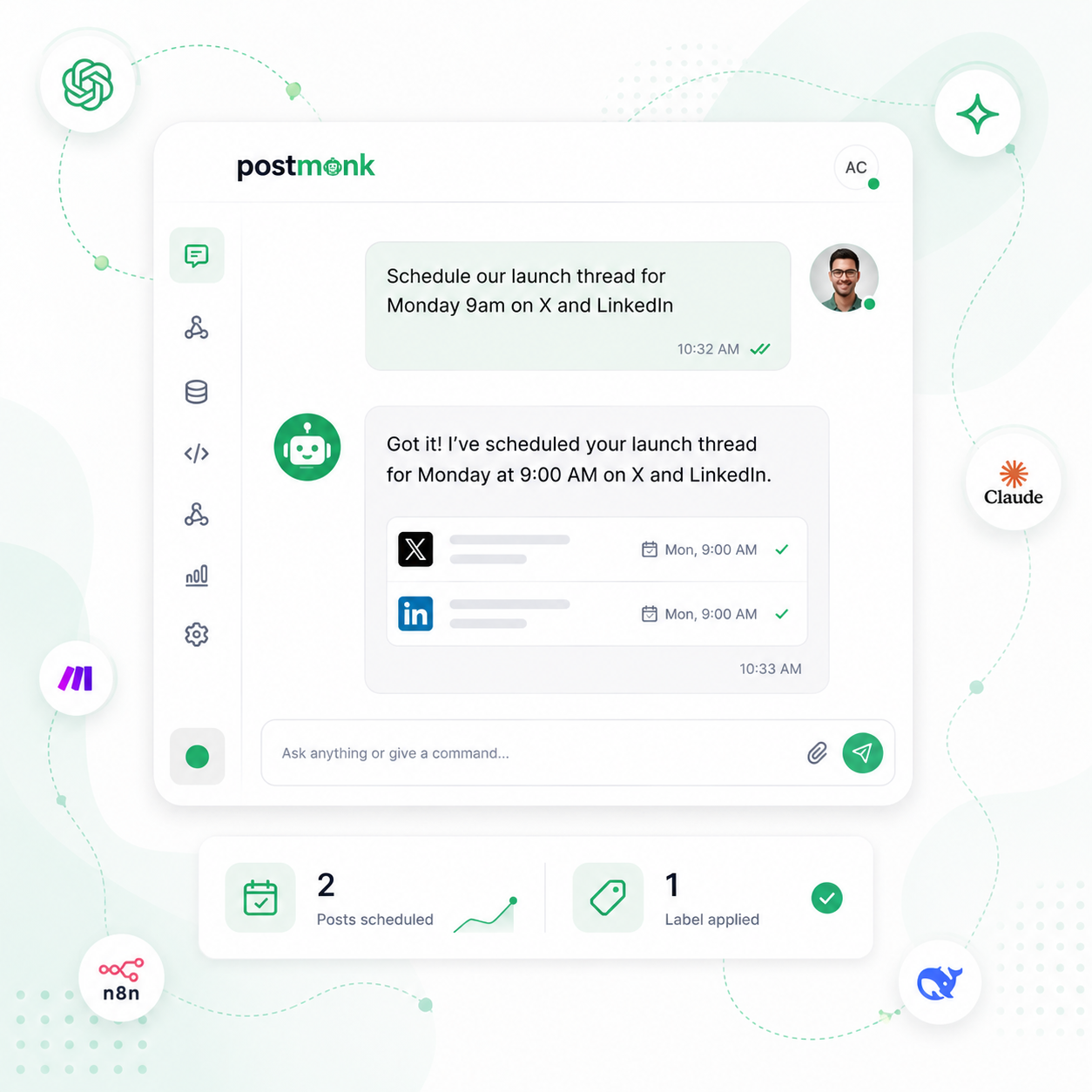
You already use AI to work faster. PostMonk lets your AI agent take real action inside your workspace, not just generate text you have to paste.
Tell your AI what to post and it happens
Connect Claude, ChatGPT, or any MCP client. Schedule and query analytics through chat.Plug PostMonk into your existing stack
Full REST API, Zapier, n8n, and Make integrations, plus webhooks.Use AI that runs on your own account
BYOK on every tier: OpenAI, Claude, Gemini, DeepSeek, or OpenRouter.
How to Get Started with PostMonk
Three steps from blank page to permanent workspace.
1
Create a Workspace
Create a dedicated workspace for your brand, client, or side project.
2
Try It Free for 7 Days
Use the full workflow for 7 days with no credit card required.
3
Activate It Forever
Unlock that workspace with one $29, $59, or $99 lifetime code.
7-day free trial · No credit card · Lifetime from $29
FAQ
All Your Questions, Answered
Is PostMonk cheaper than Loomly?
Yes, especially over time. PostMonk uses a one-time payment model at $29, $59, or $99 per workspace. Loomly Starter costs $65 per month, and Beyond costs $332 per month. A 5-person team on Beyond can cost $11,952 over 3 years.
Does PostMonk support X / Twitter scheduling?
Yes. PostMonk supports X/Twitter publishing, including tweet scheduling, thread composer, and chunked video upload. Loomly does not currently support X/Twitter, so teams publishing there often need another tool alongside Loomly.
Does PostMonk support team approvals like Loomly?
Yes. PostMonk includes approval workflows, reviewer comments, internal notes, @mentions, role-based access, and activity notifications. Loomly is known for calendar collaboration, so PostMonk’s advantage is combining approvals with lifetime workspace pricing and Brand Assets.
Does PostMonk offer better AI than Loomly?
PostMonk gives teams more AI control. It includes AI captions, hashtags, alt text, caption improvement, Brand Assets, AI Analytics Q&A, and BYOK support for OpenAI, Claude, Gemini, OpenRouter, DeepSeek, and other supported providers.
Does PostMonk support AI agent workflows?
Yes. PostMonk includes MCP and API access for compatible AI agents. Agents can read analytics, draft posts, manage media, apply templates, and support publishing workflows through natural language. Official Loomly MCP-native workflow control is not shown.
What is the main difference between PostMonk and Loomly?
PostMonk is a lifetime-priced scheduler with X/Twitter support, BYOK AI, Brand Assets, MCP/API workflows, and fixed client workspace costs. Loomly is a subscription-based calendar and collaboration platform with strong approval workflows and standard integrations.

Built with ❤️ by the team @ Dorik.com
AI-first social media management
with lifetime workspace pricing.
© 2026 PostMonk, a product of Dorik, Inc.