
Everything You Need
to Run Social Media, All in
One Workspace
Create content with AI, schedule across 9 platforms, automate repetitive
tasks, manage your team and clients, and track what's working.
All from one place, you pay for once.
7-day free trial · No credit card · Lifetime from $29
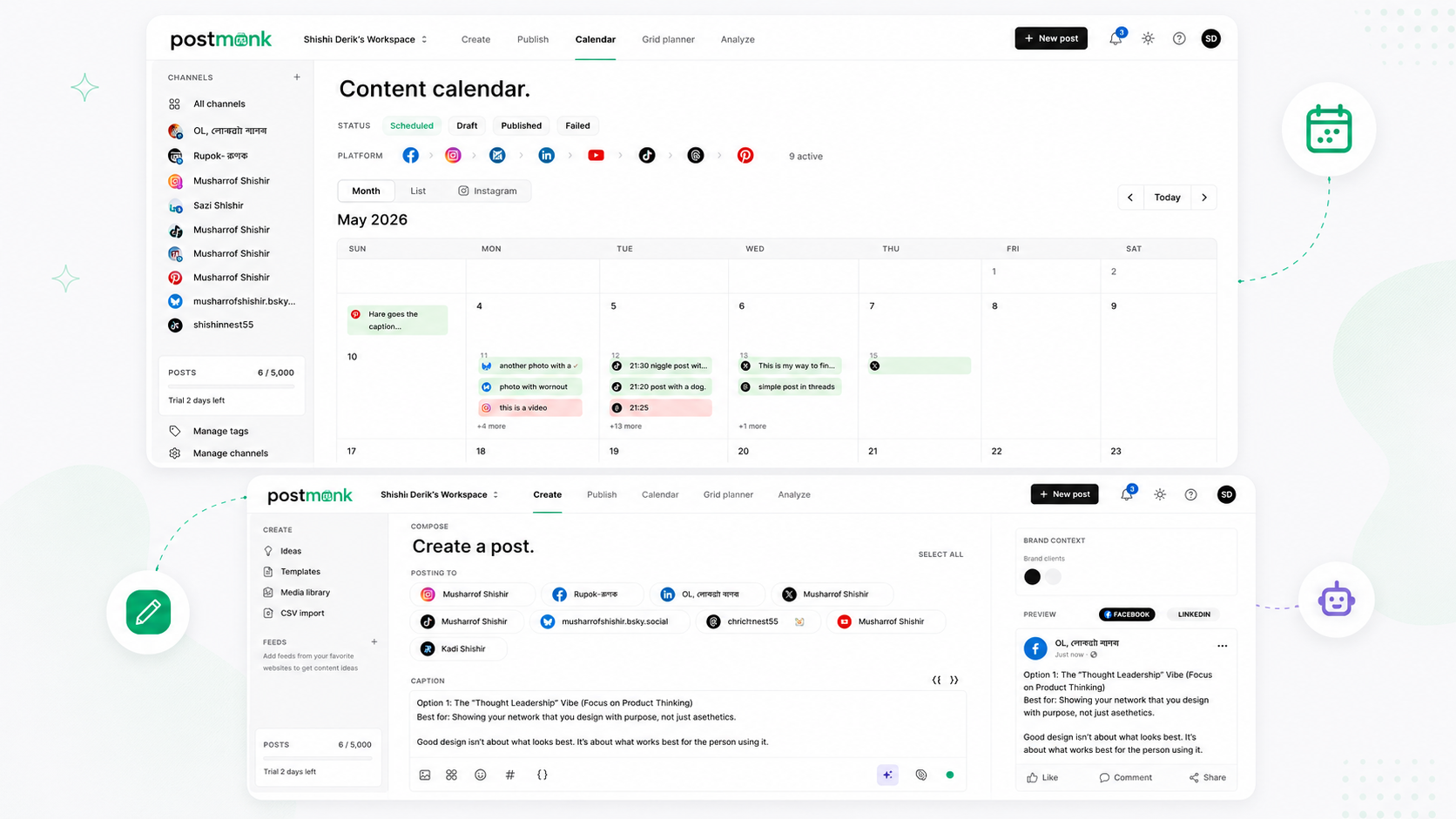
Content Creation
Create Better Content in Less Time
Write posts, generate captions with AI, edit images, and build reusable templates.
Everything you need to go from blank page to publish-ready, without leaving PostMonk.
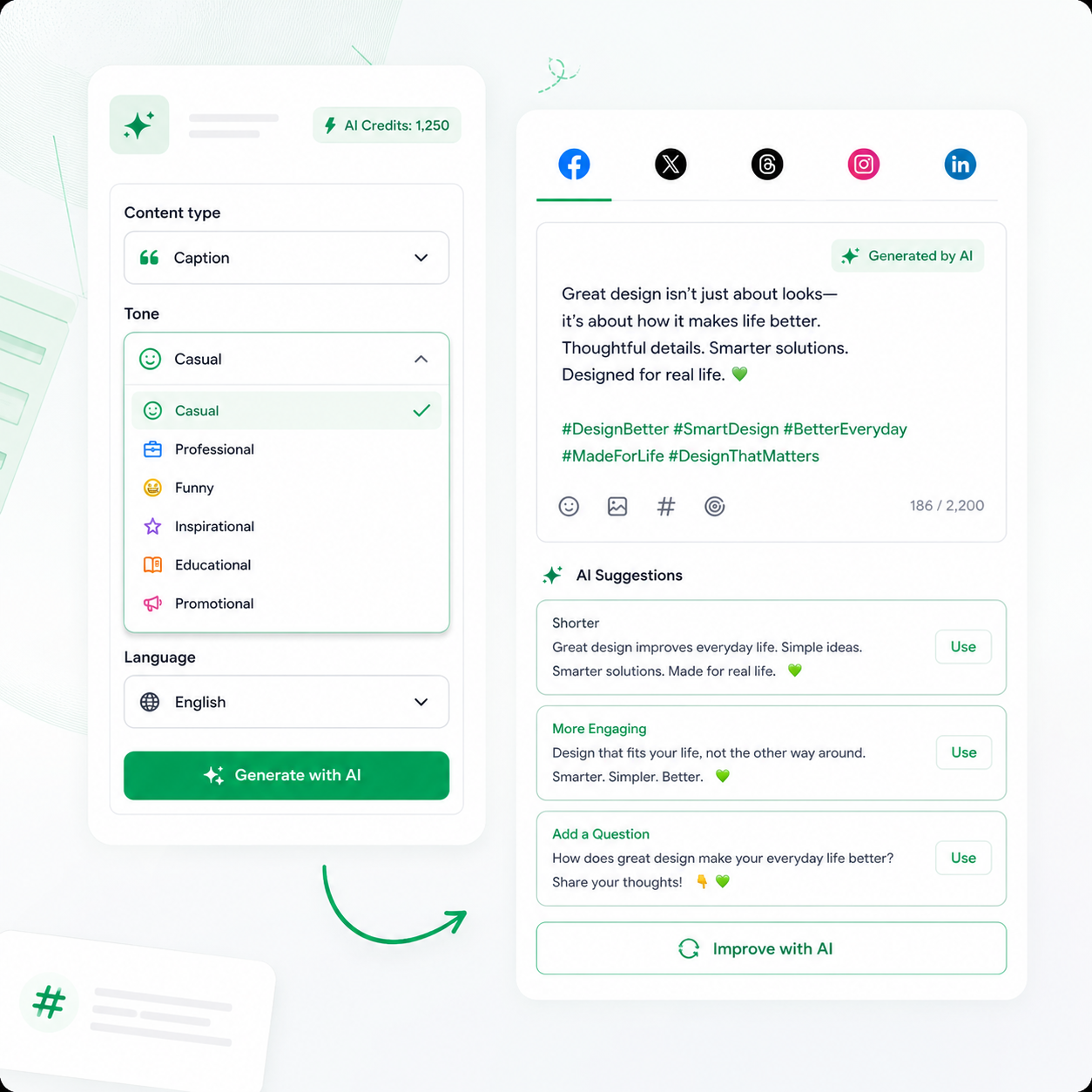
AI Writes the First
Draft for You
Every workspace comes with built-in AI credits you can use right away to generate captions, hashtags, and image alt text.
Pick a tone: casual, professional, funny, inspirational, educational, or promotional
Generate captions in over 80 languages without any manual translation
Improve existing copy with one click before anything gets scheduled
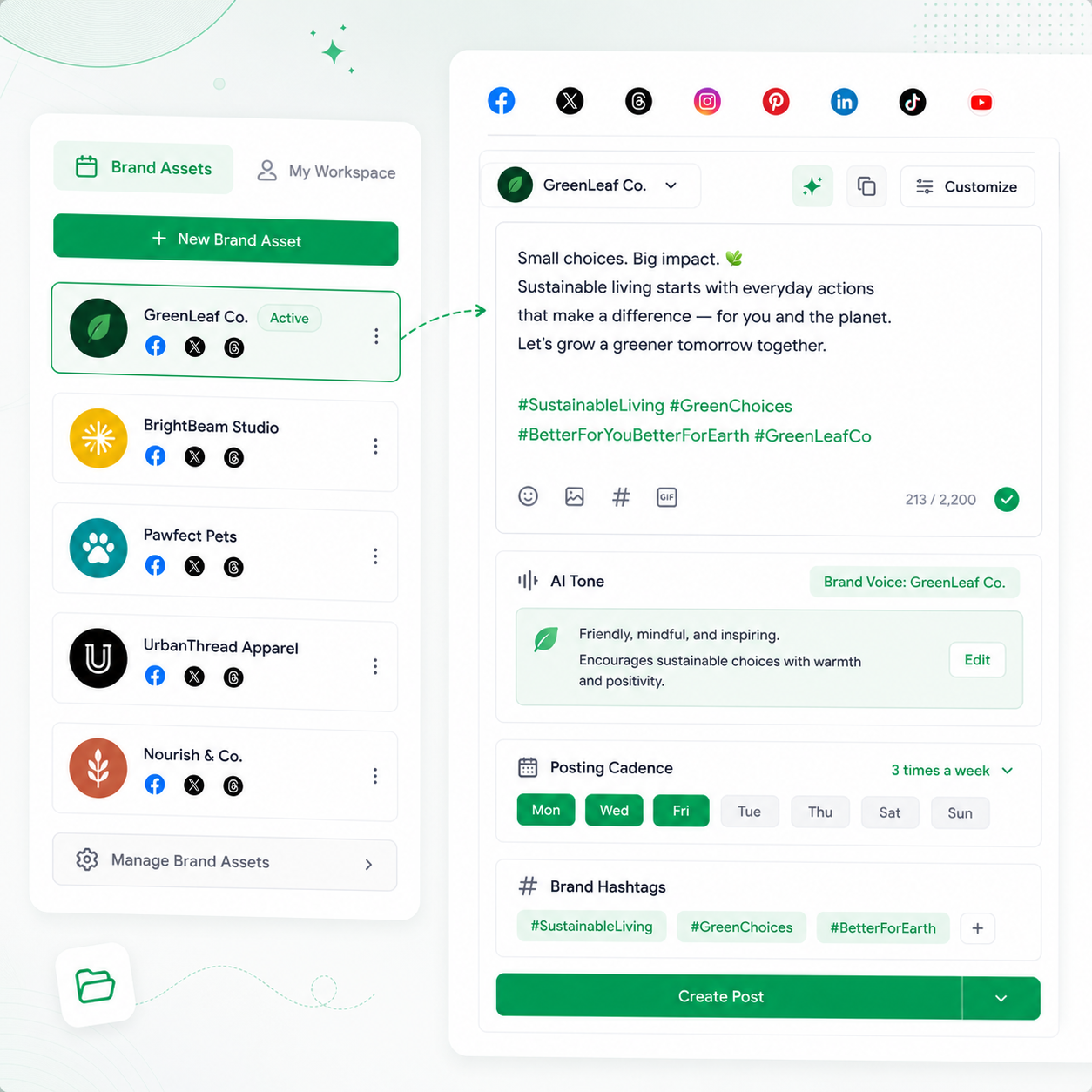
Your Brand's Voice, Saved and Ready
Set up a Brand Asset for each brand and save its accounts, AI voice, hashtags, and posting cadence as one reusable profile.
Select a Brand Asset, and PostMonk fills the entire composer automatically
Each brand gets its own AI tone, so captions always sound consistent
Update a Brand Asset once, and every future post reflects the change
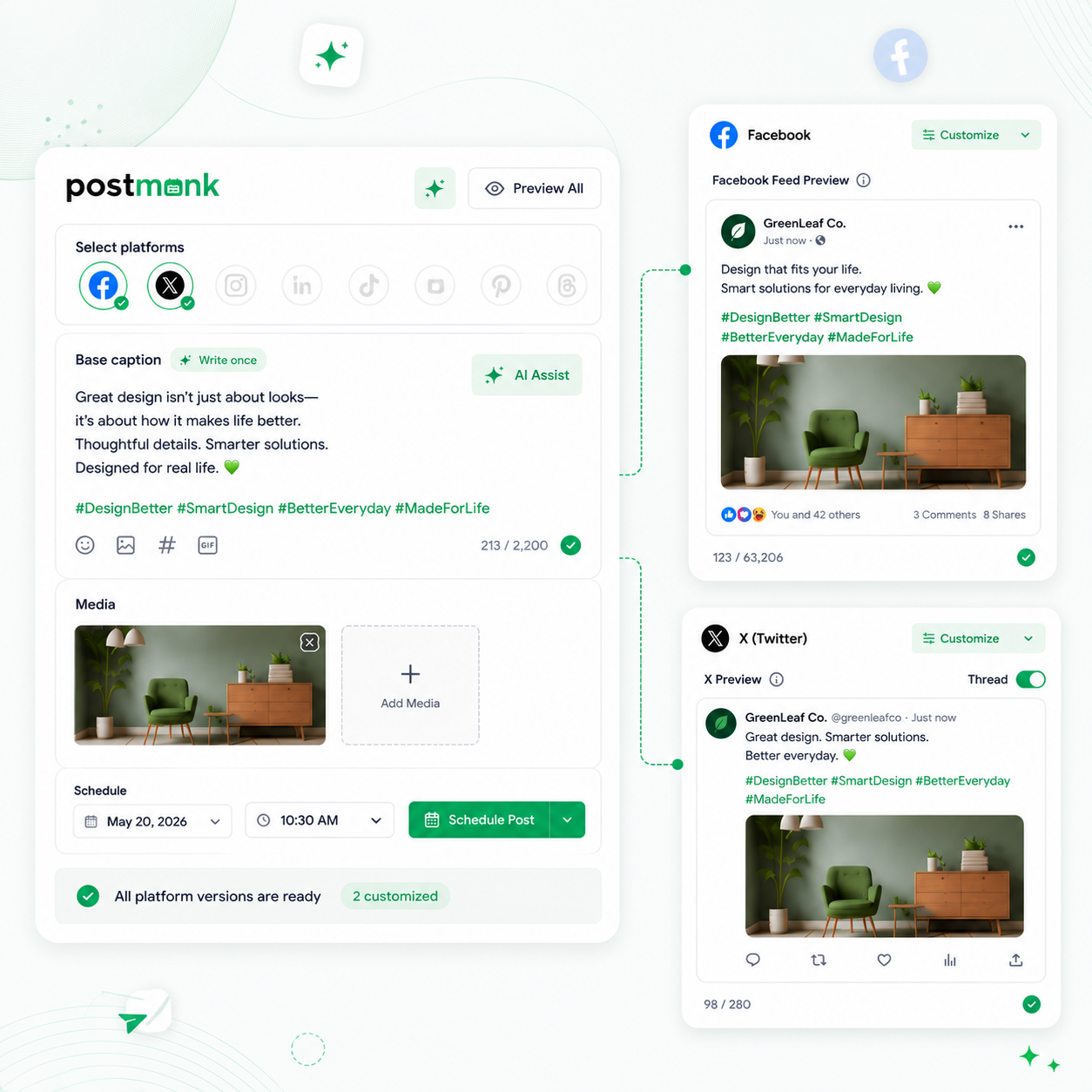
Write Once, Customize per Platform
Write a base caption and adjust the copy, hashtags, or media for each platform individually, all from one composer session.
No duplicating posts or opening separate tabs for each platform
Per-platform character counts and format requirements are shown inline
Preview how each version looks before you schedule
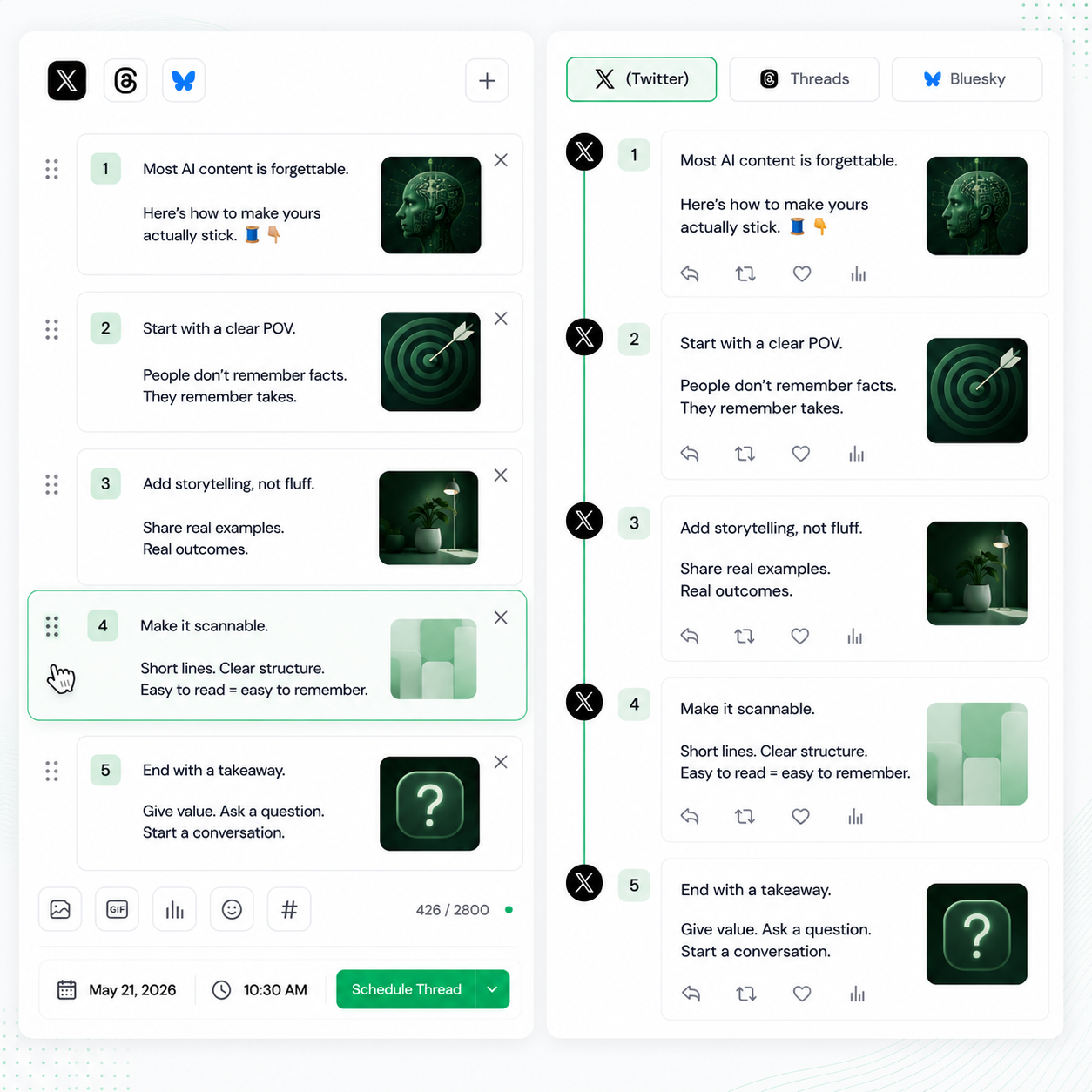
Compose Full Threads in One Place
Build multi-part threads for X, Threads, and Bluesky from a single screen with correct formatting for each platform.
Reorder thread parts by dragging them before you schedule
Attach different media to each part of the thread independently
PostMonk handles the formatting differences across platforms automatically
Edit Images Without Switching Apps
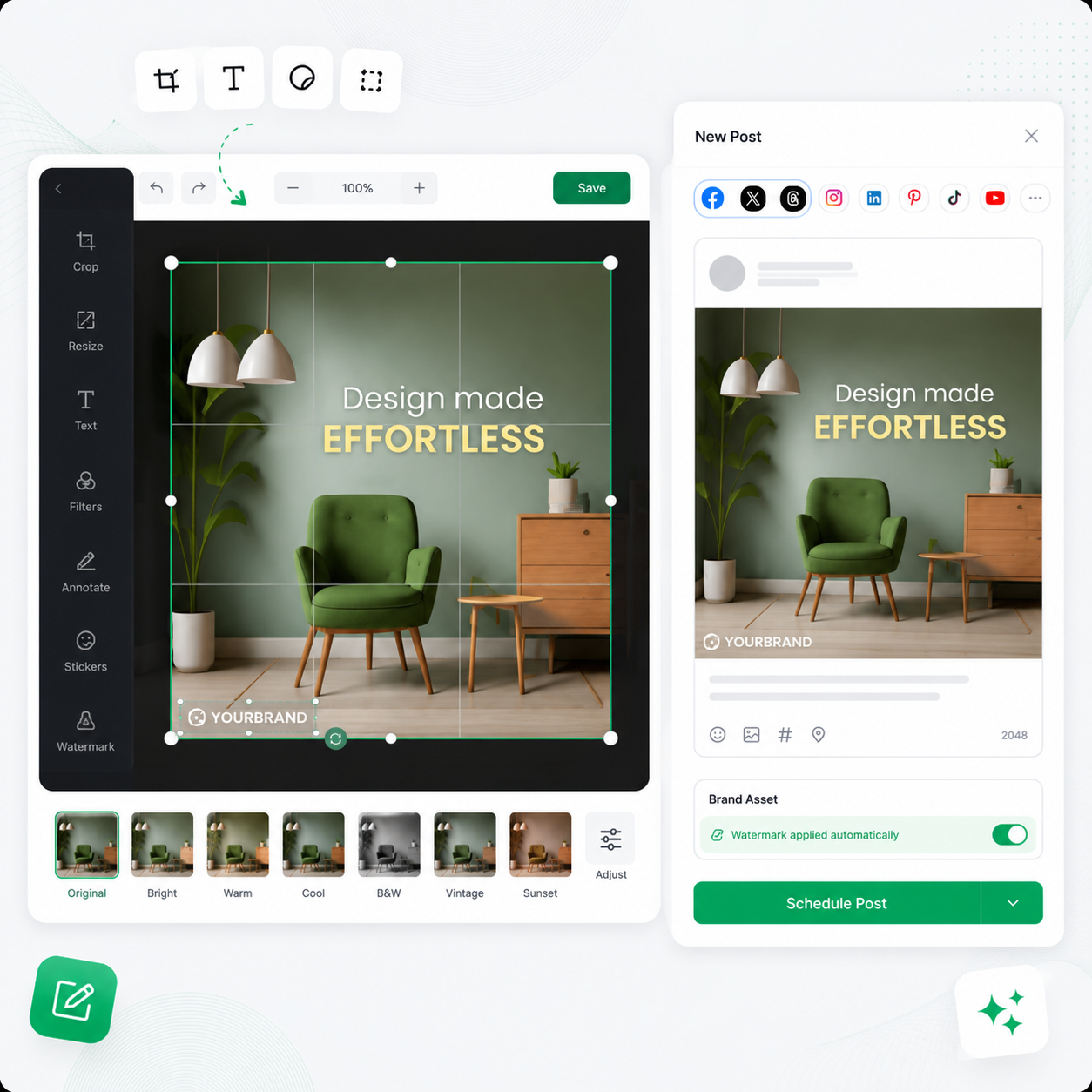
Crop, resize, add text, apply filters, and annotate images directly inside PostMonk using the built-in image editor.
Handles most standard edits without opening any external design tool
Preview edited images in the composer before attaching them to a post
Add automatic watermarks per Brand Asset at publish time
Save Post Templates You Can Reuse Forever
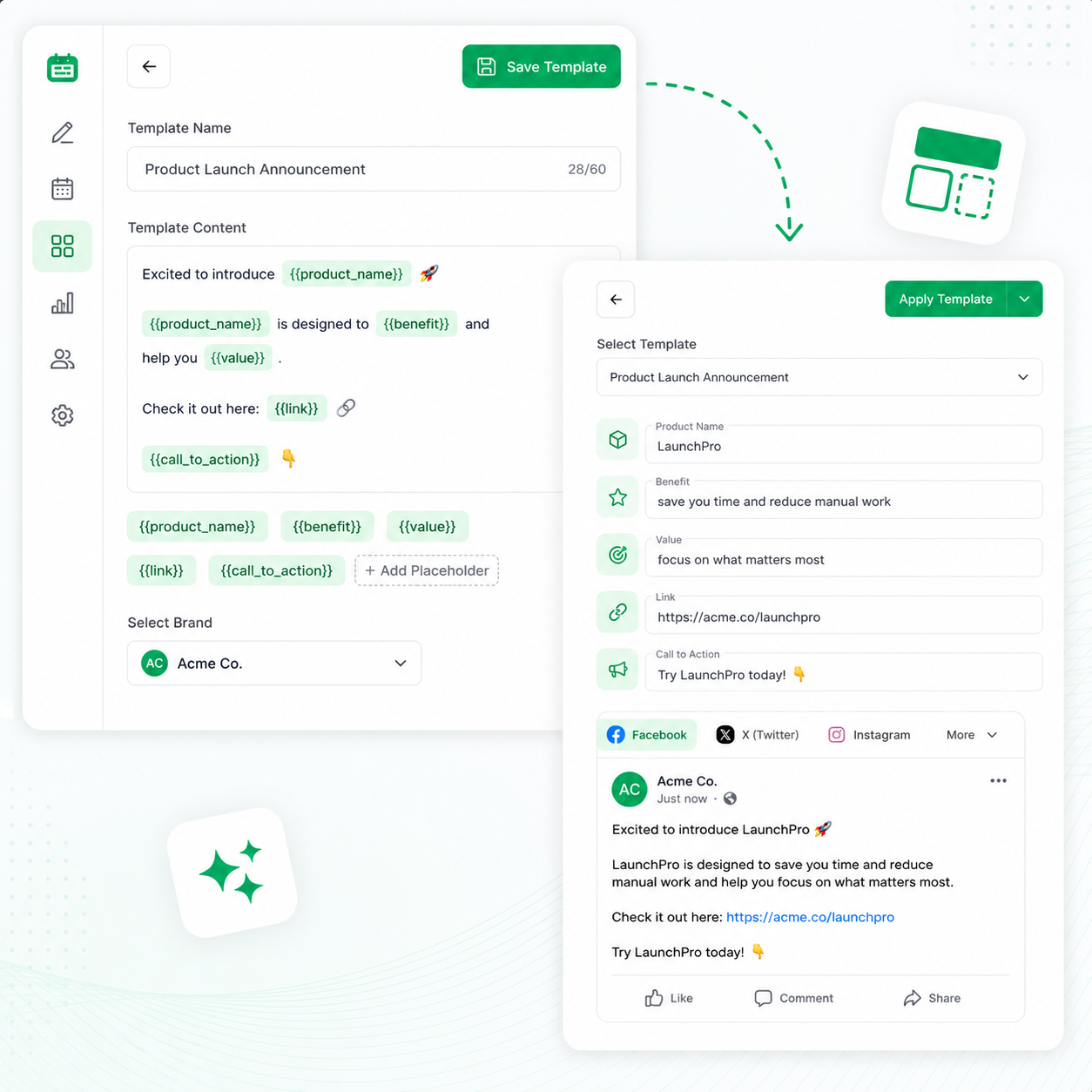
Build post structures with fill-in-the-blank placeholders, save them once, and apply them to any new post in seconds.
Placeholders like product name, link, and call to action fill in at publish time
Save templates per brand so each team works from its own library
Apply a template and have a publish-ready post with minimal effort
SCHEDULING AND PUBLISHING
Get Your Content Live on Every Platform,
Exactly When You Want
One composer. Ten platforms. Flexible scheduling, automatic queues,
and reliable delivery so your content reaches the right audience at the right time.
Post to All 9 Platforms at Once
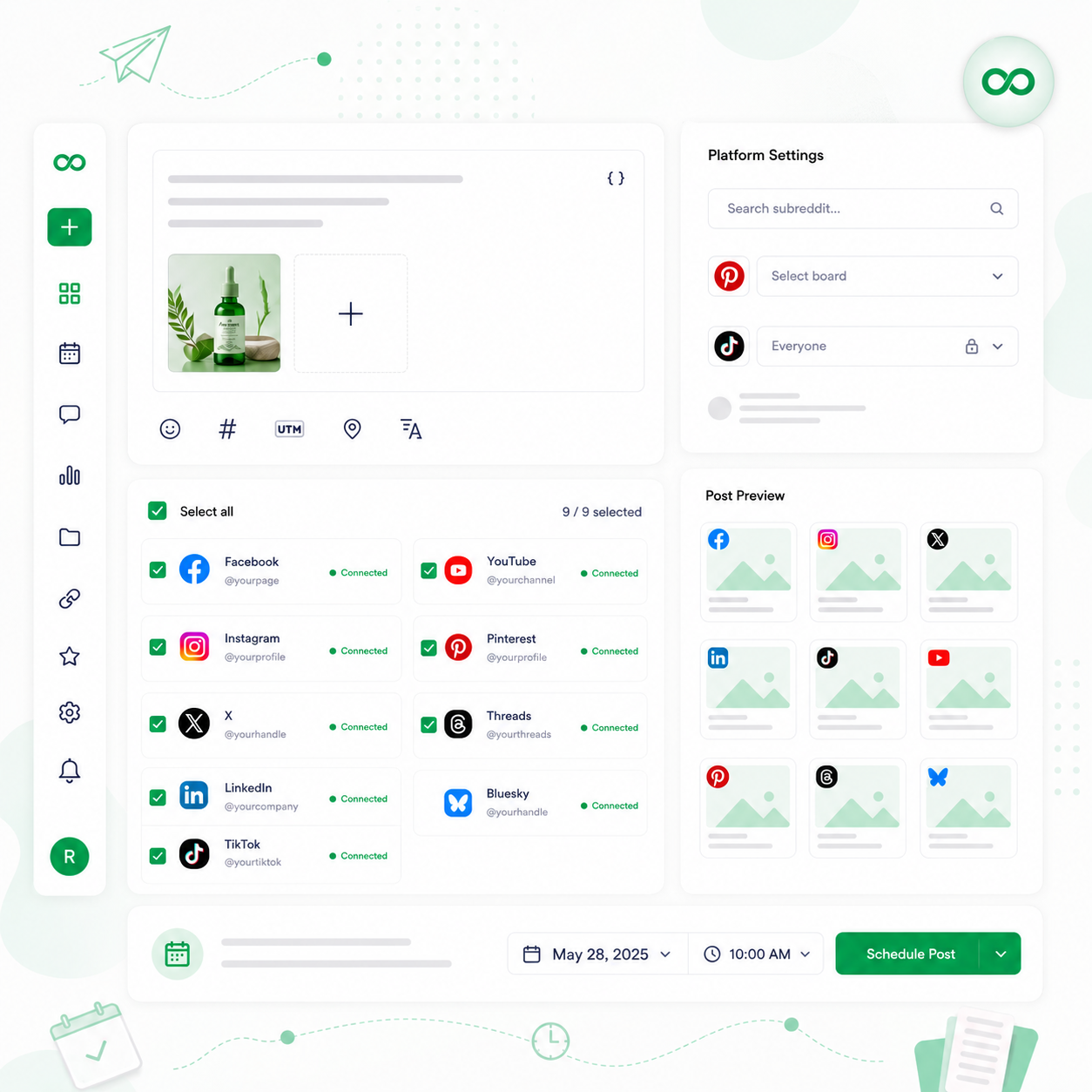
Connect your accounts and send content to every platform in a single session, with no platform-switching required.
Platforms include Facebook, Instagram, X, LinkedIn, TikTok, YouTube, Pinterest, Threads, and Bluesky
Built-in helpers for Reddit subreddit search, Pinterest board picker, and TikTok privacy settings
Every platform is available in every workspace; nothing is gated
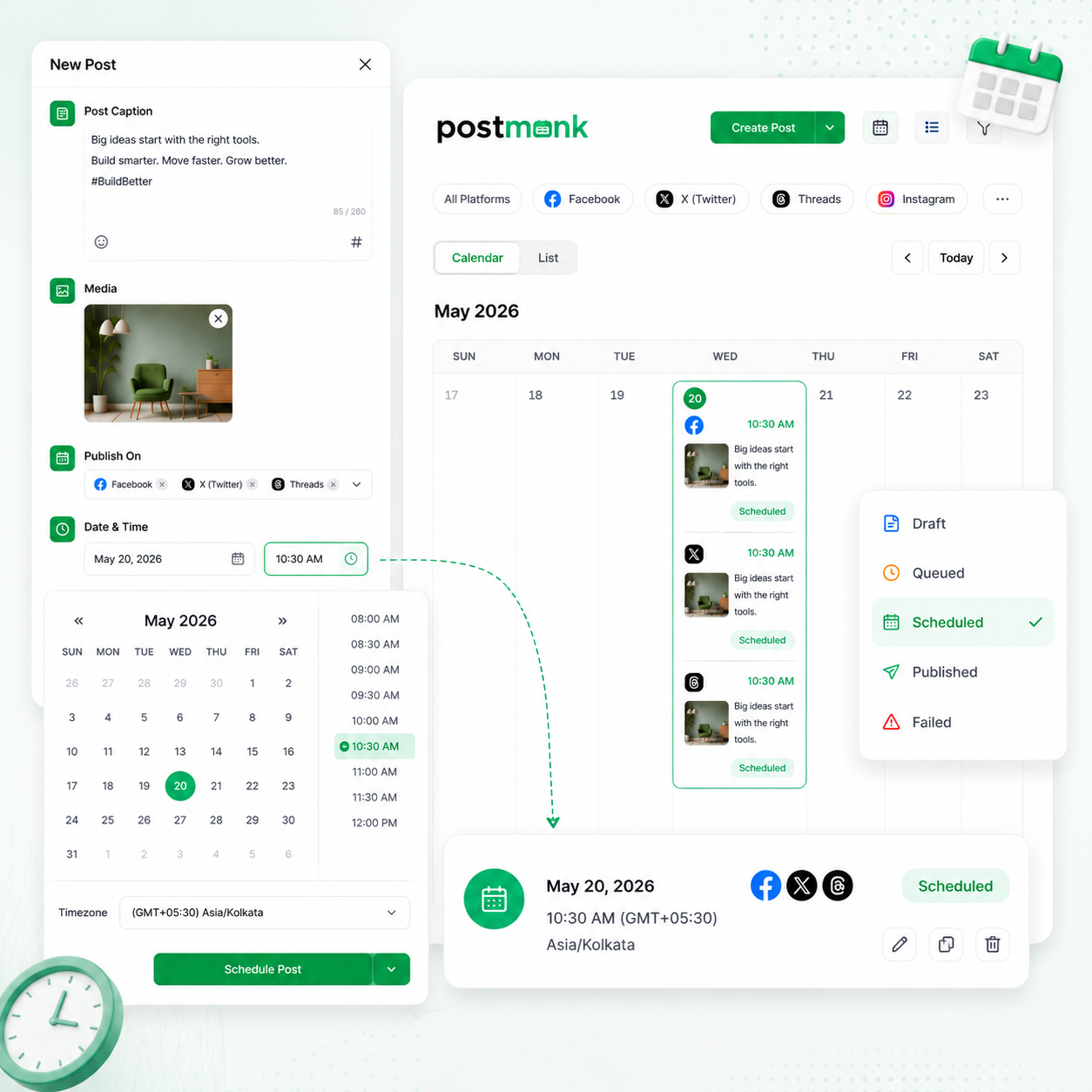
Schedule Down to the Exact Minute
Pick the exact date and time you want a post to go live, and PostMonk delivers it automatically.
Full timezone awareness so posts go out at the right local time for your audience
Real-time status tracking: draft, queued, scheduled, published, or failed
Edit or reschedule any post at any point before it goes live
Fill Your Posting Queue on Autopilot
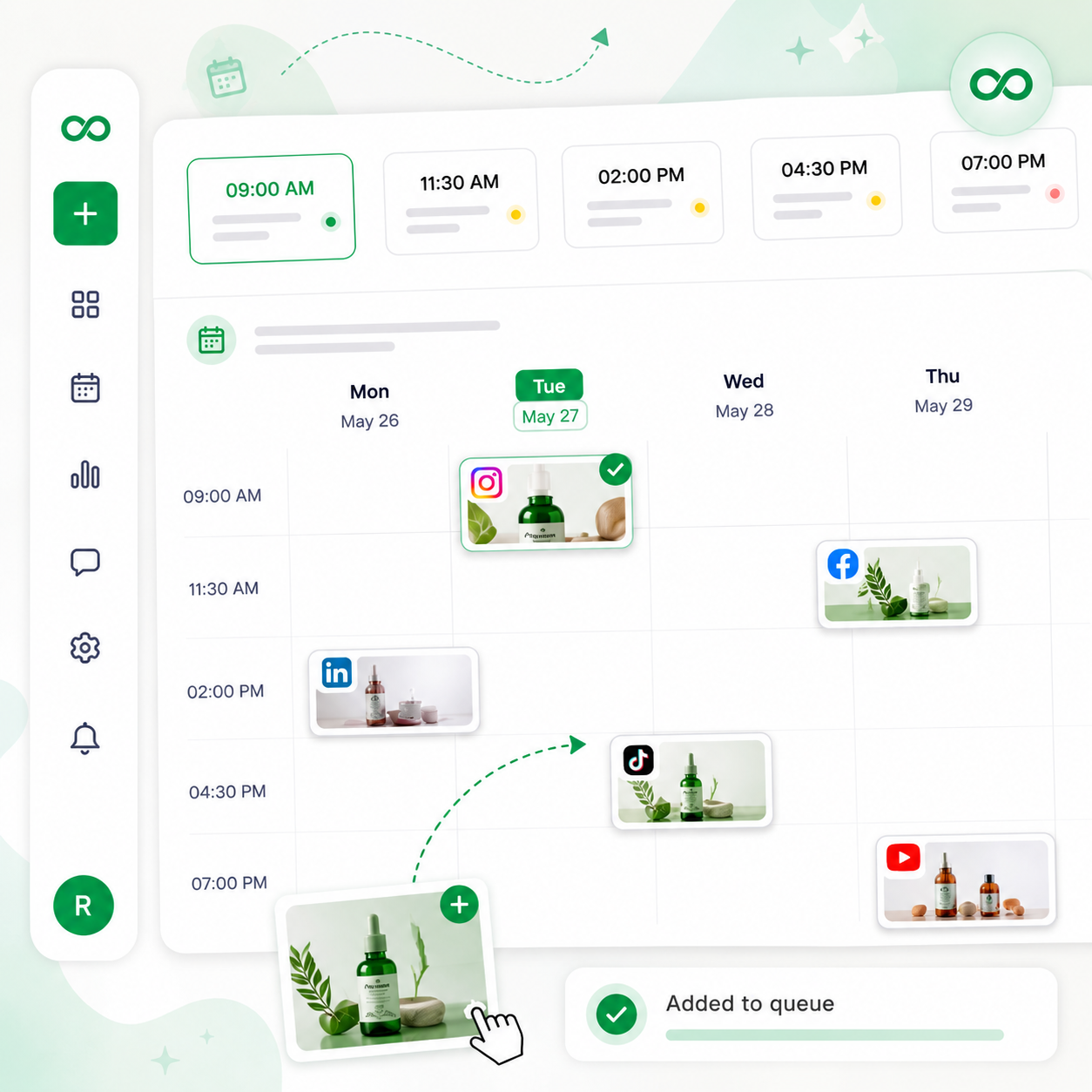
Set your preferred posting times once, and PostMonk slots new content into the next available opening as you create it.
Each Brand Asset has its own queue with its own time slots and cadence
New posts drop into the next available slot the moment you save them
Queue keeps running in the background without you having to log back in
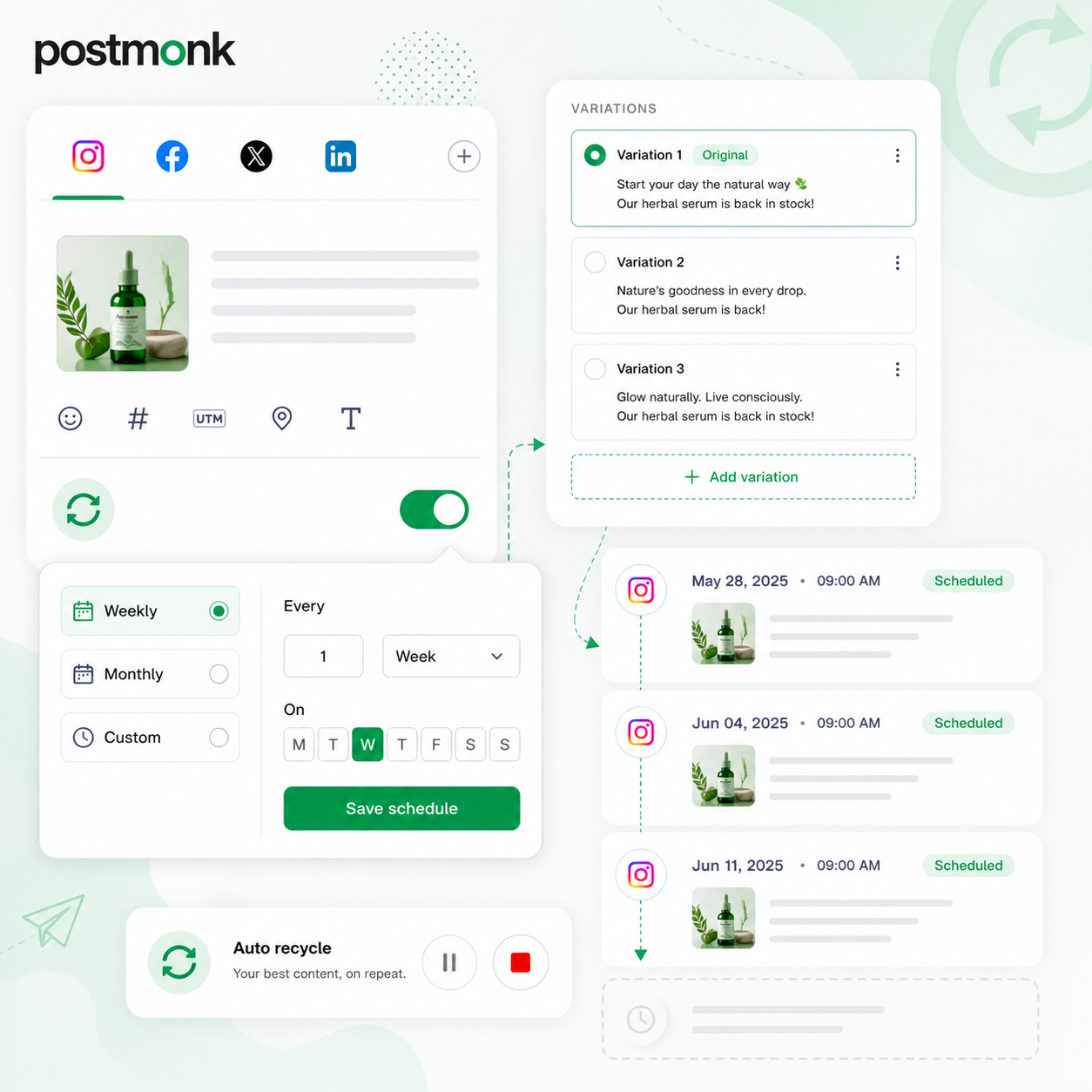
Recycle Your Best Content Automatically
Mark any post as evergreen, and PostMonk republishes it on your chosen interval without any manual work.
Choose how often a post recycles: weekly, monthly, or any custom period
Use text variations so recycled posts never look identical each time
Stop or pause recycling on any post with a single click
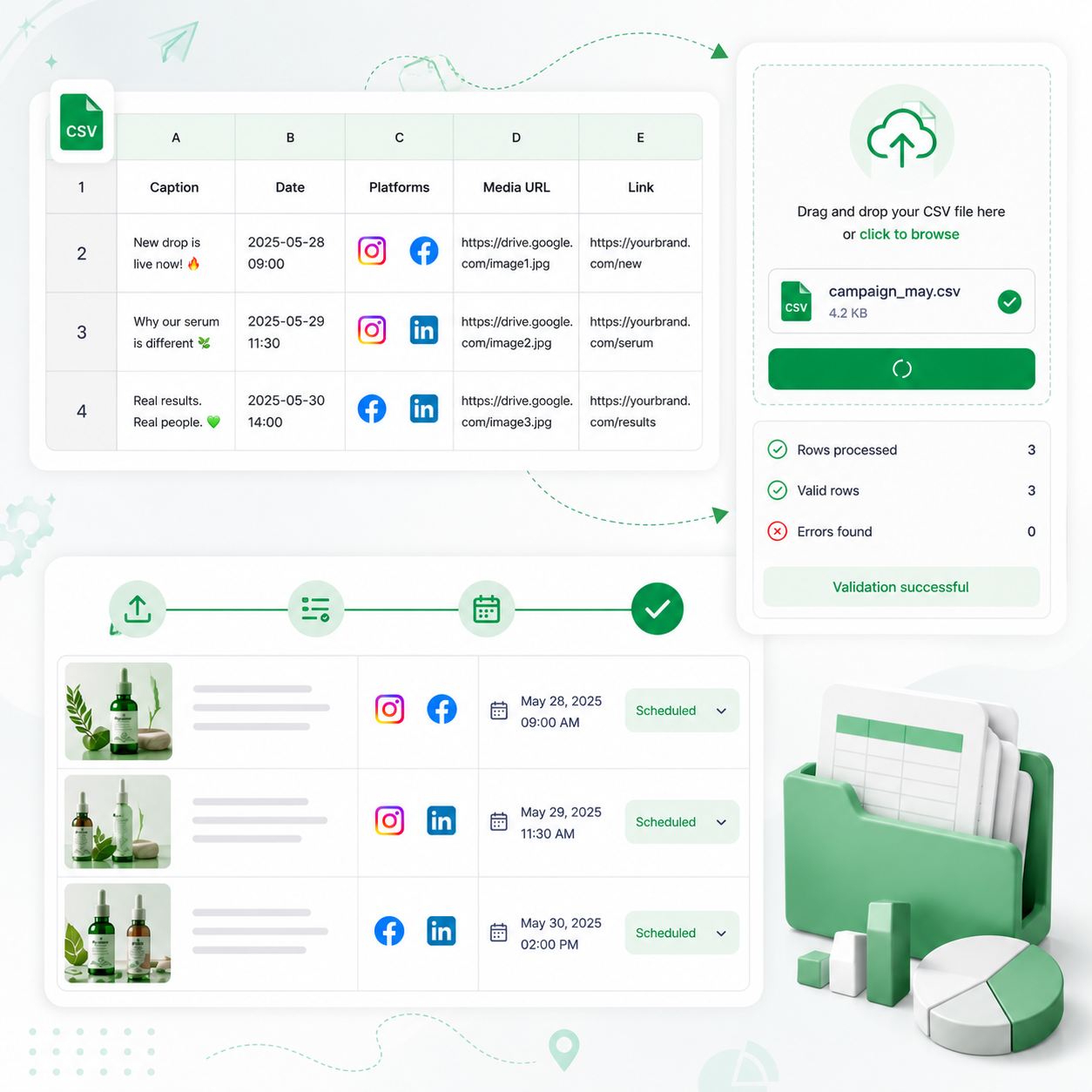
Import a Full Campaign in One Upload
Prepare your posts in a spreadsheet and schedule everything at once using bulk CSV import.
Supports captions, dates, platform targets, and media links in one file
PostMonk validates the file before importing, so errors surface before anything goes live
Useful for campaign batches, product launches, and client content handoffs
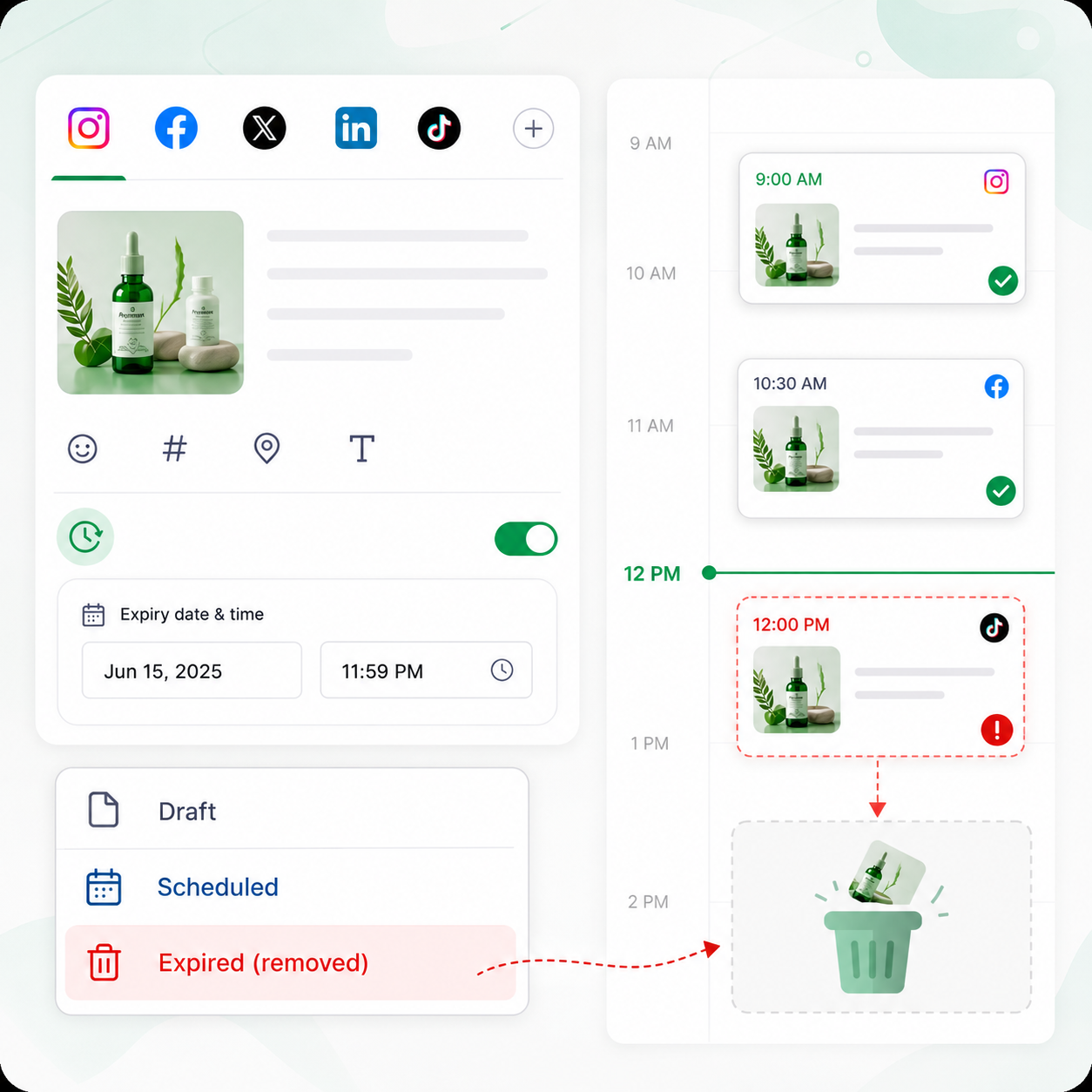
Let Time-Sensitive Content Remove Itself
Add an expiry date to any post, and PostMonk removes it from the schedule automatically when that date passes.
Works on one-off posts and recurring series
Useful for promotions, events, flash sales, and limited-time announcements
No manual cleanup needed after a campaign ends
Ready to put your publishing on autopilot?
Connect your accounts, build your queue, and let PostMonk handle the rest.
7-day free trial · No credit card · Lifetime from $29
TEAM AND CLIENT MANAGEMENT
One Clean Workspace for Every Brand or Client
Each workspace is its own sealed environment with its own accounts, calendar, team, and analytics.
Whether you manage one brand or many clients, nothing crosses between workspaces.
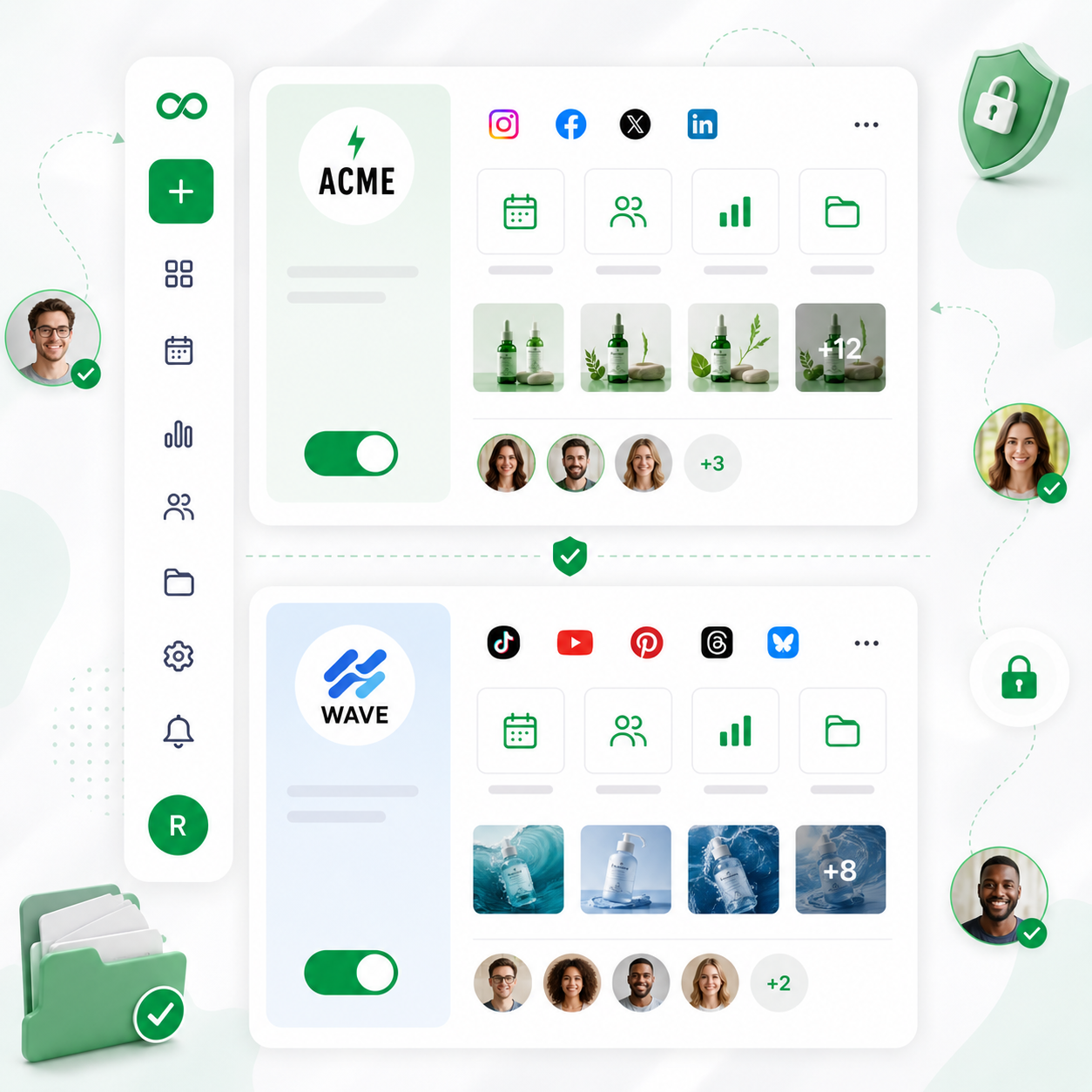
Keep Every Client in Their Own Space
Each workspace is a fully isolated environment with complete separation between every brand and client you manage.
Separate social accounts, calendar, team members, analytics, and media per workspace
A client in one workspace never sees content from any other workspace
Create as many workspaces as you need; each one starts with a free trial
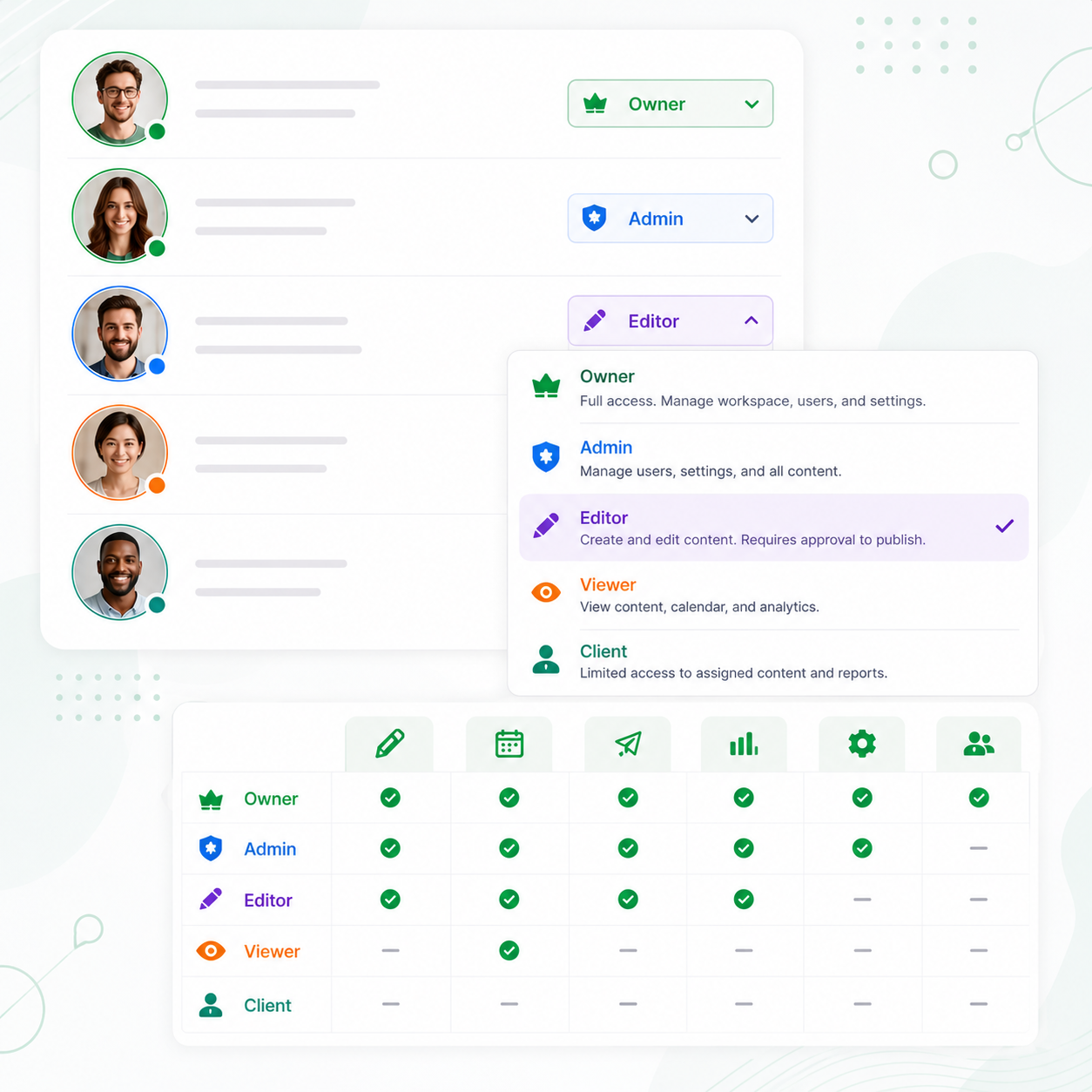
Give Everyone the Right Level of Access
Assign roles to every team member so each person can see and do exactly what their role requires.
Roles include Owner, Admin, Editor, Viewer, and Client
Editors can draft and submit posts, but cannot publish without approval
Viewers can monitor activity without making any changes
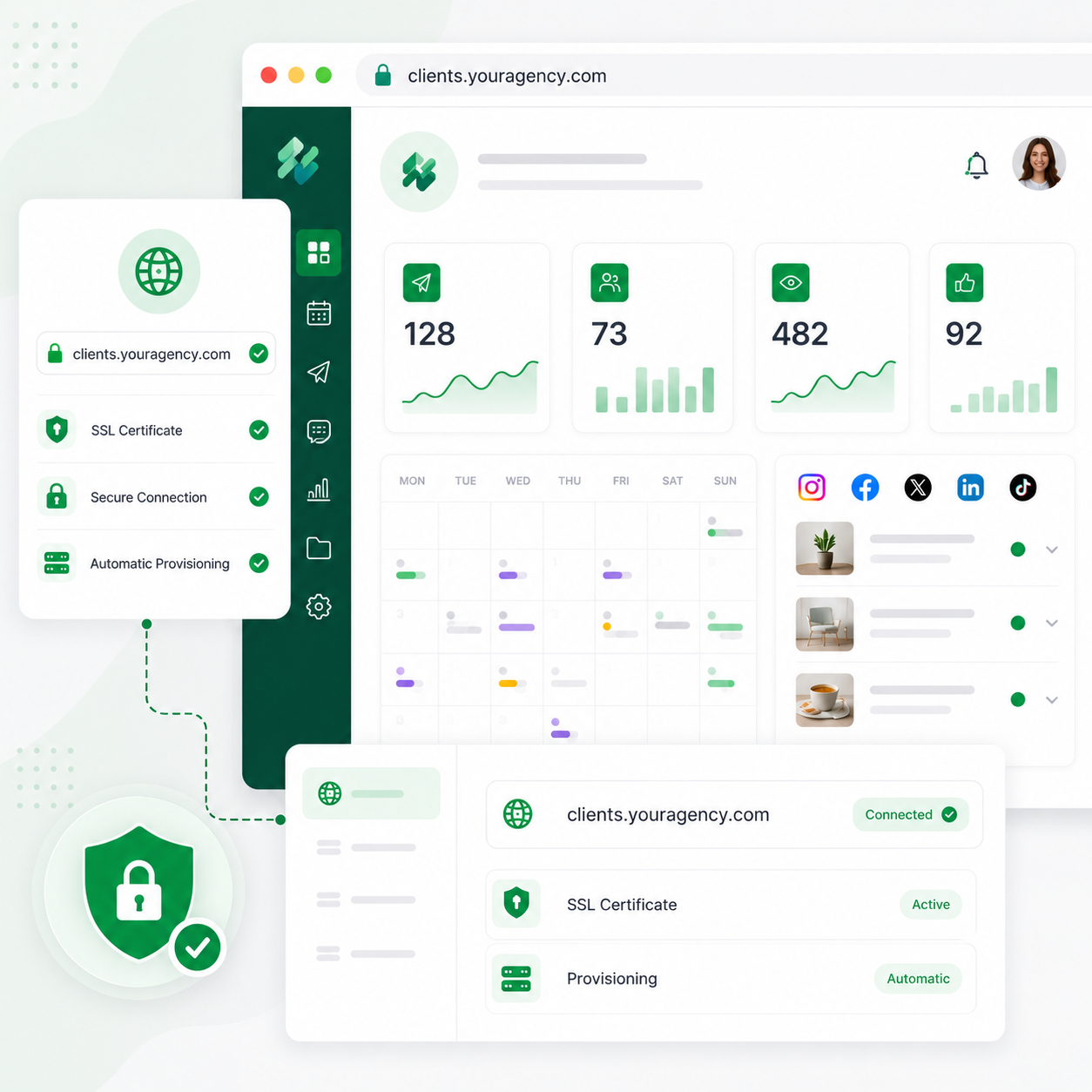
Launch Client Portals on Your Own Domain
Connect your own domain like "clients.youragency.com" to any Agency workspace so clients log in through your branded portal.
Free SSL provisioning, fully automated
One domain per Agency workspace
PostMonk branding removed, with your logo and colors throughout
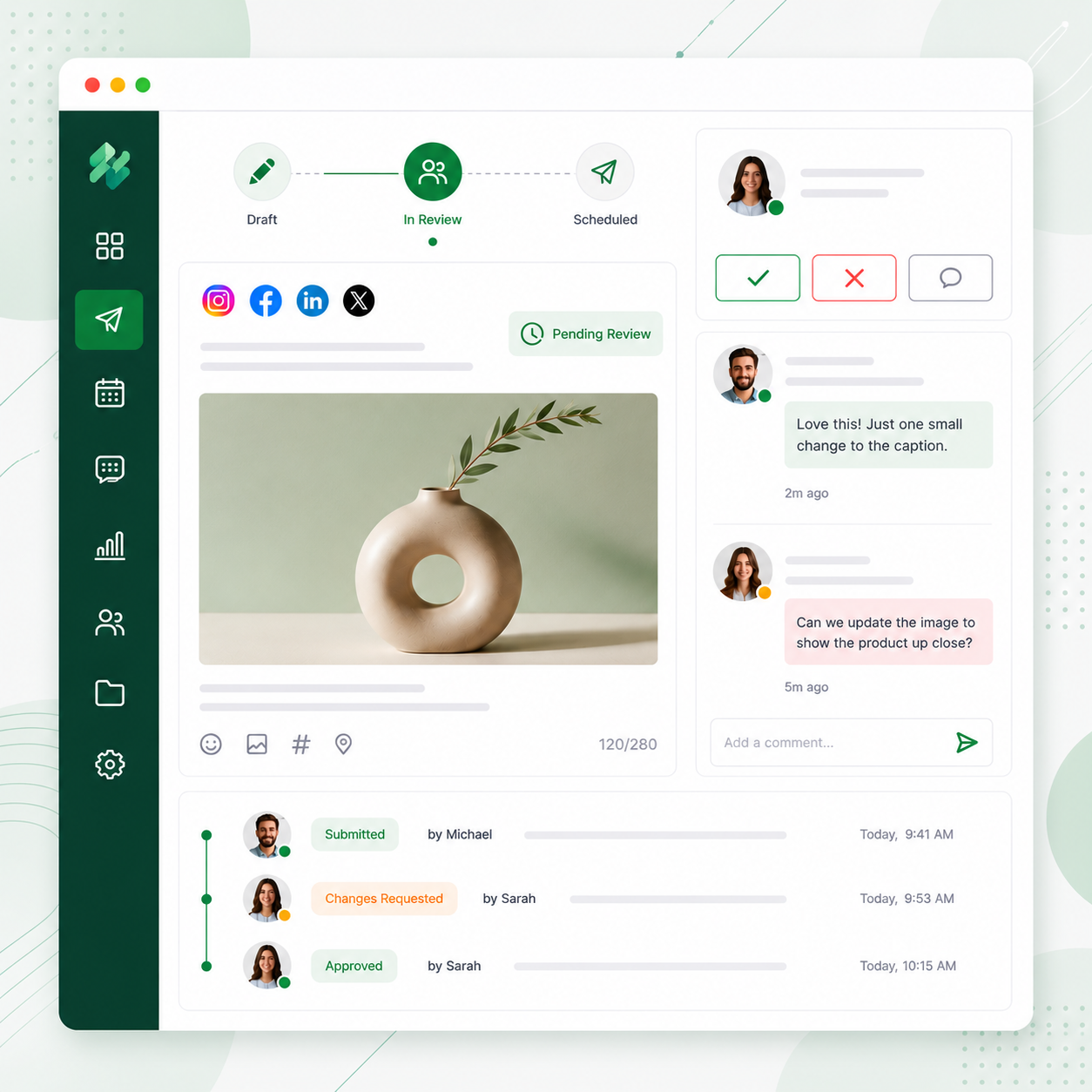
Review Every Post Before It Goes Live
Editors submit content for review, and nothing publishes until an approver gives the green light.
Approvers can approve, reject, or leave a comment explaining what needs to change
Editors see feedback directly on the post without switching tools
A full audit trail records who approved or rejected what and when
Give Clients Their Own Approval Portal
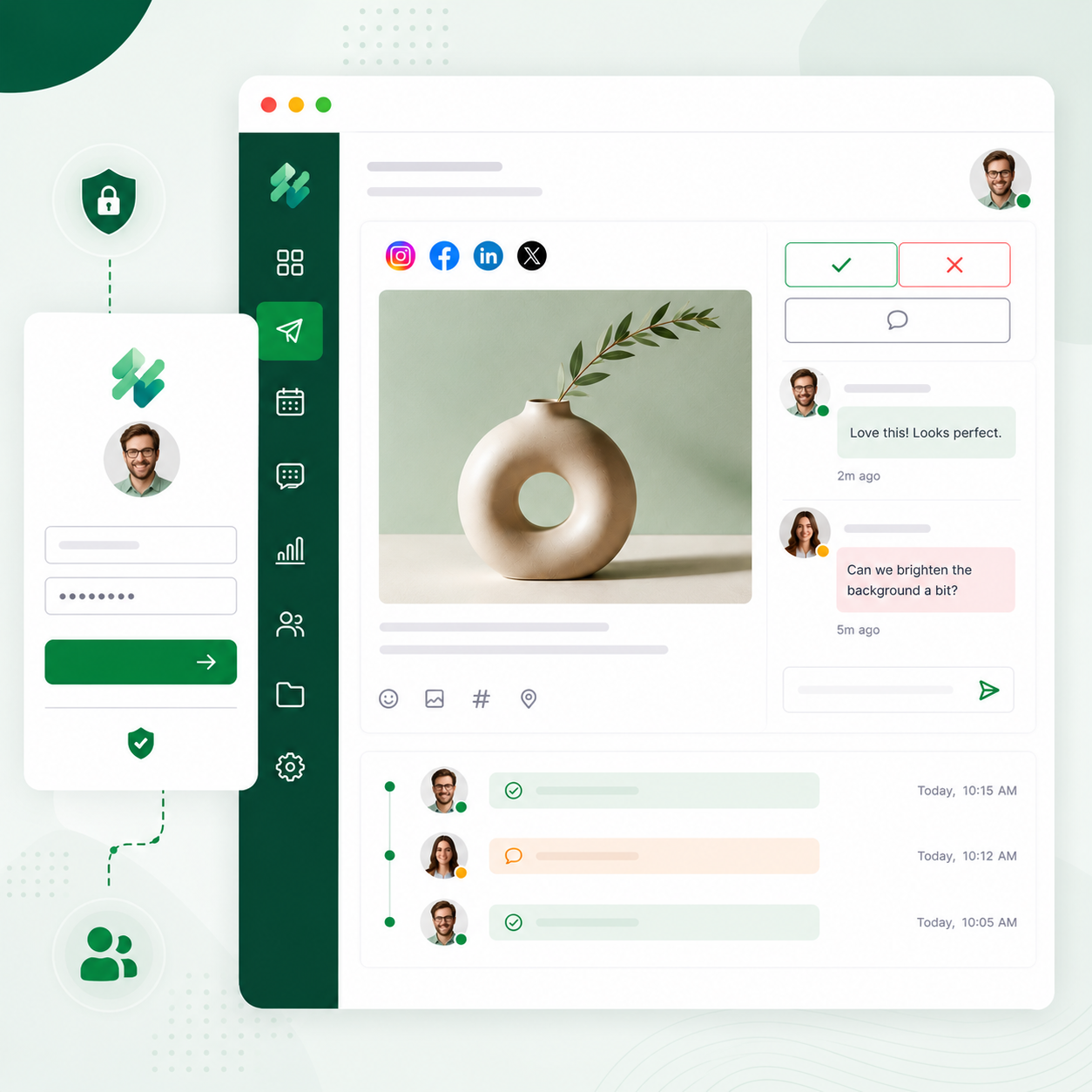
Clients get a dedicated login showing only their content, with the ability to approve or request changes directly.
Clients never see your other workspaces or any other client's content
They can leave comments on specific posts to request revisions
No full PostMonk account is required for clients to participate
Leave Internal Notes on Any Post
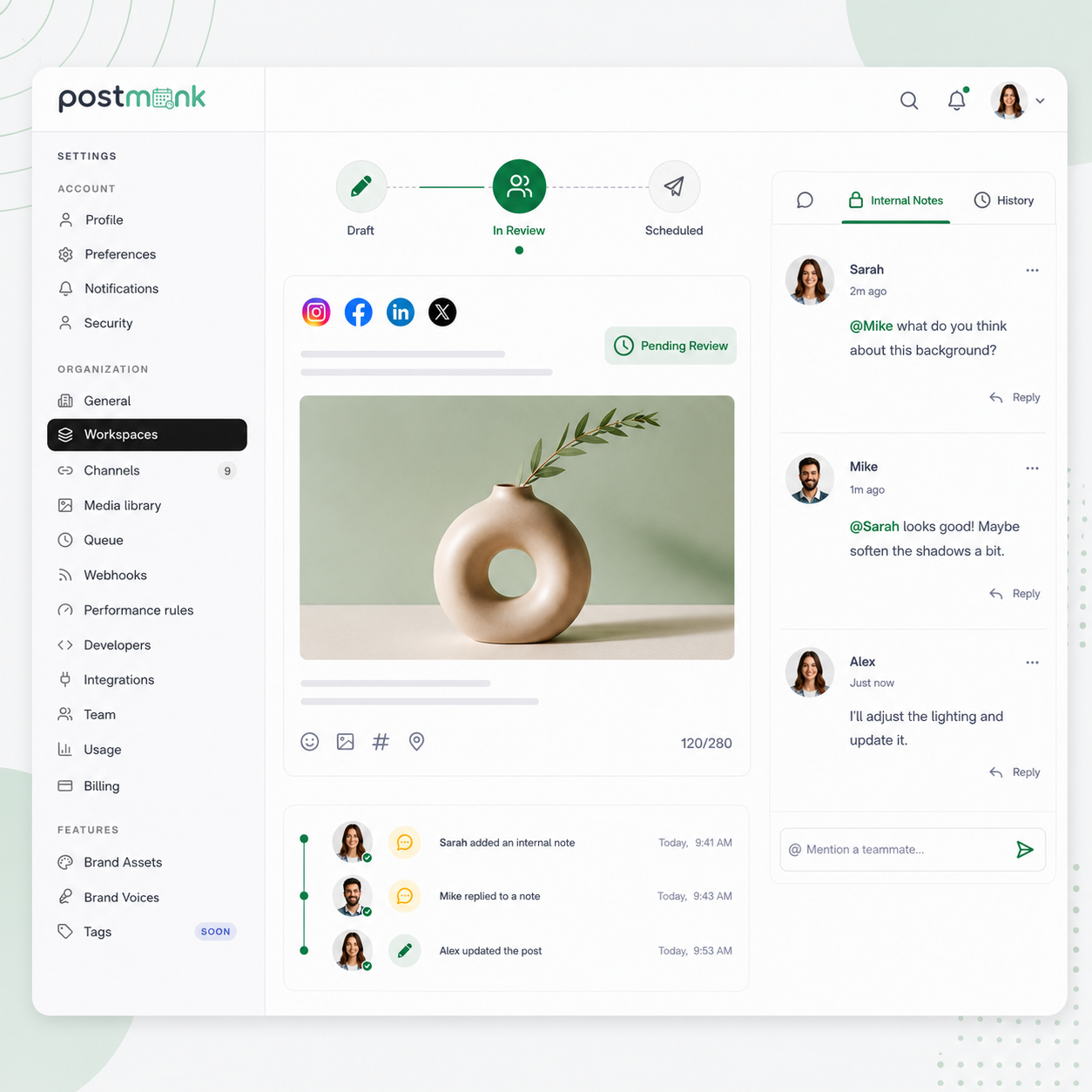
Drop a private comment on any post and tag a teammate to get their input without leaving PostMonk.
Notes are internal only and never appear in the published post
Mentions send the tagged person a direct notification with a link to the post
Revision history keeps all feedback organized on the post itself
Move Ideas Through a Dedicated Pipeline
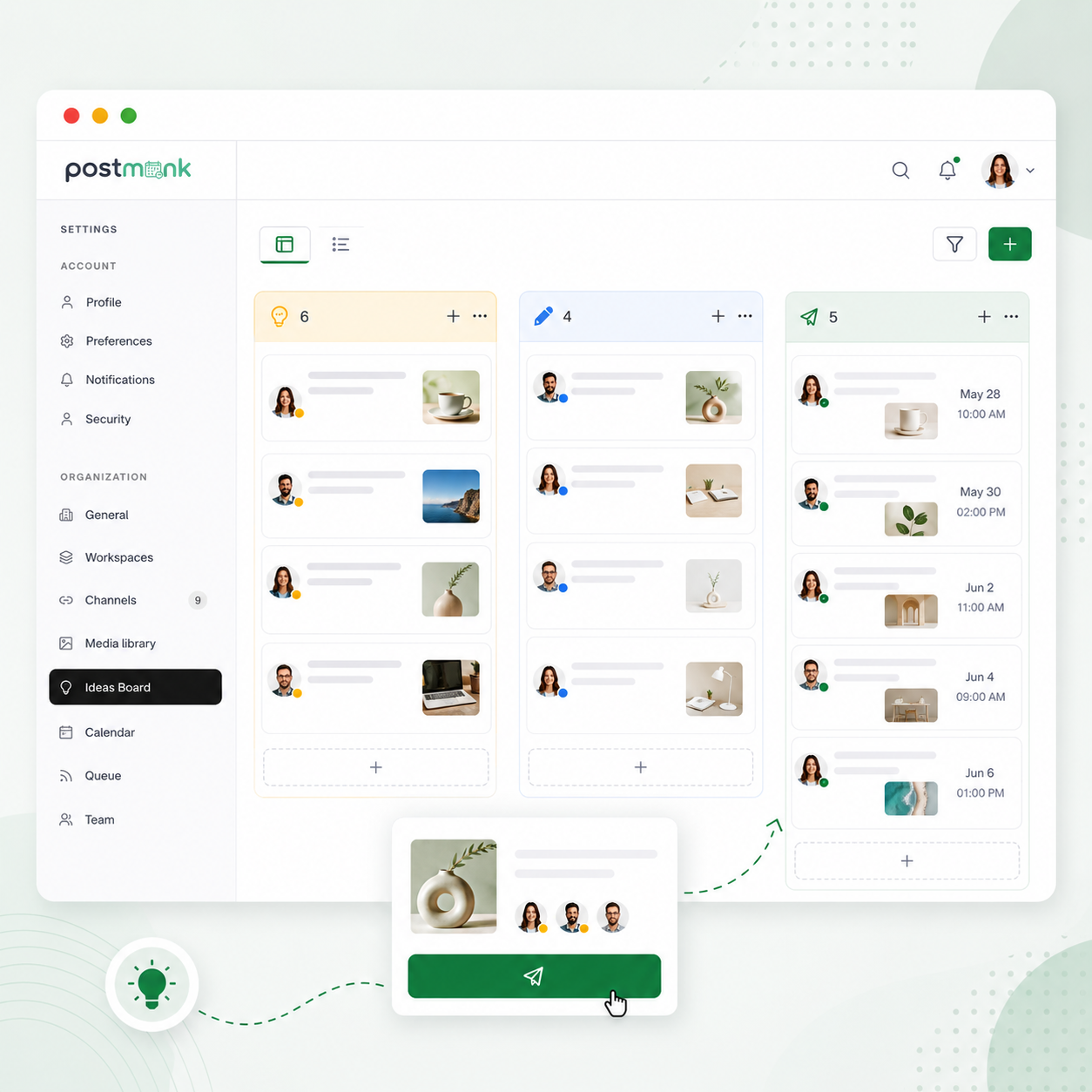
The Ideas Board gives your team a space to capture, develop, and graduate content ideas into scheduled posts.
Move ideas through stages: Idea, In Progress, and Scheduled
Convert any idea into a post directly from the board in one action
Ideas Board sits separately from the calendar, so planning and scheduling stay organized
ANALYTICS AND REPORTING
Know What Is Working.
Show the Proof.
PostMonk tracks performance across every post and platform, surfaces patterns in your data,
and generates reports you can deliver directly to clients without exporting from multiple places.
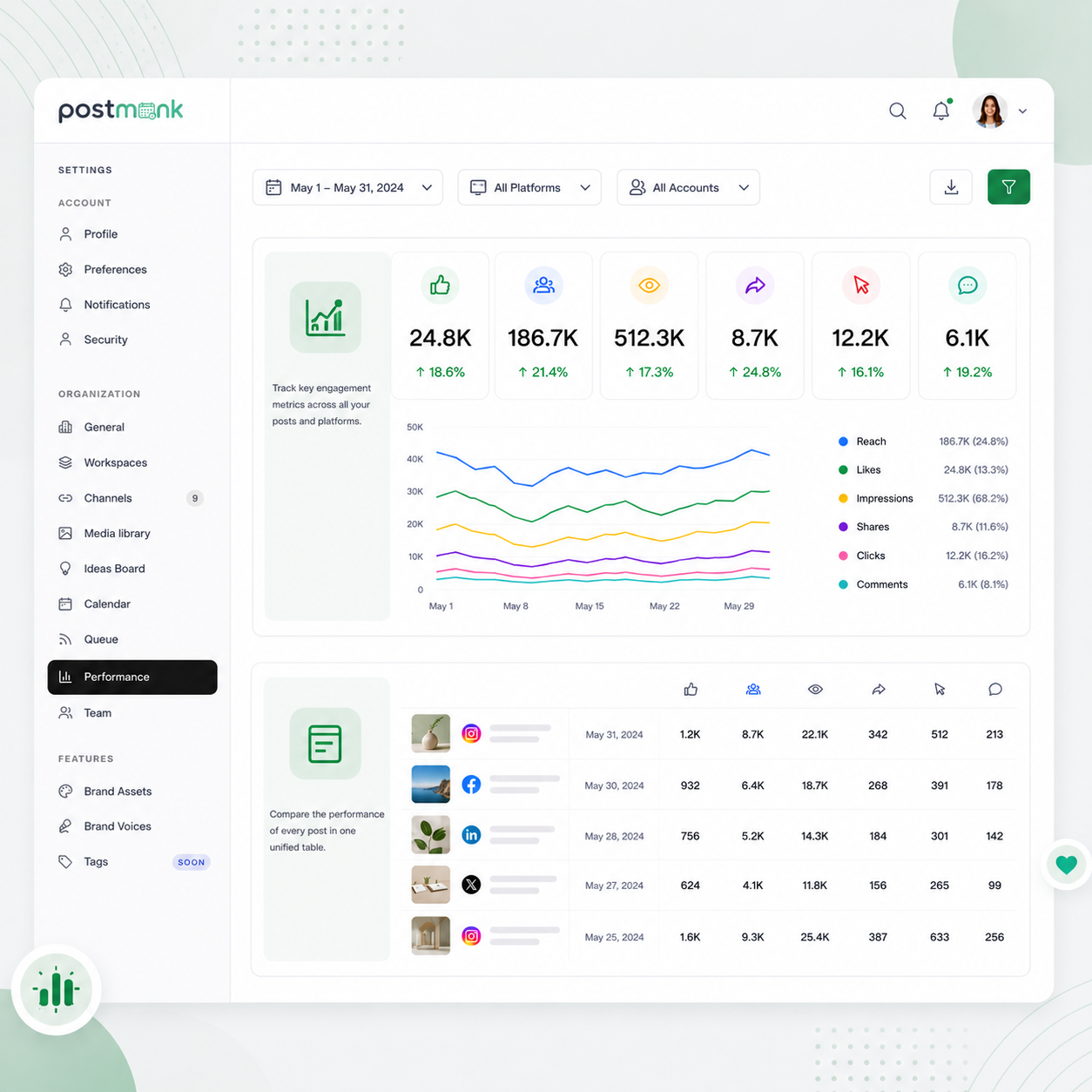
See Every Post's Performance in One Place
Track engagement across every post and every connected platform from a single unified dashboard.
Metrics include likes, reach, impressions, shares, clicks, and comments per post
Filter by platform, date range, or account to compare any period you choose
Visual trend charts make it easy to spot patterns and identify what's working
Find Your Best Posting Times from Your Own Data
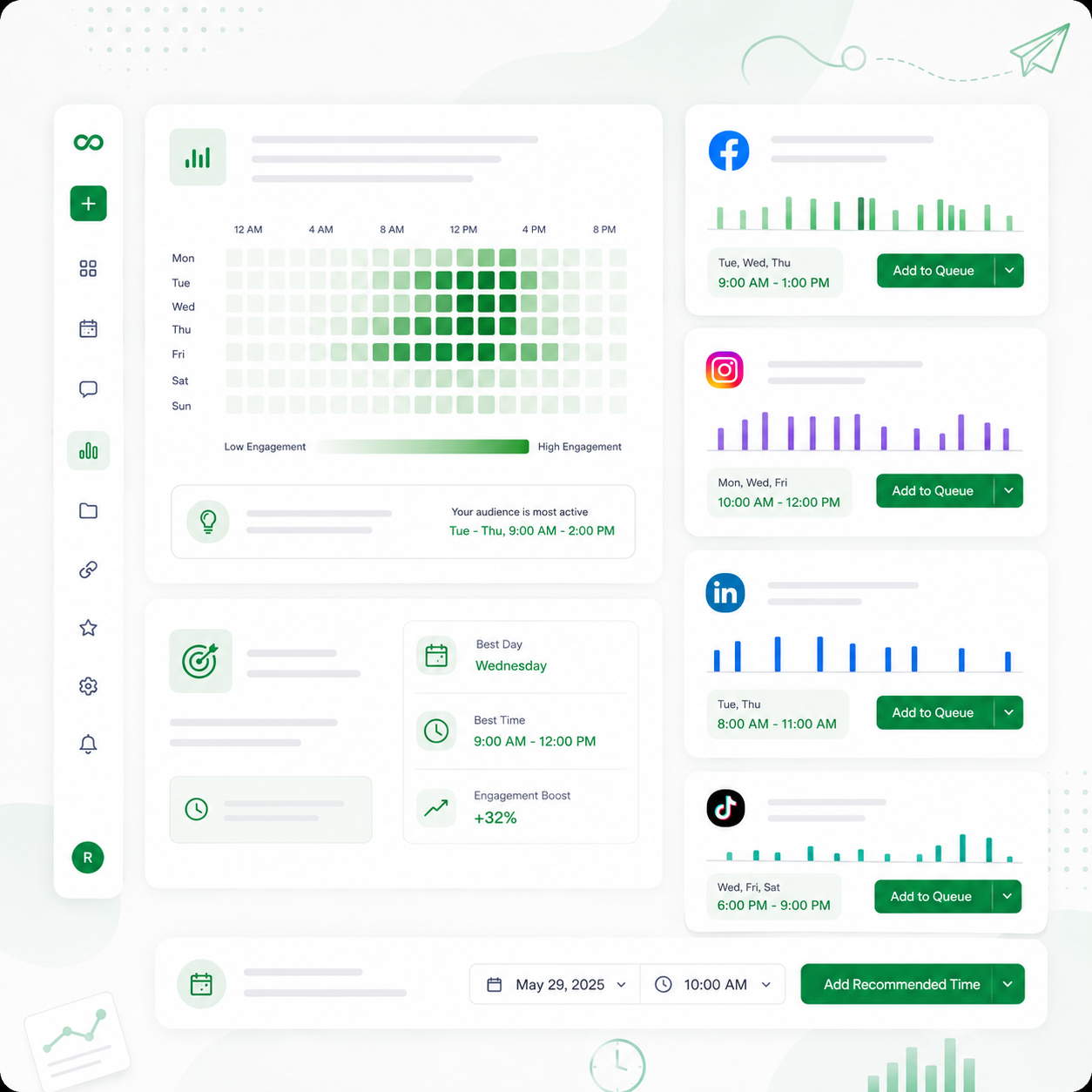
PostMonk analyzes your engagement history and recommends the days and times that drive the most reach for your specific accounts.
Recommendations are based on your actual audience behavior, not industry averages
Suggestions are shown per account, so each platform gets its own tailored timing
Apply recommended times to your posting queue directly from the analytics view
Measure Which Hashtags Actually Drive Results
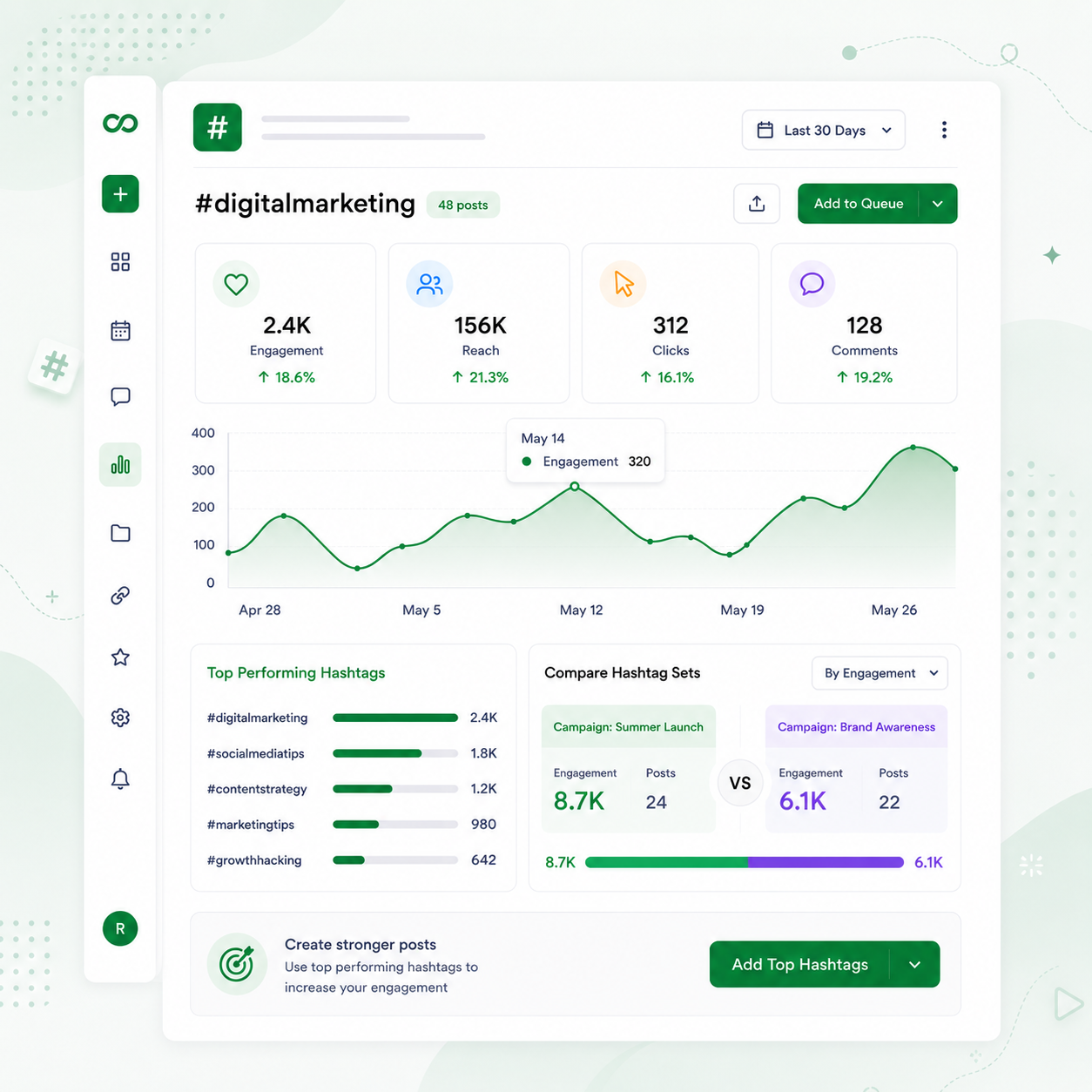
See which hashtags bring real engagement and which ones to retire, based on your own post history.
Drill into any hashtag for a full performance breakdown over time
Compare hashtag sets across campaigns or different brands
Use the data to build a stronger hashtag strategy with every new post
Generate Reports That Look Like Your Agency Built Them
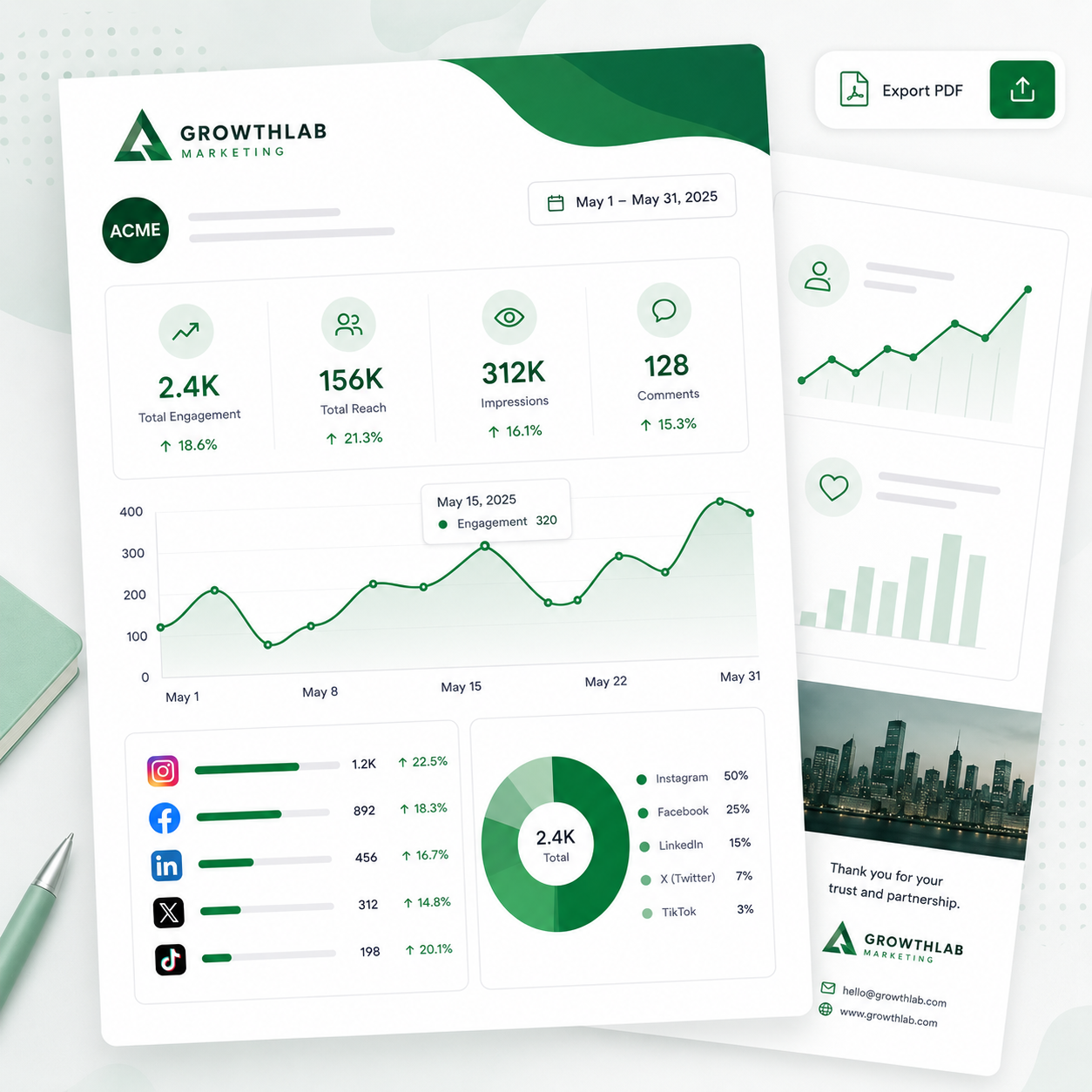
Create polished PDF reports with your own branding instead of PostMonk's and share them directly with clients.
Replace PostMonk's logo with your agency's own logo and colors
Reports cover post performance, account growth, and engagement summaries
Export and share for any custom date range with no reformatting needed
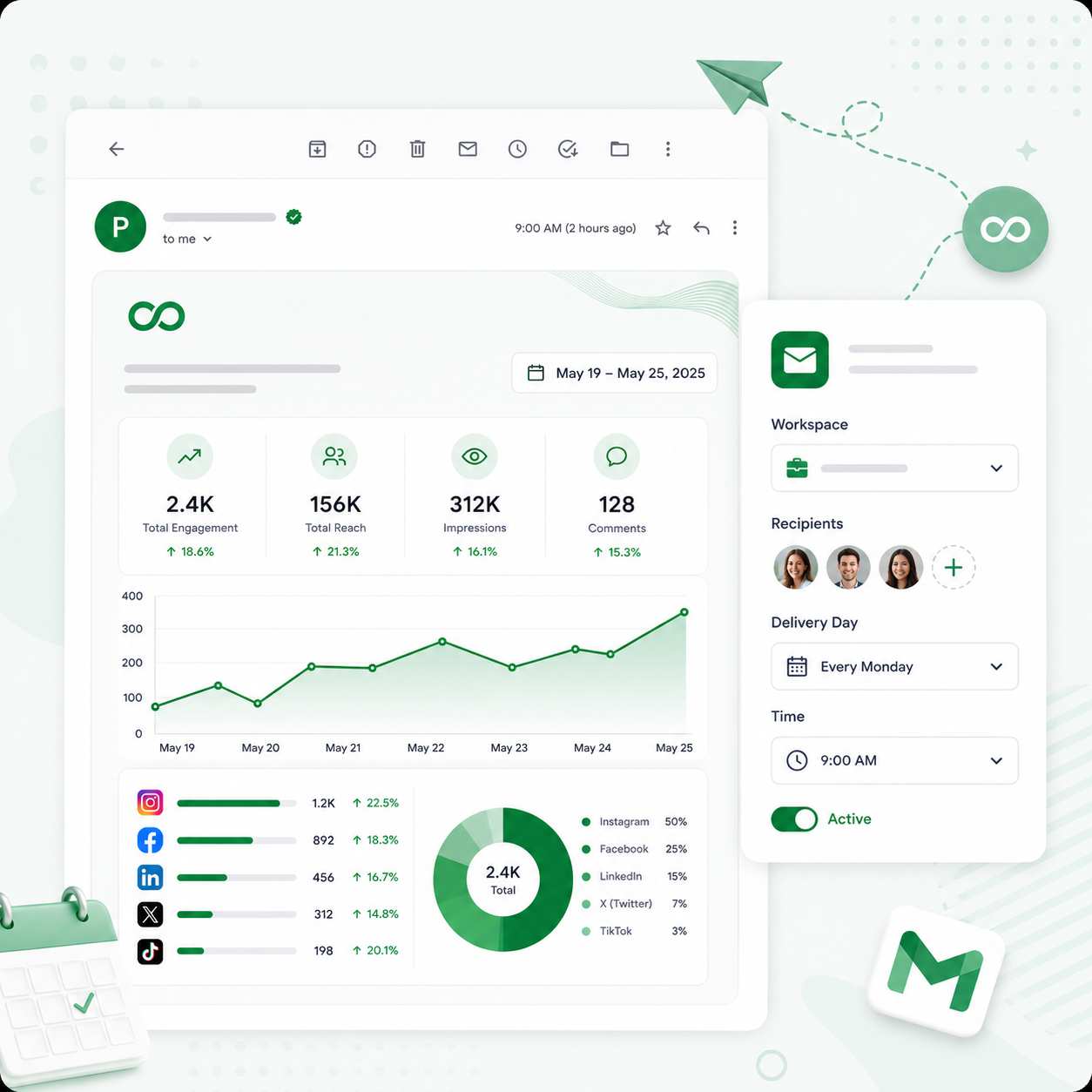
Deliver Weekly Summaries on Autopilot
Set up recurring email reports, and PostMonk compiles and sends them to your team or clients every week.
Set the recipients, workspace, and delivery day once, and PostMonk handles the rest
PostMonk generates and sends the report automatically on your schedule
Clients stay informed on results without you manually preparing or sending anything
Start Free. Decide When You Are Ready.
Seven days of full access. No credit card required. See how the entire workflow fits together before you spend anything.
7-day free trial · No credit card · Lifetime from $29
FAQ
All Your Questions, Answered
What is a workspace, and why does PostMonk use them?
A workspace is a self-contained environment for one brand, one client, or one business context. It has its own social accounts, calendar, team members, analytics, and content, completely separate from any other workspace. This makes it easy to manage multiple brands or clients without anything getting mixed up. Your PostMonk account itself is free. A workspace is what you activate when you want to keep using it beyond the free trial.
Does PostMonk come with AI already built in?
Yes. Every workspace includes built-in AI credits from the moment you activate it. You can start generating captions, hashtags, and analytics answers right away with no additional setup. If you want to use more AI than your credits allow, you can either purchase additional credits as a one-time add-on or connect your own account from a provider like OpenAI, Claude, or Gemini. Neither option is required to get started.
What happens when my AI credits run out?
Everything else in PostMonk keeps working: scheduling, publishing, analytics, team workflows, Brand Assets, and media. Only AI-powered features pause. At that point, you have two options. You can purchase a one-time credit top-up to add more credits to your workspace. Or you can connect your own AI provider account, after which AI features resume with no cap from PostMonk's side.
What does connecting your own AI account actually mean?
If you have an account with OpenAI, Claude, Gemini, or another supported provider, you can link it to PostMonk in about 60 seconds by pasting your API key into your workspace settings. Once connected, PostMonk uses your account to run AI instead of drawing from the built-in credit pool. You pay your AI provider directly at their standard rates. PostMonk adds nothing on top. This option is for people who want to use unlimited AI without worrying about credit balances.
I'm not technical at all. Can I still use PostMonk?
Yes, and most of PostMonk requires no technical knowledge. Scheduling posts, generating captions, building Brand Assets, running approval workflows, and reading analytics all work like any standard web app. The more advanced features, such as connecting PostMonk to Zapier or using it with an AI assistant, are completely optional. You will never need to use them if they are not relevant to your workflow.
What is the AI assistant connection, and do I need it?
On eligible workspaces, PostMonk can be connected to AI tools like Claude or ChatGPT so those assistants can take actions inside PostMonk on your behalf. For example, you could tell your AI assistant to schedule a post you described in conversation, or ask it to pull your analytics for the past month. This is an optional feature designed for people who already rely on AI assistants heavily. If that is not you, you can ignore it entirely. It has no effect on the rest of PostMonk.
What platforms does PostMonk support?
PostMonk natively connects to 9 platforms: Facebook, Instagram, X/Twitter, LinkedIn, TikTok, YouTube, Pinterest, Threads, and Bluesky. Every platform is available in every workspace. Nothing is locked to a specific plan. More platforms are in development.
Is there a limit on how many posts I can schedule?
Each workspace has a monthly scheduled post allowance depending on the plan you activate. If you need more capacity, workspace-level add-ons let you extend that limit without upgrading the entire workspace to a higher tier.
Can PostMonk connect to tools I already use, like Canva, Google Drive, or Zapier?
Yes. PostMonk connects to Canva and VistaCreate for importing designs, Google Drive, Dropbox, and OneDrive for media imports, and Zapier, n8n, and Make for workflow automation. These integrations are available on eligible workspace tiers.
How does the 7-day trial work?
No credit card is required. Create a workspace and get full access to every paid feature for 7 days, including scheduling, AI, Brand Assets, team access, approvals, analytics, and automation. At the end of the trial, the workspace pauses. Your content and settings are preserved exactly as you left them. To resume, activate the workspace with a one-time lifetime code. If you decide not to keep it, nothing is charged.
Can I manage multiple brands or clients from one account?
Yes. You create a separate workspace for each brand or client. Each workspace is completely isolated with its own accounts, calendar, team, analytics, and content. A client in one workspace never sees anything from another workspace. You can create as many workspaces as you need and each one starts with a free trial before you decide whether to keep it.
What is a Brand Asset and why would I use one?
A Brand Asset is a saved profile for one brand inside your workspace. It stores the brand's social accounts, default hashtags, AI writing tone, posting cadence, UTM tracking parameters, and other defaults in one place. When you compose a post and select a Brand Asset, PostMonk fills everything in automatically: accounts selected, hashtags ready, AI writing in that brand's voice. It saves setup time and keeps every post consistent with the brand. You can have multiple Brand Assets inside one workspace for managing related brands.
Can clients log in and review their content without seeing other clients' work?
Yes. You can give any client a dedicated login that shows only their content. They can review upcoming posts, approve what looks good, and leave comments on anything they want changed. They never see your other workspaces or any other client's content.
How does the content approval workflow work?
Editors draft posts and submit them for review. Reviewers see all pending posts in a review queue and can approve or reject each one. If they reject a post, they can leave a comment explaining what needs to change. The editor sees the comment on the post and revises. Nothing is published until it is approved. The workflow is built into PostMonk. There is no need for a separate tool, screenshots in Slack, or email chains.
Can I edit a scheduled post before it publishes?
Yes. Scheduled posts can be edited at any time before they go live. For recurring posts, you can choose to update only the next occurrence, all future occurrences, or every instance in the series.
What happens if a post fails to publish?
PostMonk retries failed posts automatically and sends you a notification so you know what happened. If the failure is due to an expired platform connection, PostMonk prompts you to reconnect the account. Nothing fails silently.
Can I import content I have already prepared in a spreadsheet?
Yes. PostMonk supports bulk CSV import. Prepare your posts in a spreadsheet with dates, captions, platform targets, and media links, then upload the file to schedule everything at once. It is useful for campaign batches, client content drops, and moving content over from another tool.
What media types does PostMonk support?
PostMonk supports images (JPEG, PNG, GIF), videos (MP4 and other common formats), and PDFs for LinkedIn document carousels. A built-in image editor handles basic edits, so you do not need external software for most changes.

Built with ❤️ by the team @ Dorik.com
AI-first social media management
with lifetime workspace pricing.
© 2026 PostMonk, a product of Dorik, Inc.