
Schedule Threads Posts.
Build Your Audience Without
Being Online All Day.
PostMonk gives you a thread composer, AI that writes in your brand's conversational voice,
a queue that keeps your Threads presence active and consistent, and analytics that
show what is actually driving reach and engagement on your account.
7-day free trial · No credit card · Lifetime from $29
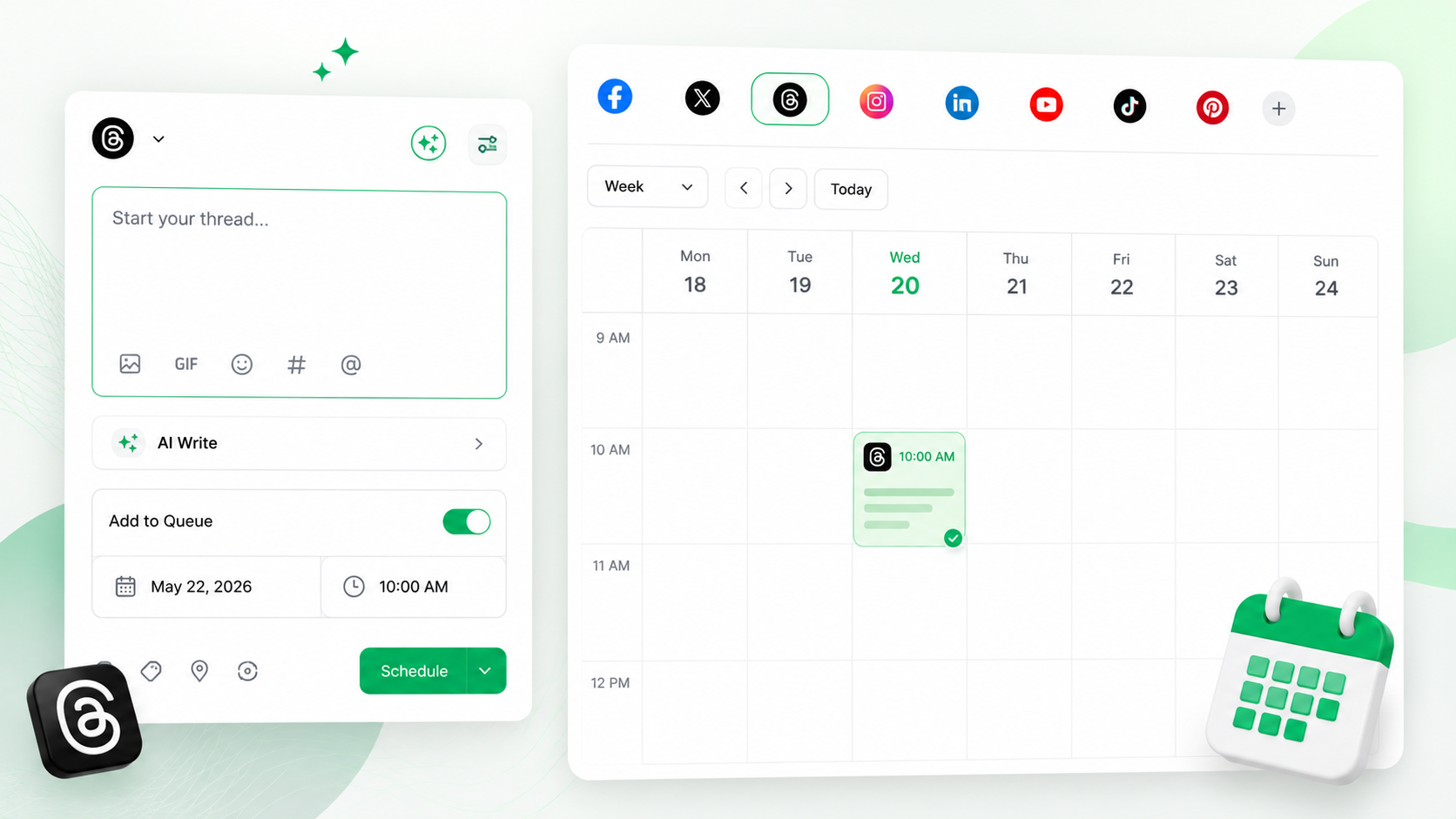
The Complete Stack for Threads
Every Threads Tool.
None of the Daily Posting.
AI-drafted posts and threads, an auto-filling queue, conversation management, and analytics.
Built for how Threads actually works.
Create with AI
AI drafts Threads posts and multi-post sequences in your brand's conversational voice
Build threads
Compose, preview, and schedule multi-post thread sequences in advance
Publish automatically
Queue and evergreen recycling keep your Threads presence active without daily manual effort
Grow with data
Analytics and AI insights show what is driving reach and engagement across your accounts
The PostMonk Workflow
From a Quick Idea to an Active Conversation.
Capture concepts, compose posts and threads, queue them up, reply in your voice, and track what starts conversations.
Create
Posts and Threads That Sound Like You. Ready in Seconds.
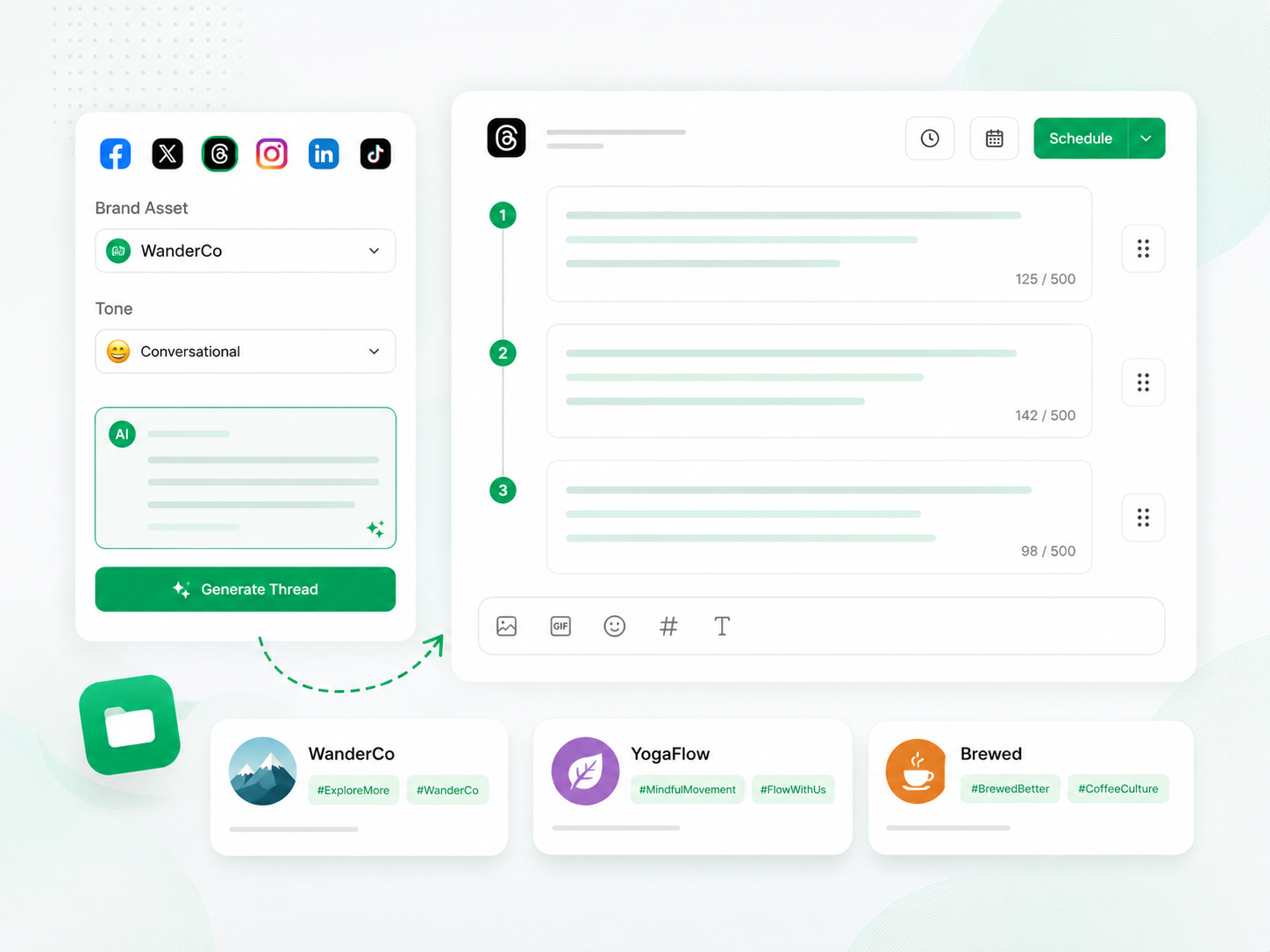
PostMonk's AI drafts Threads posts in your brand's conversational voice: engaging, direct, and built for the platform's community-driven tone. Select a Brand Asset, and your voice, hashtags, and cadence are ready before you type a word.
AI drafts posts and multi-post threads in your brand's conversational voice
The thread composer builds sequences with per-post character count and drag-to-reorder before scheduling
Brand Assets store each account's voice, hashtags, and posting cadence pre-configured
Tone options range from casual community posts to thought leadership and product announcements
Plan
Capture the Idea. Build the Thread. Schedule When It Is Ready.
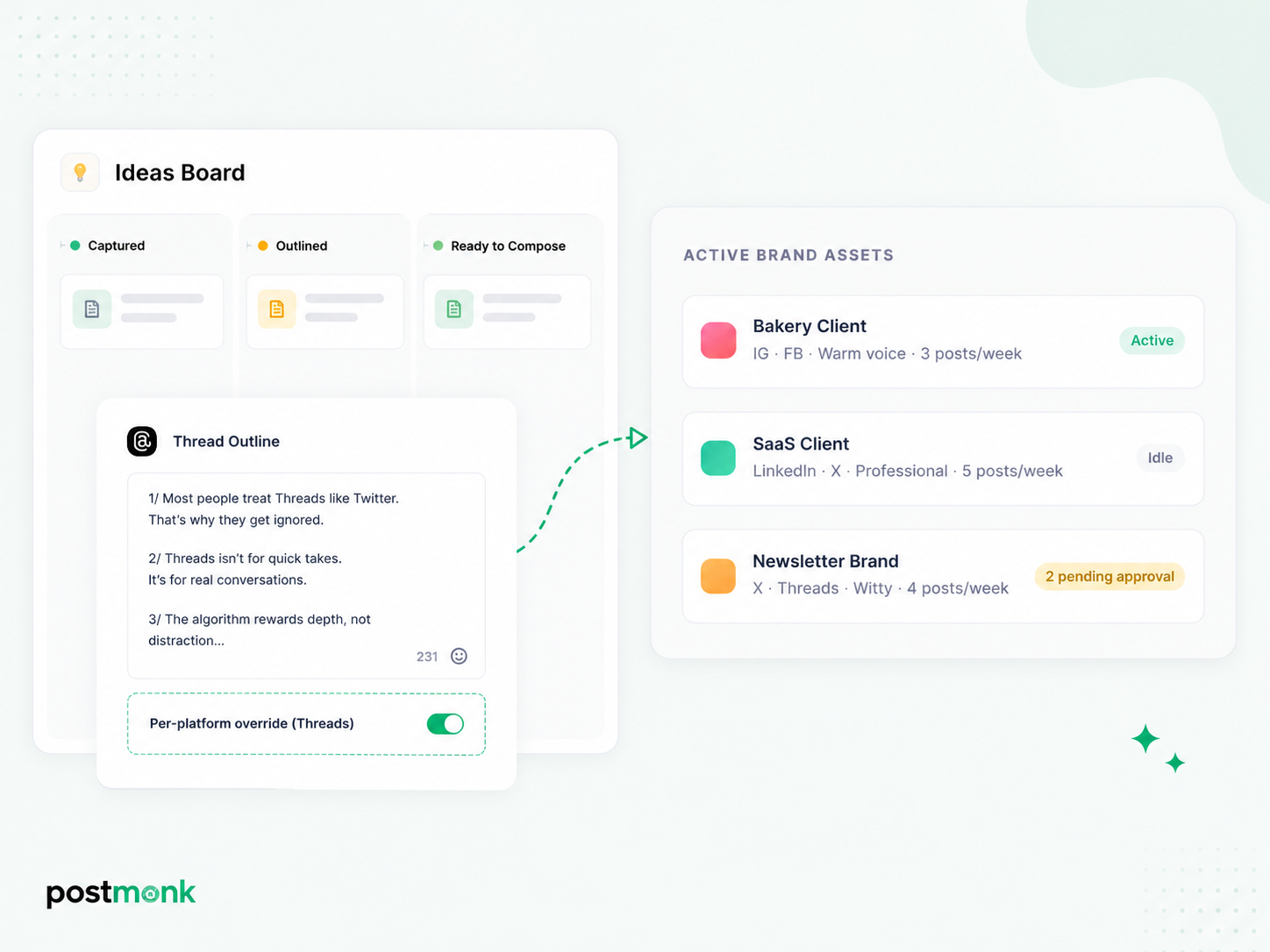
Threads moves fast, and strong ideas disappear if they are not captured immediately. PostMonk's Ideas Board holds content concepts in a Kanban space, so the angles and thread outlines you capture today are ready when you sit down to compose.
Ideas Board captures concepts across Kanban columns, so nothing is lost before publishing
Thread outlines can be drafted in the Ideas Board and moved to the composer when ready
Per-platform overrides let you write a Threads-specific version of any multi-platform post
Post templates with variable placeholders save your most-used Threads formats for fast reuse
Publish
Your Threads Queue Runs. Your Account Stays Active.
PostMonk fills your Threads queue automatically as you create content, keeping your posting cadence consistent without logging in daily. Evergreen recycling and Performance Rules keep your best content working long after it first posts.
Queue fills automatically as you add content, keeping your account active without daily effort
Recurring posts publish on a fixed schedule without re-composing each time
Evergreen recycling requeues top posts with spintax variation, so wording shifts across cycles
Performance Rules cross-post to Instagram or X automatically when a post hits your engagement threshold
Engage
Stay in the Conversation. Without Staying in the App.
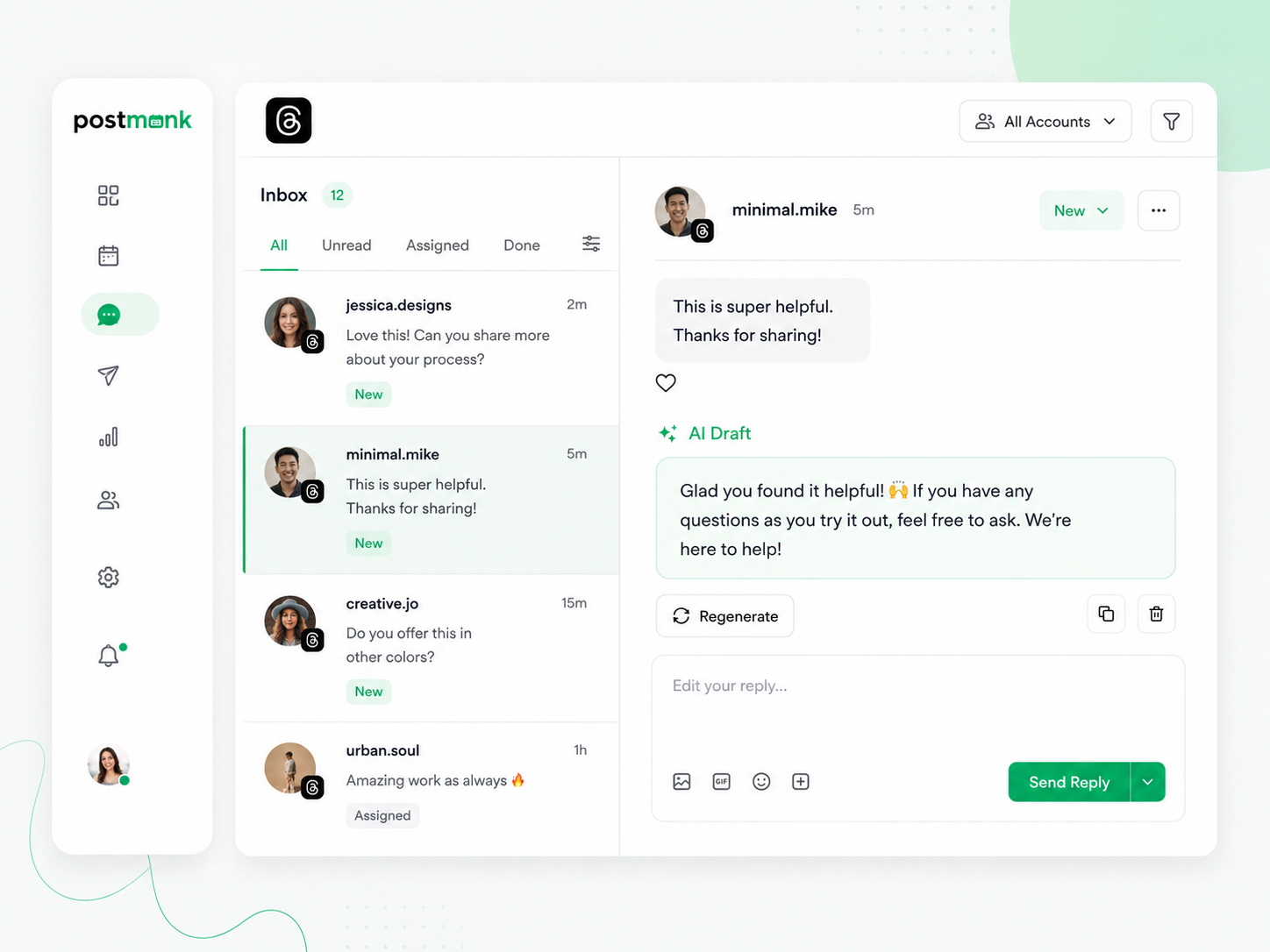
Threads rewards accounts that participate in conversations, not just broadcast. PostMonk pulls replies and comments into one inbox and drafts responses in your Brand Asset's voice so you stay active without writing every reply from scratch.
Replies and comments from all connected Threads accounts surface in one unified inbox
AI drafts a reply in your Brand Asset's voice for every reply
Edit, approve, and send replies directly from PostMonk without opening Threads
Account labels on every reply keep multiple Threads profiles organized
Analyze
Know What Is Building Your Bluesky Audience. Act on It.
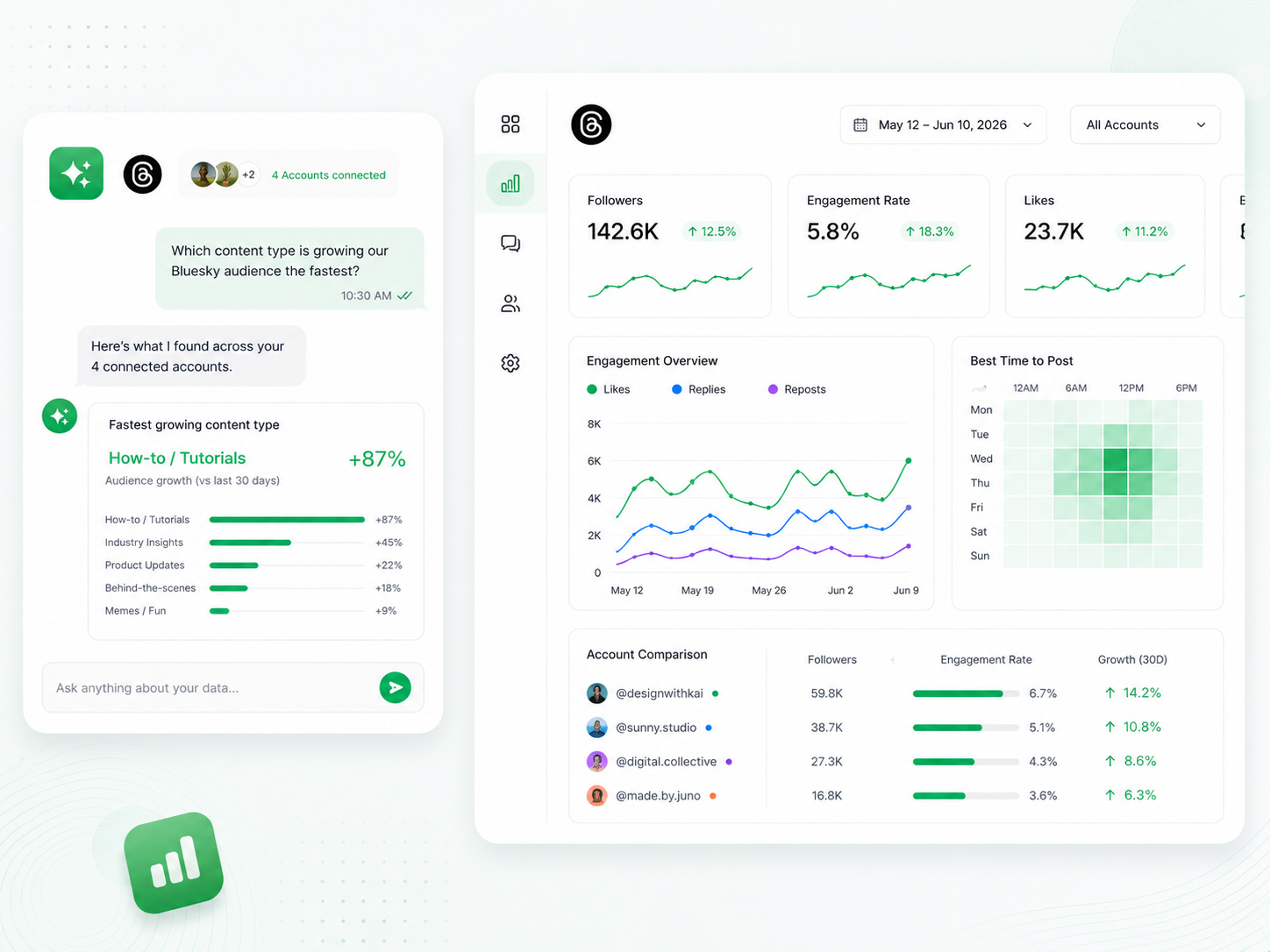
PostMonk tracks performance across all connected Threads accounts in one dashboard. Ask the AI Analytics Analyst anything in plain language, and it pulls the answer from your actual account data.
Likes, replies, reposts, and engagement rate consolidated across every connected account
Account comparison shows multiple Threads profiles side by side, so you can see what content is working
Best time to post recommendations is based on each account's own engagement history, not platform-wide averages
AI Analytics Q&A answers natural language questions using your actual account data
Ready to run your Threads workflow
from one place?
Use AI, Brand Assets, multi-platform publishing, analytics, and automation inside one dedicated workspace.
7-day free trial · No credit card · Lifetime from $29
FAQ
All Your Questions, Answered
Does PostMonk support multi-post Threads sequences?
Yes. PostMonk's thread composer lets you write, preview, and schedule multi-post Threads sequences in advance. Add as many posts as the thread requires, reorder them with drag-and-drop, and set a single publish time for the whole sequence.
Does PostMonk publish Threads posts directly, or does it send a notification?
PostMonk publishes Threads posts and thread sequences directly to your connected account at the scheduled time. No push notification or manual step is required.
Can I manage multiple Threads accounts from one PostMonk workspace?
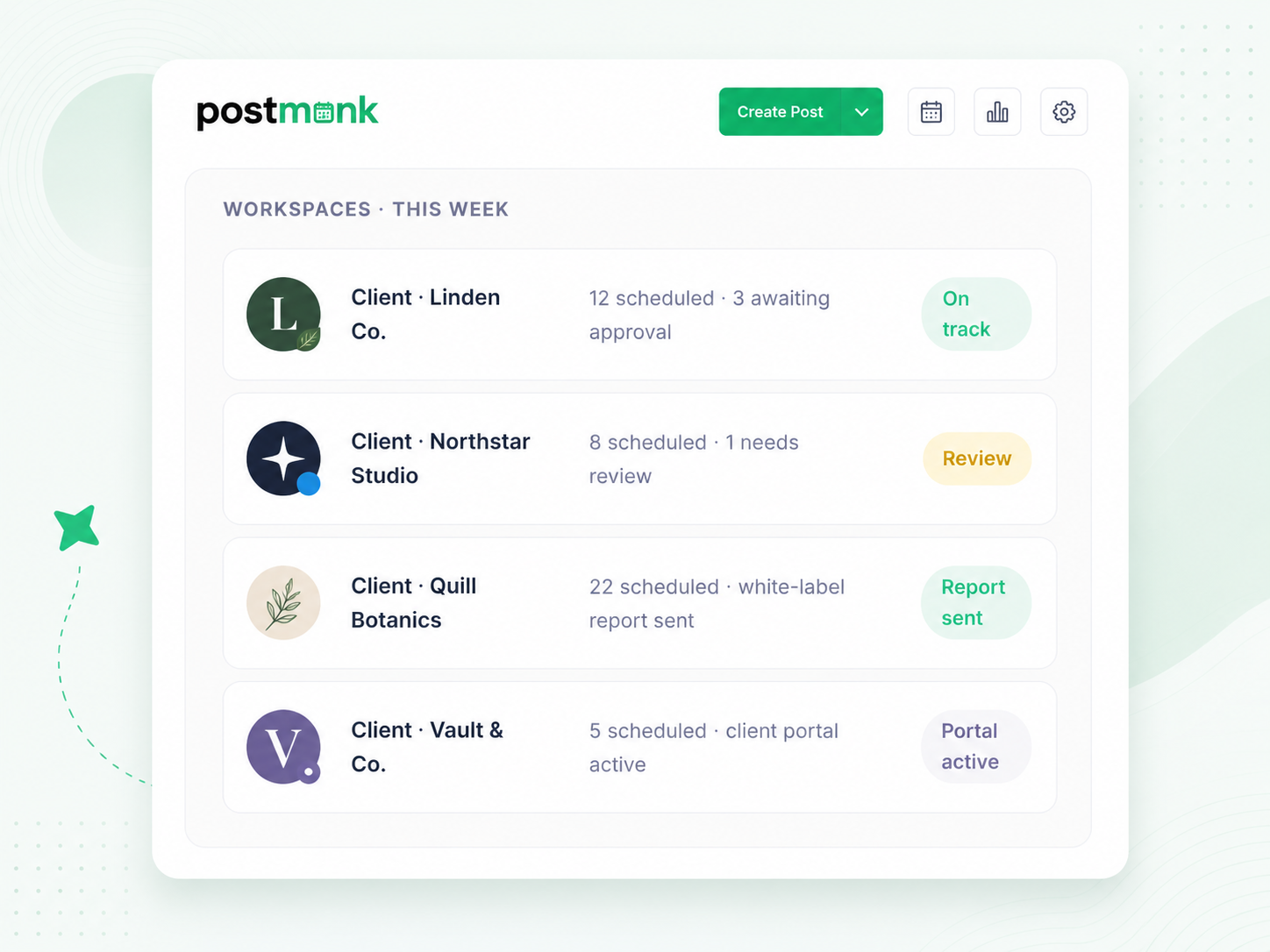
Yes. Connect multiple Threads accounts to one workspace and switch between them in the composer with a single click. Use Brand Assets to store a separate voice, hashtags, and posting cadence for each account so content stays organized and never bleeds between them.
Can I cross-post between Threads and Instagram from PostMonk?
Yes. PostMonk lets you compose a post for multiple platforms in one session. Select both your Threads account and your Instagram account, and PostMonk publishes to both at the scheduled time. Use per-platform overrides to write a Threads-specific version of any post if the caption needs to differ.
How does PostMonk determine the best time to post on Threads?
PostMonk analyzes the engagement history of each connected Threads account and surfaces the posting windows when that specific audience has been most active. Recommendations are based on your account's own data, not platform-wide averages.
What is spintax, and how does it help with Threads recycling?
Spintax lets you embed alternate words or phrases inside a post using curly brackets. PostMonk picks one variation at random each time the post publishes. For evergreen or recycled Threads posts, this means the wording shifts slightly across cycles rather than appearing identical every time it is reposted.
Can an AI assistant manage my Threads posting for me?
Yes. PostMonk's built-in MCP server lets AI assistants (Claude, ChatGPT, or any MCP-compatible agent) take real action inside your workspace through plain conversation. Tell your AI to schedule a Threads post, pull last month's top-performing content, or approve a draft, and it executes directly inside PostMonk.
A Consistent Threads Presence.
Built on a System, Not a Daily Posting Habit.
Connect your accounts, batch your posts and threads in advance, and let
PostMonk handle the queue, the recycling, the replies, and the reporting.
7-day free trial · No credit card · Lifetime from $29

Built with ❤️ by the team @ Dorik.com
AI-first social media management
with lifetime workspace pricing.
© 2026 PostMonk, a product of Dorik, Inc.