
Schedule Pins, Organize
Boards, and Keep Your Pinterest Presence Growing.
PostMonk gives you a Pin composer with a built-in board picker, AI that writes keyword-rich descriptions
in your brand's voice, a queue that keeps your pinning cadence consistent, and analytics
that show what is actually driving saves and clicks.
7-day free trial · No credit card · Lifetime from $29
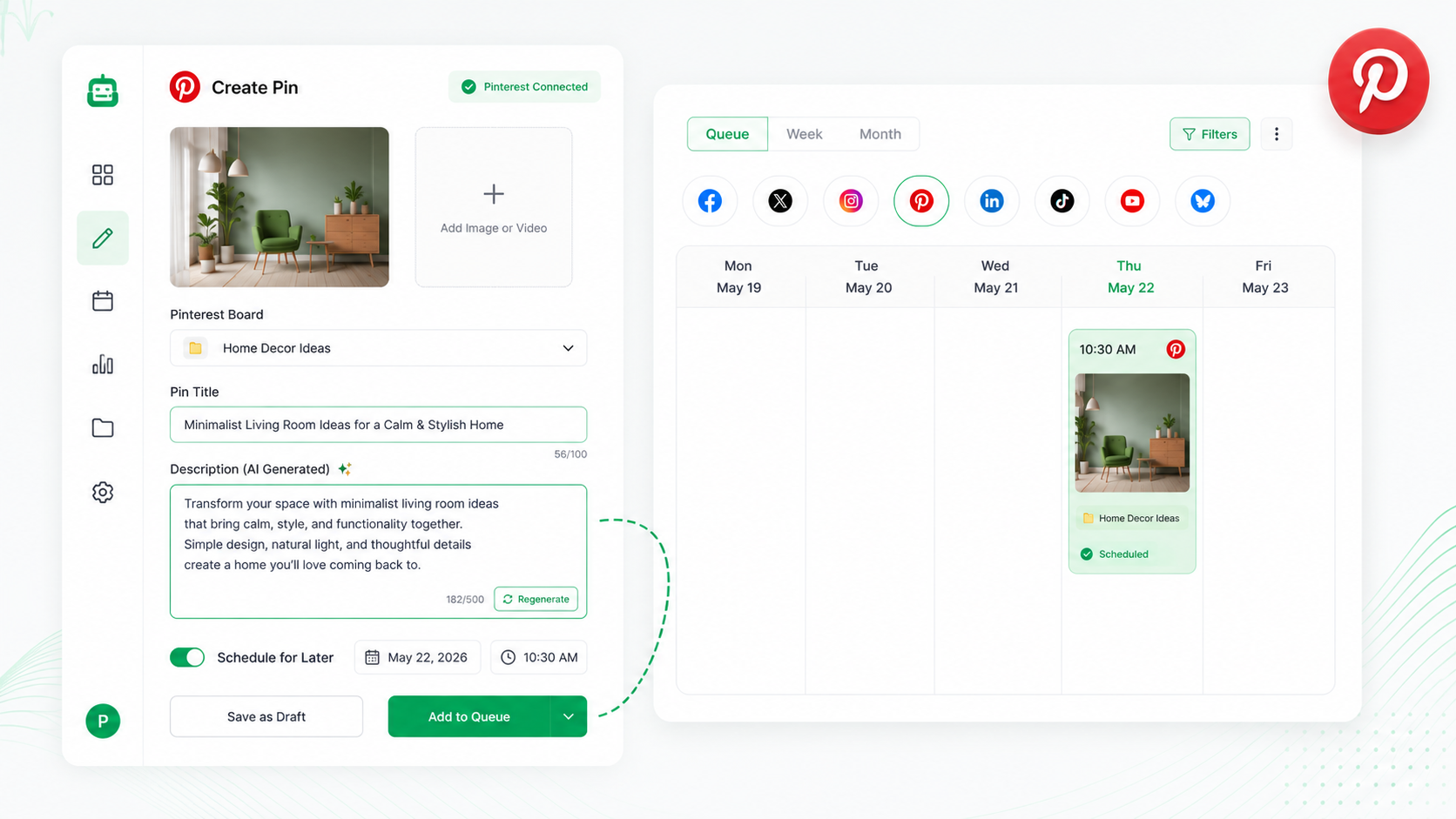
The Complete Stack for Pinterest
Every Pinterest Tool. In One Place.
AI descriptions built for search, a built-in board picker, automated pinning,
evergreen recycling that keeps Pins resurfacing, and analytics.
Create with AI
AI writes keyword-rich Pin descriptions in your brand's voice, built for Pinterest discovery
Pin to boards
Board picker and new board creation are built into the composer; every Pin lands in the right place
Publish automatically
Analytics and AI insights show which Pins are driving saves, clicks, and reach across your accounts
Grow with data
Analytics and AI insights show what is driving reach and engagement across your accounts
The PostMonk Workflow
From the First Pin to the
Saves It Earns Six Months Later.
Capture ideas, write descriptions, schedule and recycle Pins, reply to comments, and track what drives saves and clicks.
Create
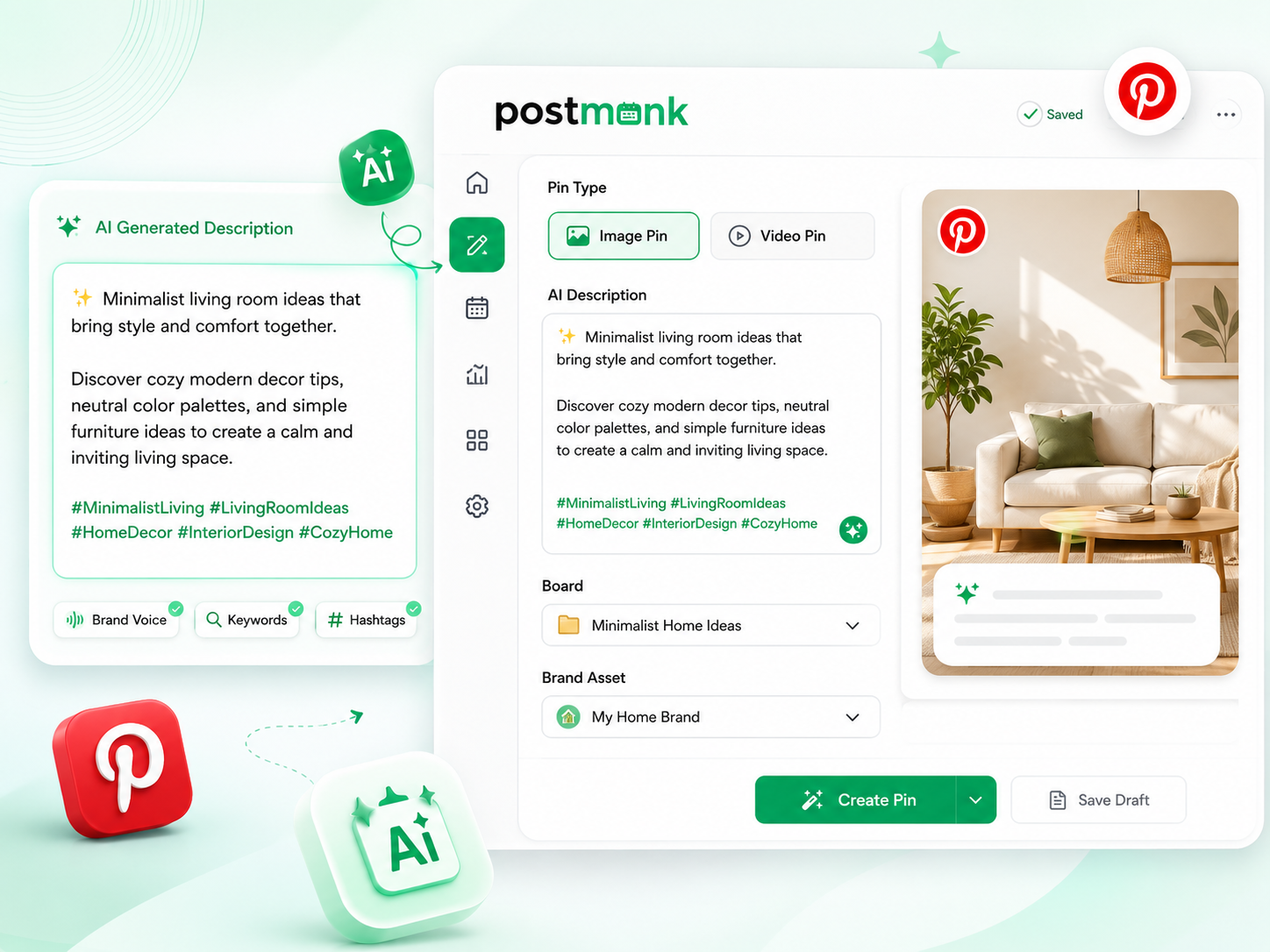
Descriptions That Get Your Pins Found. Written in Seconds.
PostMonk's AI writes keyword-rich Pinterest descriptions in your brand's voice, structured for search discovery rather than casual conversation. Select a Brand Asset and your voice, hashtags, and default board are loaded before you type a word.
AI writes descriptions optimized for Pinterest search with your brand's voice and relevant keywords
Board picker lets you assign each Pin to an existing board or create a new one directly in the composer
Brand Assets store each account's voice, hashtags, and posting cadence pre-configured
Supports both image Pins and video Pins from the same composer session
Plan
Organize Your Pins Before They Go Live. Nothing Gets Lost.
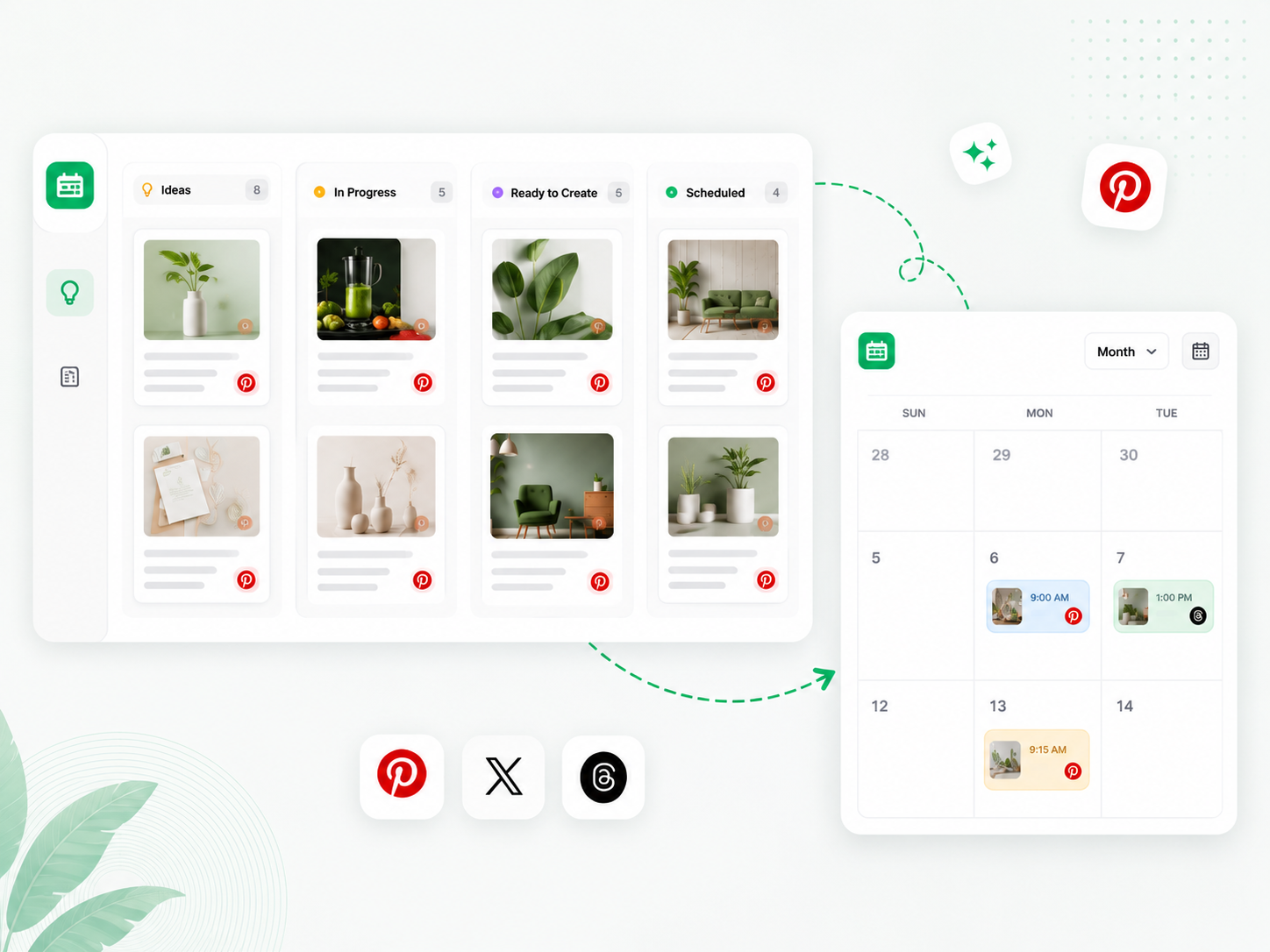
Running multiple boards across multiple accounts without a calendar is how posting gaps happen. PostMonk's Ideas Board captures Pin concepts before they are ready to create, and the content calendar keeps every account's full schedule visible in one place.
Ideas Board captures concepts across Kanban columns, so nothing is lost before publishing
The calendar shows every connected Pinterest account's schedule in one view, color-coded by Brand Asset
Per-platform overrides let you write a Threads-specific version of any multi-platform post
Post templates save your most-used Pin description formats and board pairings for fast reuse
Publish
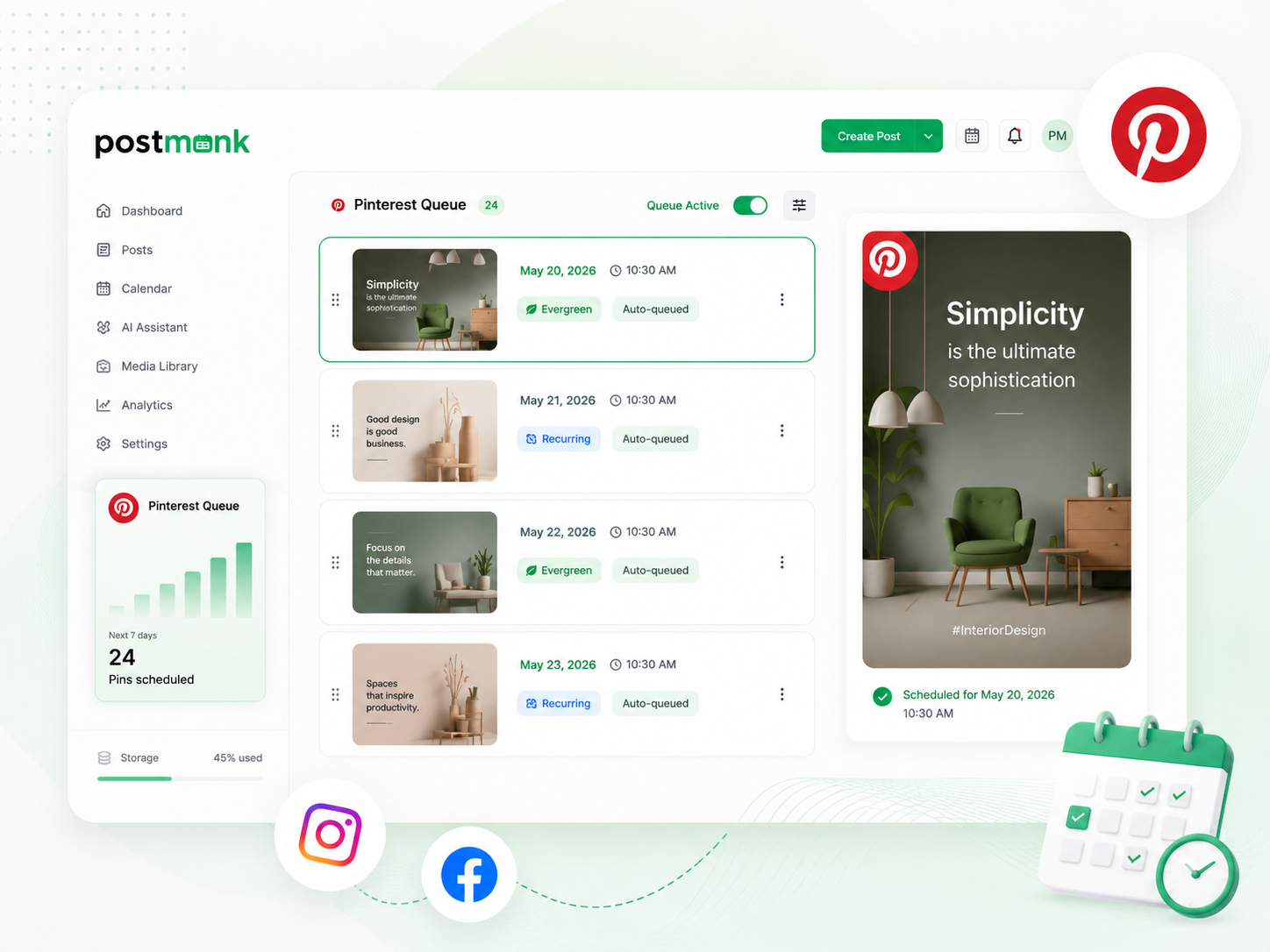
Your Pinterest Queue Runs. Pins Keep Working Long After They Post.
PostMonk fills your Pinterest queue automatically as you create content, keeping your pinning cadence consistent without daily effort. Evergreen recycling is especially valuable on Pinterest, where Pins resurface in search results for months after they are first published.
Queue fills automatically as you add Pins, keeping your account on cadence without daily effort
Recurring Pins publish on a fixed schedule without re-composing each time
Evergreen recycling requeues top Pins at your chosen interval so they resurface in search again
Performance Rules cross-post winning content to Instagram or Facebook automatically
Engage
Stay Active in Your Comments. Build the Community.
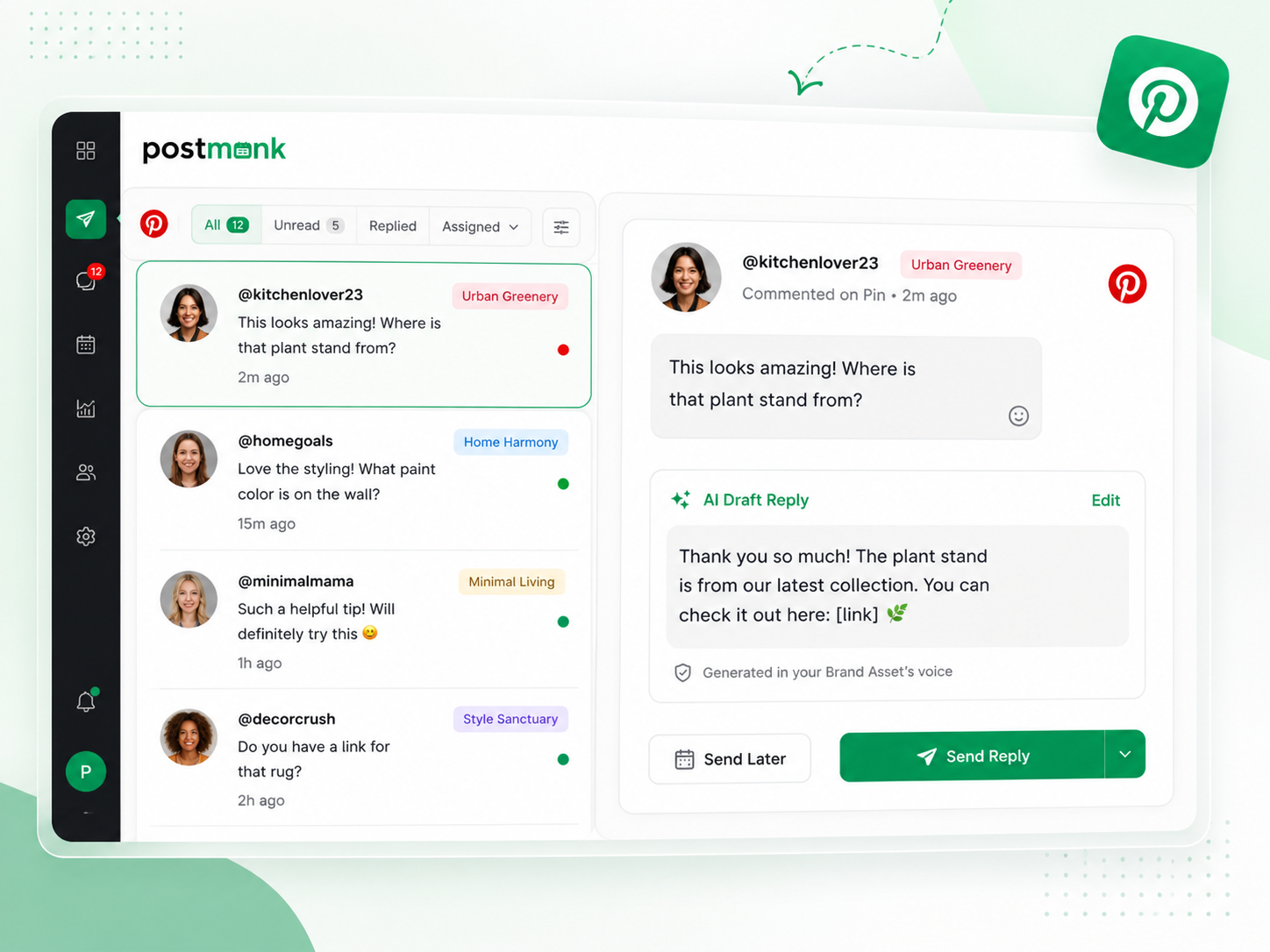
Pinterest comments connect your brand to buyers and creators in your niche. PostMonk pulls comments from every connected account into one inbox and drafts a reply in your Brand Asset's voice, so you respond consistently without opening Pinterest.
Comments from all connected Pinterest accounts surface in one unified inbox
AI drafts a reply for each comment in your Brand Asset's voice
Edit, approve, and send replies directly from PostMonk without opening Pinterest
Account labels on every comment, so the right brand always responds
Analyze
Know Which Pins Are Driving Saves and Clicks. Act on It.
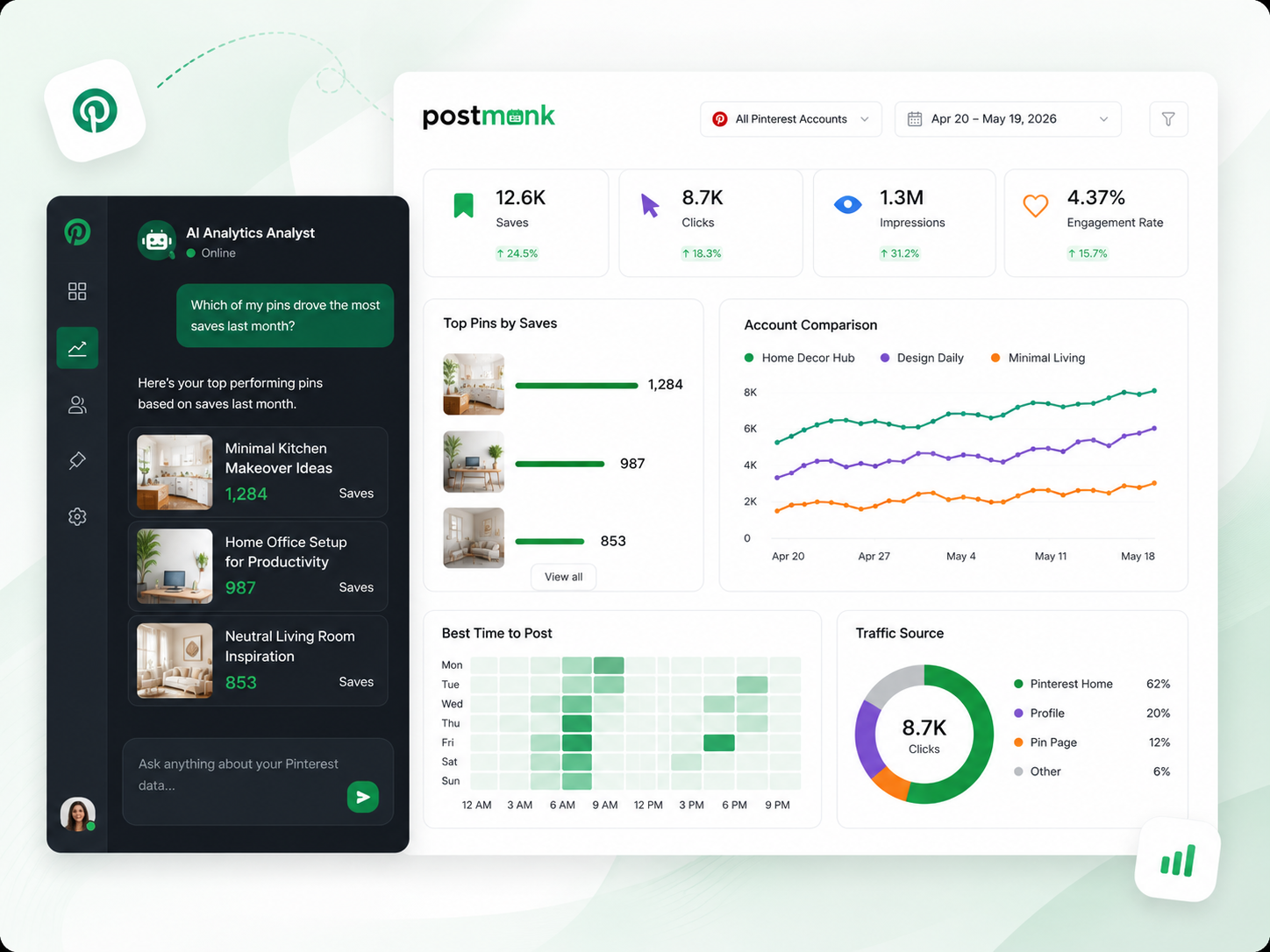
PostMonk tracks performance across all connected Pinterest accounts in one dashboard. Ask the AI Analytics Analyst anything in plain language, and it pulls the answer from your actual account data.
Saves, clicks, impressions, and engagement rate consolidated across every connected Pinterest account
Account comparison shows multiple profiles side by side, so you can see which boards and content are working
Best time to post recommendations is based on each account's own engagement history, not Pinterest-wide averages
AI Analytics Q&A answers natural language questions using your actual account data
Ready to run your Pinterest workflow
from one place?
Use AI, Brand Assets, multi-platform publishing, analytics, and automation inside one dedicated workspace.
7-day free trial · No credit card · Lifetime from $29
FAQ
All Your Questions, Answered
Does PostMonk let me choose which Pinterest board a Pin goes to?
Yes. The board picker is built into the PostMonk composer. Select an existing board for each Pin or create a new board directly from the composer without opening Pinterest. Every scheduled Pin shows its assigned board in the content calendar.
Does PostMonk support image Pins and video Pins?
Yes. PostMonk supports both image Pins and video Pins from the same composer. Select your media, write or generate your description, pick a board, and schedule. Both Pin types appear together in your content calendar.
How does evergreen recycling work for Pinterest Pins?
Evergreen recycling requeues a Pin at the interval you set, so your top-performing Pins are republished automatically without re-composing. Pinterest's search-driven model makes this especially useful, since well-described Pins can continue surfacing in results long after their original post date.
Can I manage multiple Pinterest accounts from one PostMonk workspace?
Yes. Connect multiple Pinterest accounts to one workspace and switch between them in the composer with a single click. Use Brand Assets to store a separate voice, default board, and hashtags for each account so content stays organized.
Does PostMonk publish Pins directly, or does it send a notification?
PostMonk publishes Pins directly to your connected Pinterest account at the scheduled time. No push notification or manual step is required.
How does PostMonk determine the best time to Pin?
PostMonk analyzes the engagement history of each connected Pinterest account and surfaces the posting windows when that specific audience has been most active. Recommendations are based on your account's own data, not Pinterest-wide averages.
Can an AI assistant manage my Pinterest posting for me?
Yes. PostMonk's built-in MCP server lets AI assistants (Claude, ChatGPT, or any MCP-compatible agent) take real action inside your workspace through plain conversation. Tell your AI to schedule a Pin, pull last month's top-performing content, or approve a draft, and it executes directly inside PostMonk.
Every Board. Every Account. Pinning Consistently Without the Daily Effort.
Connect your accounts, set up your Brand Assets, and let PostMonk
handle the pinning, the recycling, the replies, and the reporting.
7-day free trial · No credit card · Lifetime from $29

Built with ❤️ by the team @ Dorik.com
AI-first social media management
with lifetime workspace pricing.
© 2026 PostMonk, a product of Dorik, Inc.